From Idea to Publication:
AI Tools Across the Research Workflow and Journal Strategies for Faculty
- Literature Discovery & Idea Development
3. Organization & Integration
2. Evaluation & Evidence Strength
4. Writing & Workflow Support

5. Strategic Publishing & Journal Selection
AI in Research: Hype, Help, and Hazards

- AI embedded in Databases
(EBSCO, ProQuest, ScienceDirect, JSTOR)
- Other Generative AI Tools
- Collaborations & External Platforms
- Journal Policies are Evolving
AI can accelerate research, but it can also amplify bias, fabricate citations, and create compliance risks.
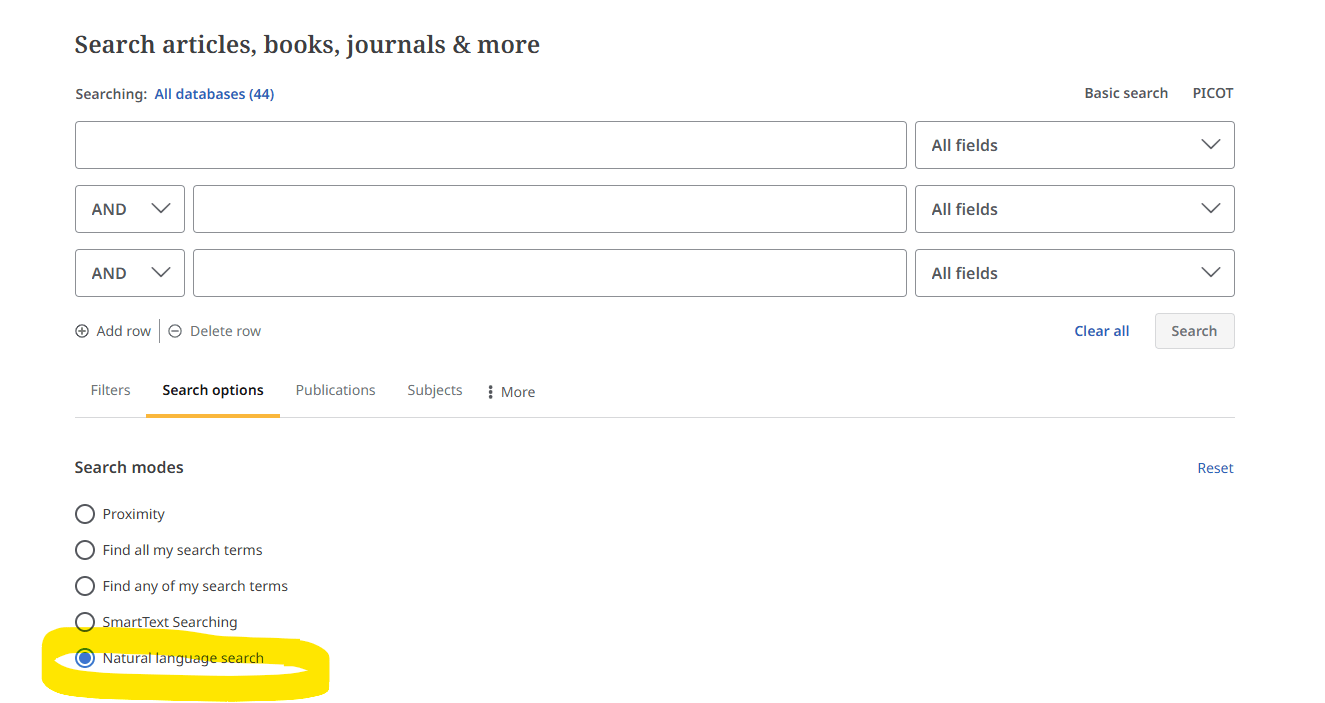
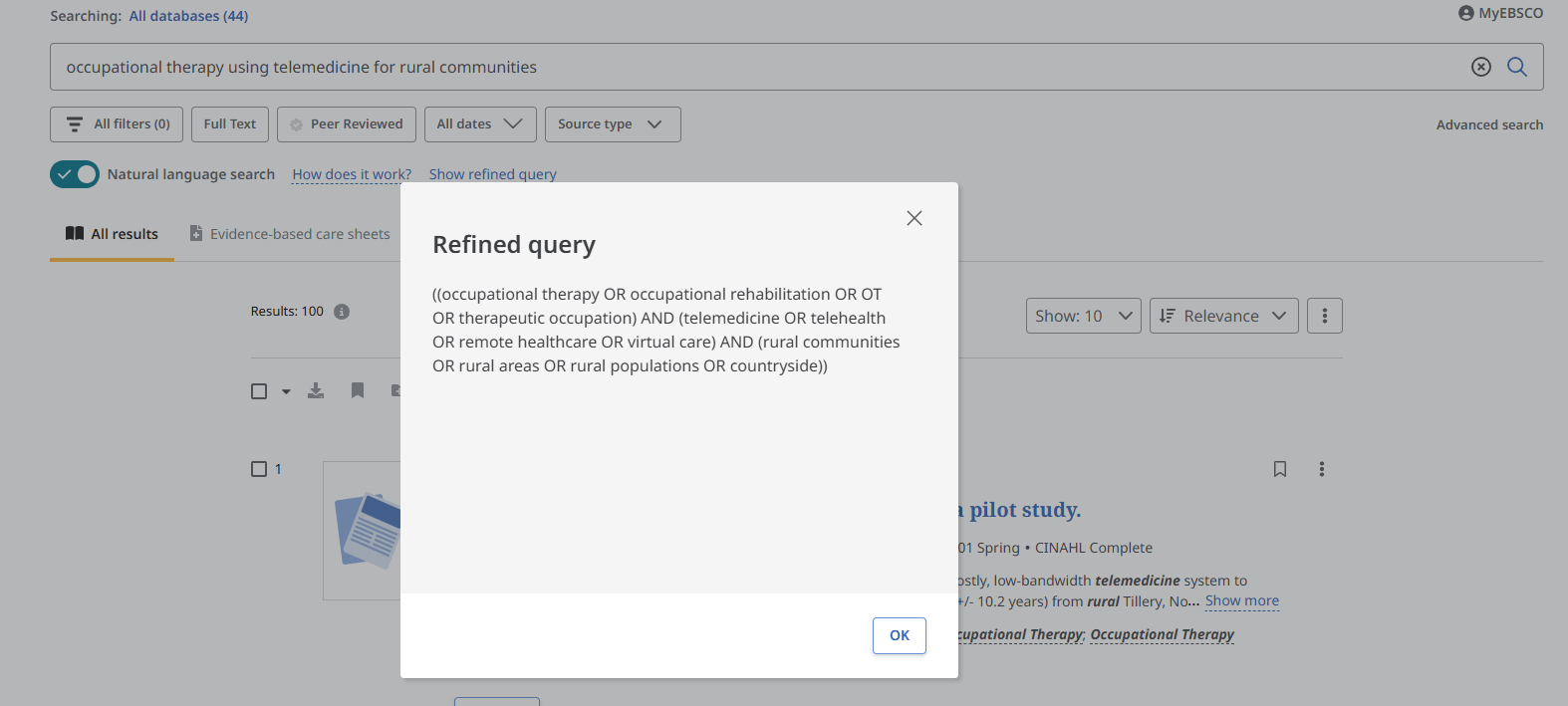
EBSCOhost Natural Language Search using LLM
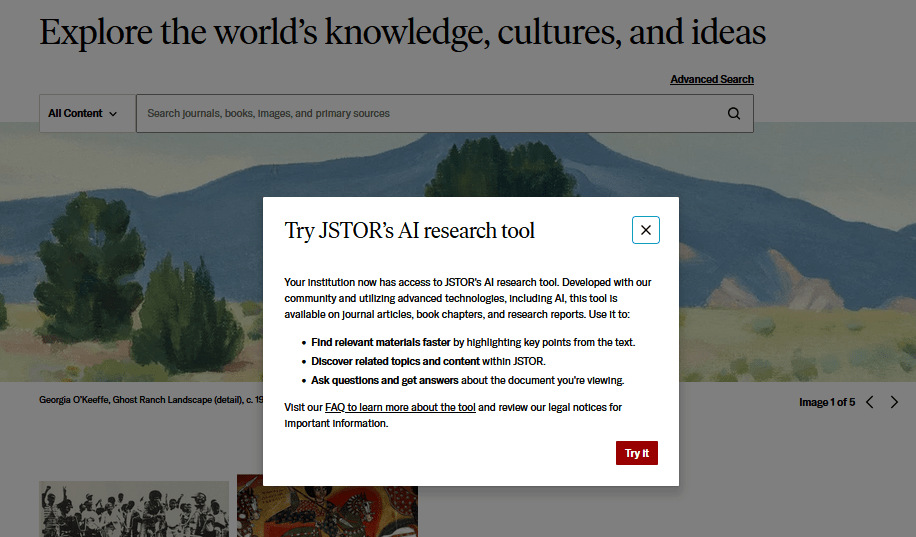
JSTOR AI Search Tool
Visible only when Login to JSTOR Account
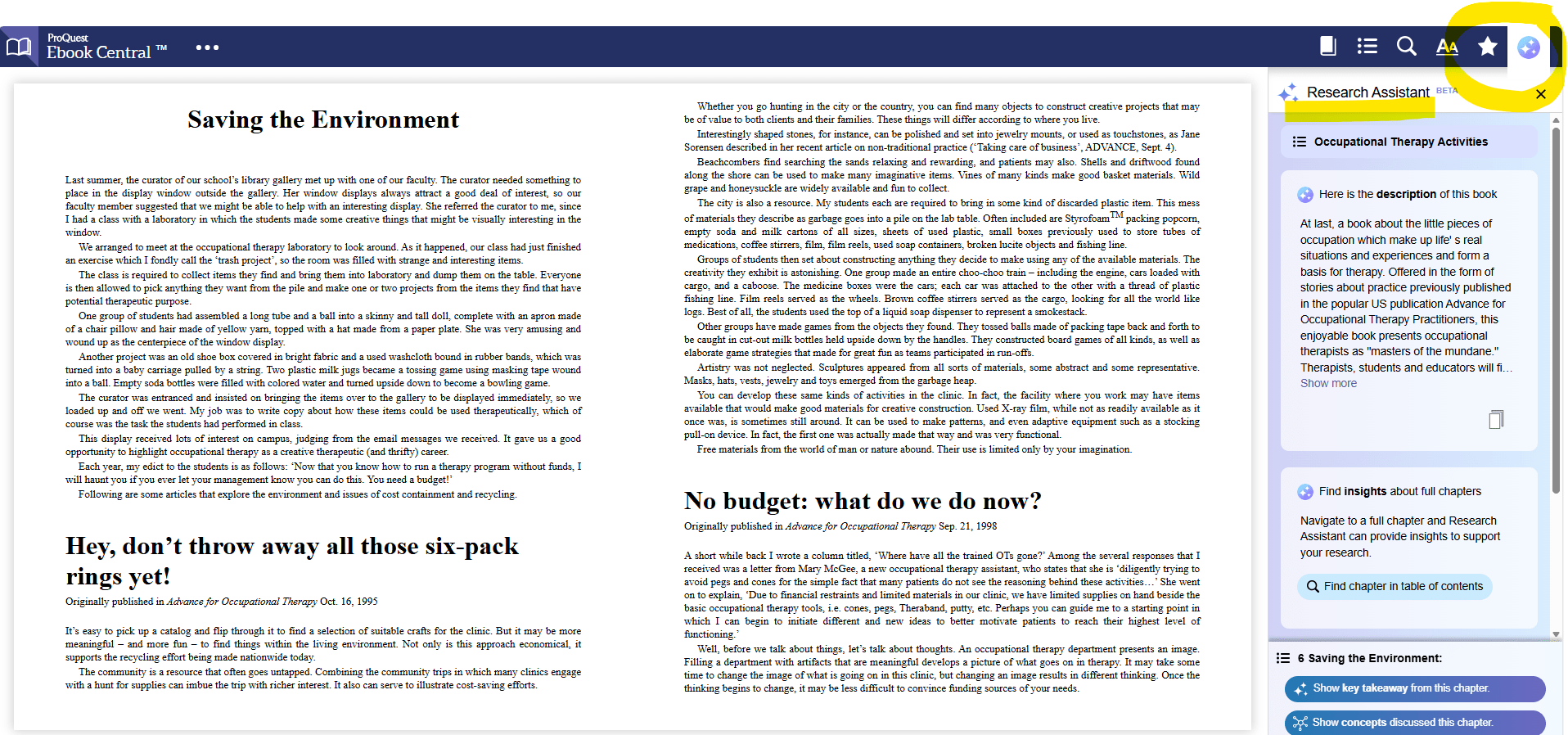
ProQuest Ebook Central Research Assistant Beta
AI Tools Across the Research Workflow

1. Literature Discovery & Idea Development
EBSCO host Natural Language Search
LLM change search into Boolean then run the search thru their search algorithm & index as usual.
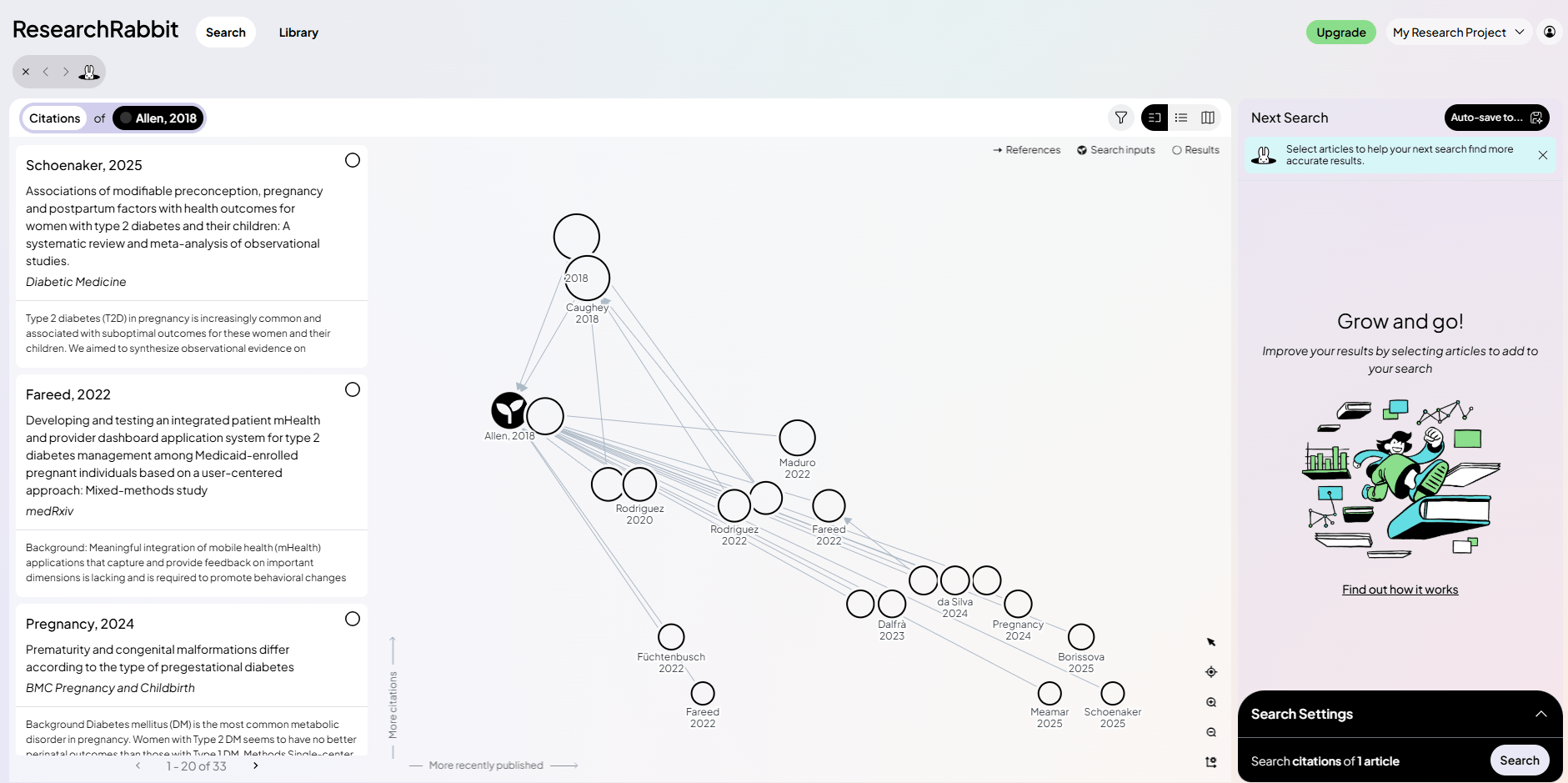
AI Tool: Research Rabbit
Visual citation mapping / Tracks author networks / Identifies related works / Integrates with Zotero
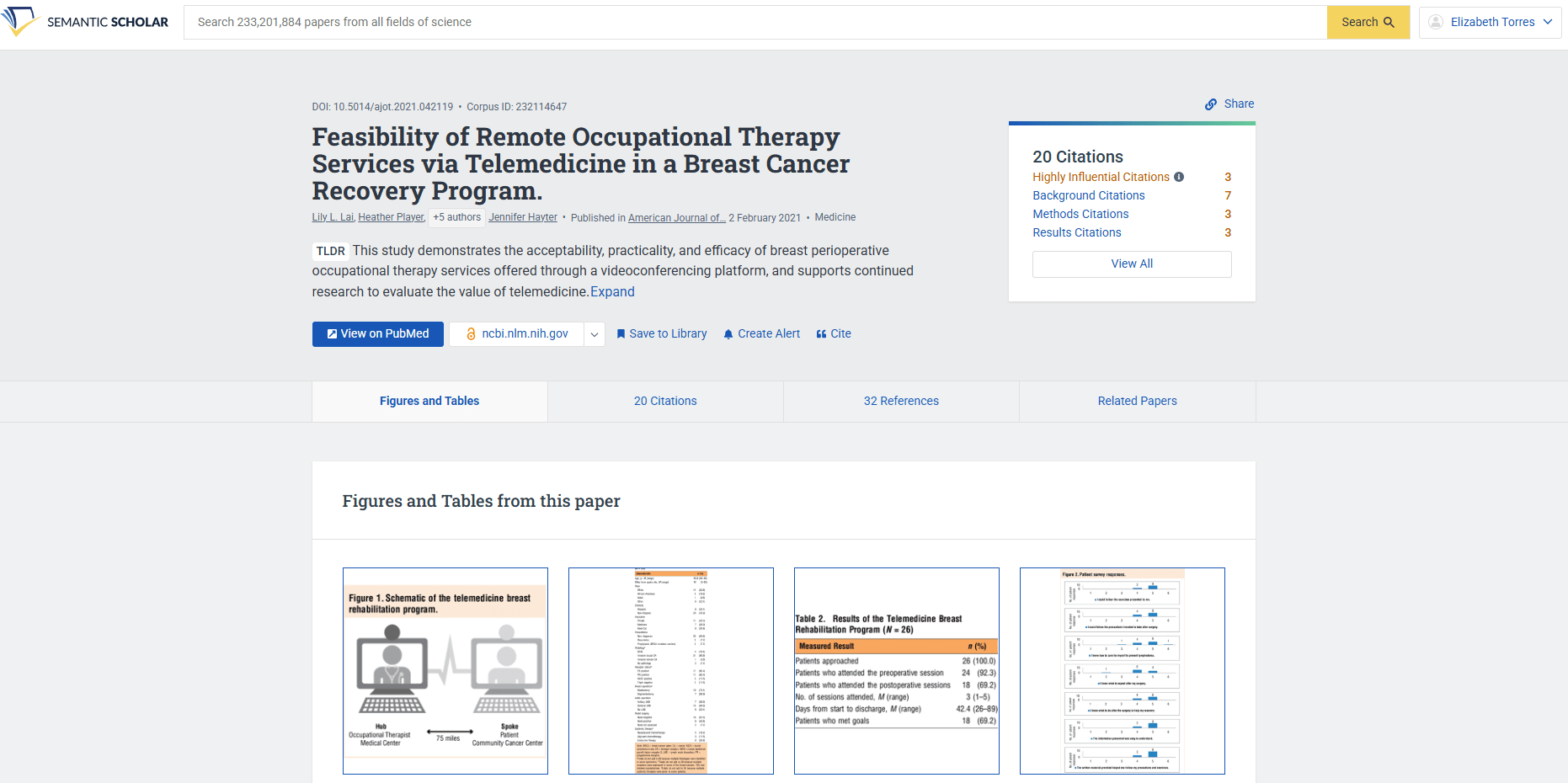
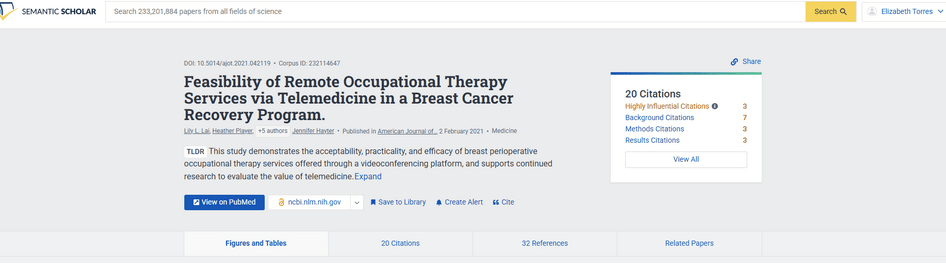
AI Tool: Semantic Scholar
AI-Ranked search results / AI generated paper summaries /
Citation& Influence tracking/ Research Feed alerts
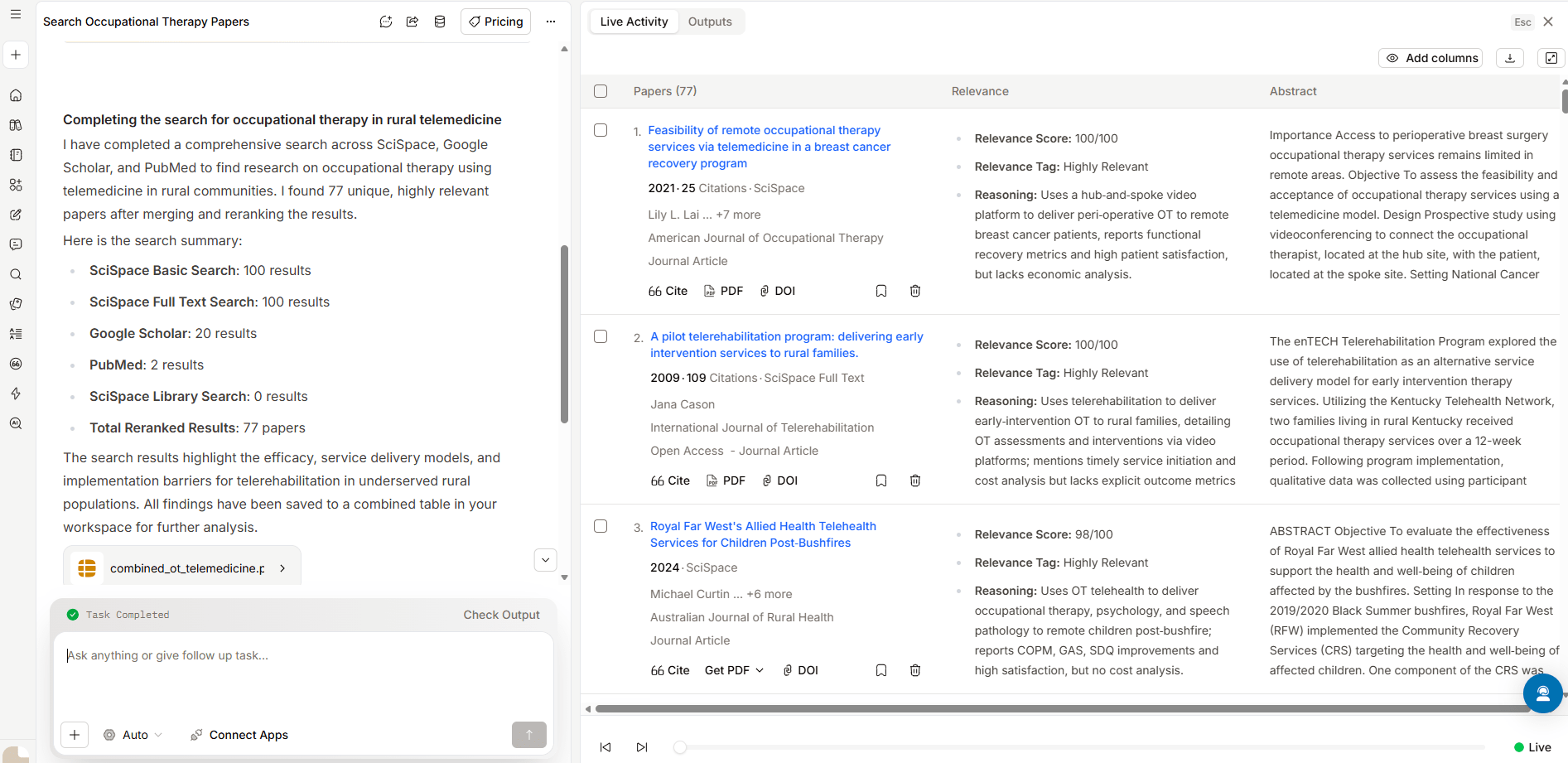
AI Tool: SciSpace
Natural Language search/ Chat with PDF/ AI explanation of methods, tables and concepts/ Integrated literature review workflow
AI Tool: Elicit
Searches semantically/ Auto extracts methods, populations, outcomes/
Build comparison tables
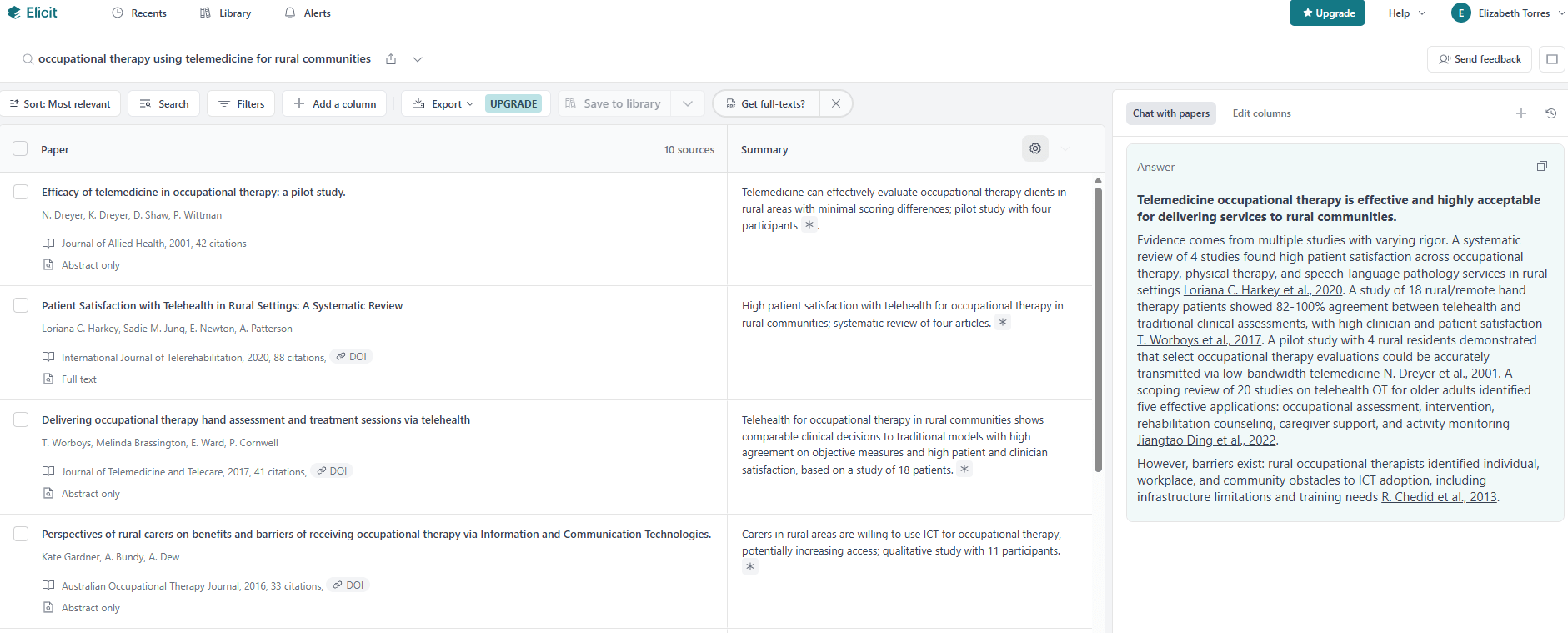
AI Tools Across the Research Workflow
1b. Ethical Discussion Points
-
Hallucinated or fabricated citations
-
Opaque or undocumented training data
-
Reproducibility and verification challenges
-
Copyright and publisher licensing concerns
AI Tools Across the Research Workflow

2. Evaluation & Evidence Strength
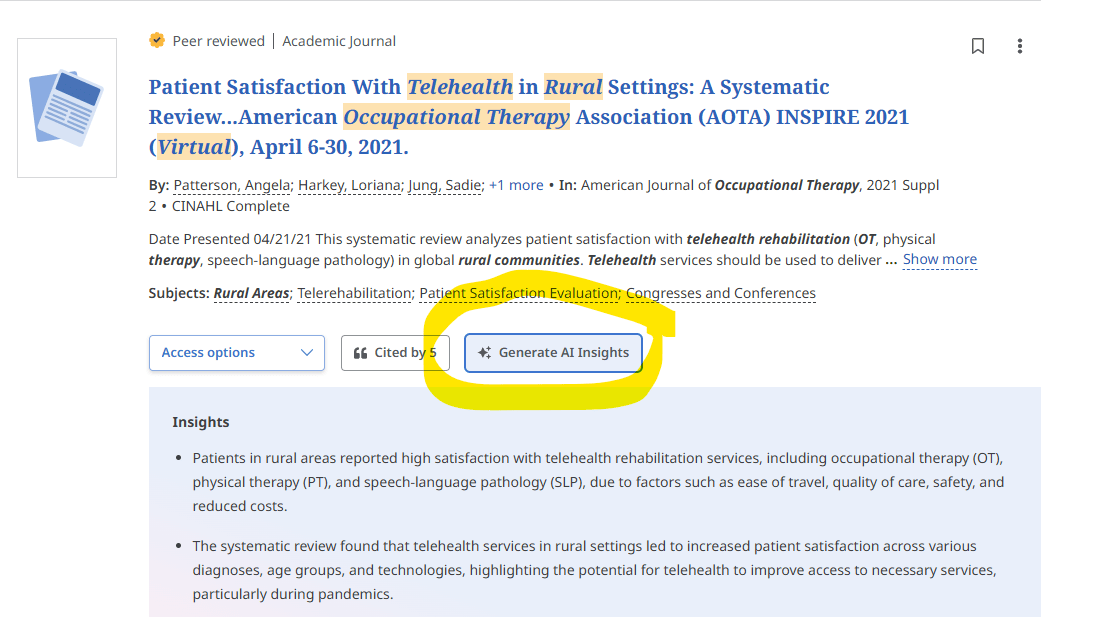
Example Tools: EBSCO AI Insights, Semantic Scholar
Summarization vs. Contrasting Citations
-
AI analyzes citation context and article content
-
Identifies whether a study supports, contradicts, or discusses prior studies
-
Generates summaries and evidence insights to help researchers quickly evaluate literature
EBSCOhost AI Insights
AI-Ranked search results / Citation context preview/
Journal & author metrics
AI Tools: Semantic Scholar
-
Shows influential citations
-
Provides AI-generated paper summaries
-
Highlights key passages and citation context
-
Helps researchers quickly judge the importance and impact of studies
AI Tools Across the Research Workflow
• Summarization limitations (RAG + rewording)
• Citation interpretation problems
• Nuances which AI systems may miss
• Bias in training data and truthfulness limitation
2b. Ethical discussion points
"AI generates plausible language, not verified truth. Researcher judgment remains essential"
AI Tools Across the Research Workflow
Examples:
-
Research Rabbit
-
SciSpace
-
Elicit (via export workflows)
-
PDF analysis tools
3.Organization & Integration
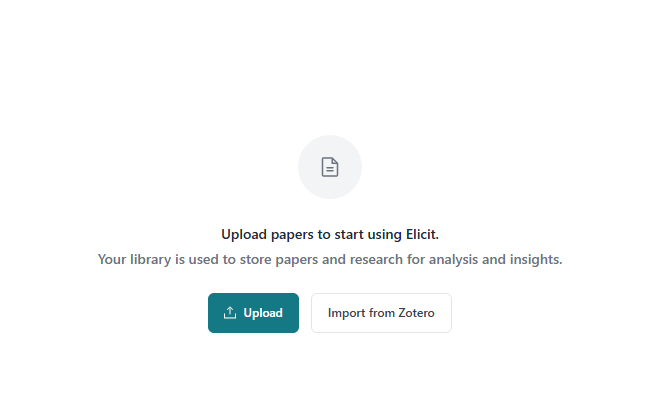
Zotero can connect with several AI research tools

"Zotero as the Research Hub"
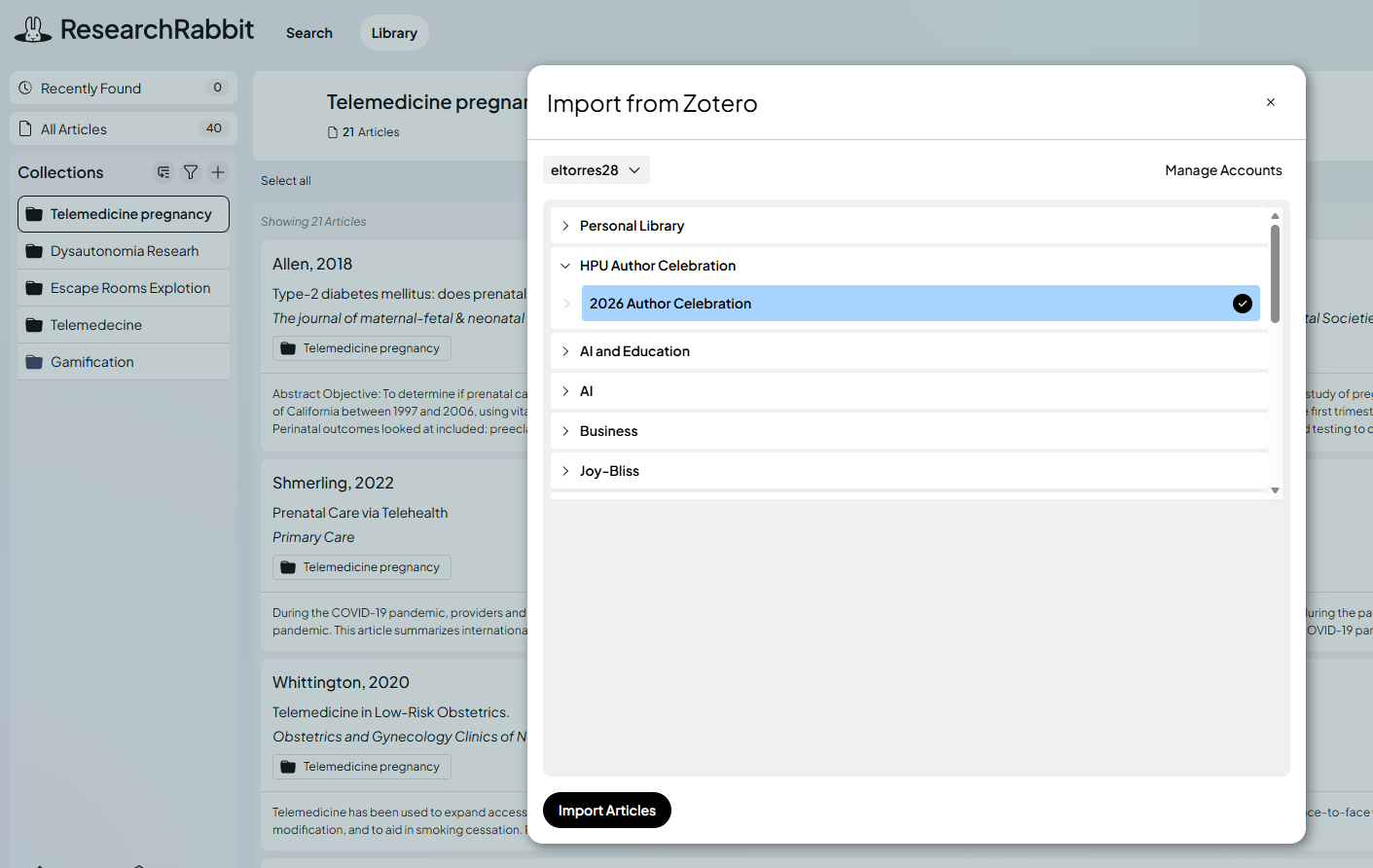
Research Rabbit Integration
SciSpace Integration
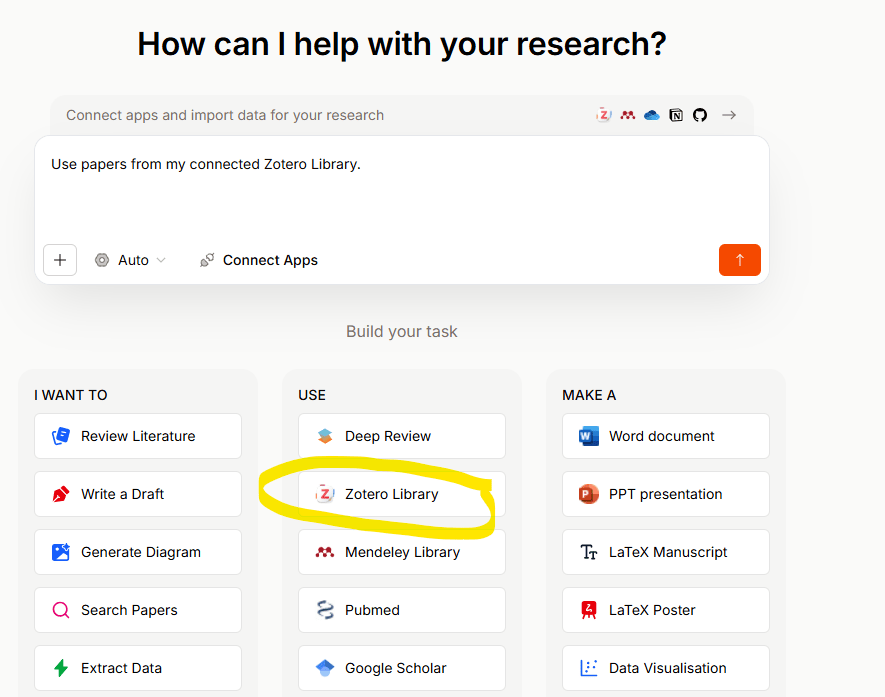
Elicit Integration
AI Tools Across the Research Workflow
-
Copyright and Publisher Agreement
-
Data Privacy and Research Confidentiality
-
Integrity of Scholarly Interpretation
3b. Ethical Discussion Points
“AI tools can accelerate literature synthesis, but scholarly judgment remains essential.”
AI Tools Across the Research Workflow
Some faculty use AI tools for:
4. Writing & Workflow Support
Example Tools: Open AI, Prism

-
Clarifying and Refining Academic Writing
-
Drafting Research Workflow Materials
-
Editing and Revision Support
-
Workflow Companions
AI Tools Across the Research Workflow
4b. Ethical Discussion Points
“AI tools can accelerate drafting and revision, but scholarly judgment, interpretation, and argument remain human responsibilities.”
-
Authorship, Academic Integrity & AI Disclosure
-
Accuracy and Fabrication
-
Data Privacy and Research Confidentiality
-
Scholarly Voice and Interpretation
Across the Research Workflow

5. Strategic Publishing & Journal Selection
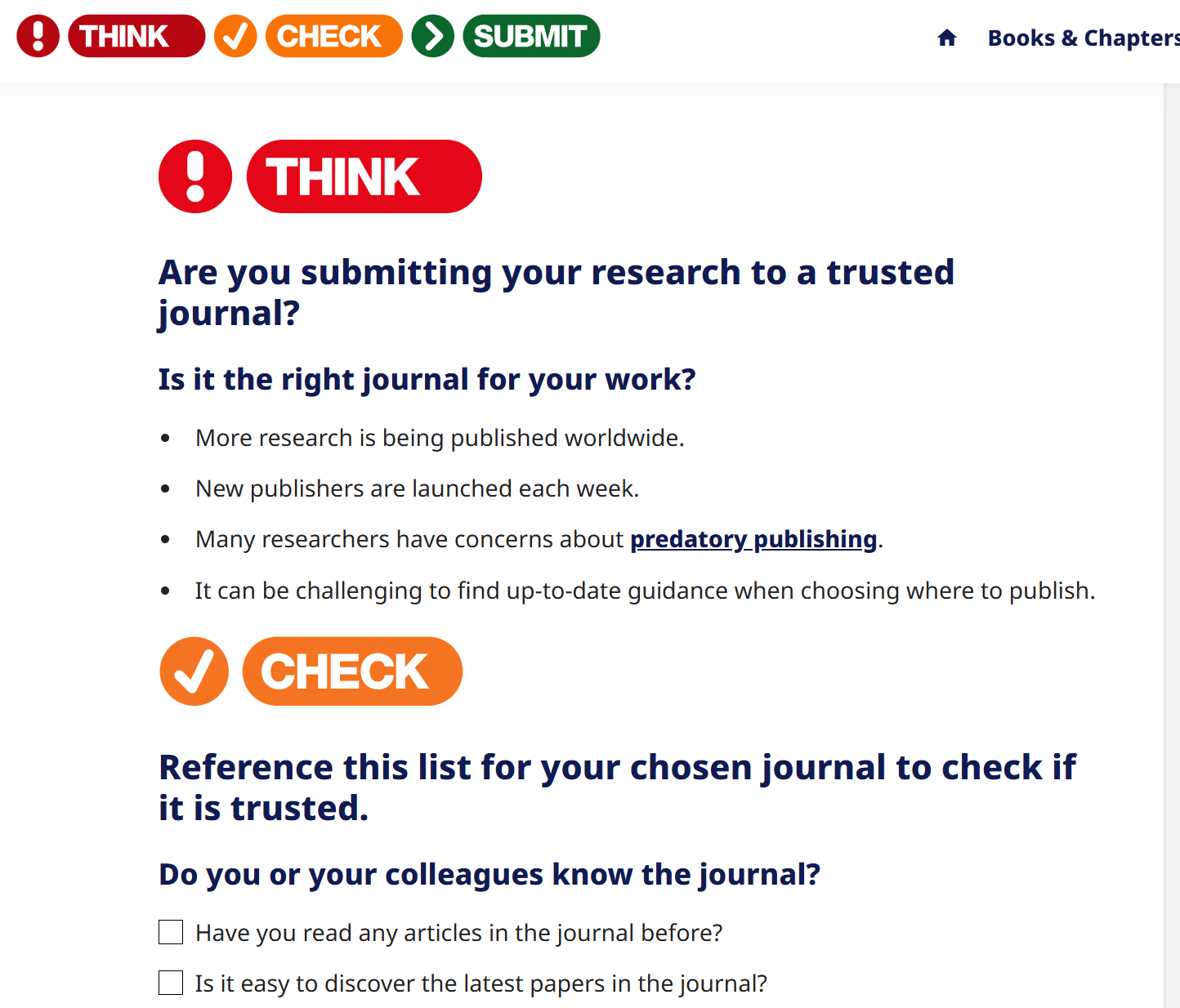
The Think, Check, Submit framework was developed by a coalition of library organizations, scholarly publishers, and open access organizations to help researchers avoid deceptive publishers.
Think Check Submit framework
Across the Research Workflow
5b. Database Indexes & Publishing Directories
Provide authoritative listings of publications. They can help you identify journals to evaluate.
Database Indexes Examples:
Publishing Directories Examples:
- Web of Science Master Journal List
- Directory of Open Access Journals (DOAJ)
- Journals with Medical Education Research
- SCELC Sage Journals Agreement
- SCELC Springer Nature Agreement
Across the Research Workflow
To check if PubMed includes a specific journal:
- Go to PubMed.
- Find the Explore section on the homepage.
- Use the Journals link to get a search box you can use to identify journals.
-
Find the journal(s) you want.
- Use the search box to check for a specific journal or a set of journals on a topic.
- Or, use the "indexed in MEDLINE" and "deposited in PMC" links to browse lists of journals.
PubMed is one of the most common databases for health topics. It will be easy for people to find your article if you publish in one of the journals it includes.
Across the Research Workflow
CINAHL specializes in nursing topics and includes articles related to other health disciplines, such as physical therapy.
To check if CINAHL indexes a specific publication:
- Go to CINAHL.
- Find the Publications tab, which is underneath the search box section.
- Browse the list on that tab OR use the Publications Search box to find relevant titles.
- Click on the title of a specific publication to get more details.
- Use the search box or the list of issues to get a sense of the types of articles the journal publishes.
Across the Research Workflow
To check if Sage has specific titles see:
Regarding SCEL TAs for HPU authors, all hybrid journal submissions are automatically approved if the corresponding author either:
- Lists a Hawai‘i Pacific University affiliation, or
- Uses an HPU email address.
- See list of journals
Across the Research Workflow
To check if Springer Nature has specific titles see:
Regarding SCEL TAs for HPU authors, all (hybrid) journal articles that come from a corresponding author must indicate:
- Their Hawaii Pacific University affiliation
- OR uses their HPU email address
- The best practice for authors is to use both
Note: Nature and Nature branded journals are not part of agreement.
Across the Research Workflow
5c. Journal Suggestion Tools
- JSTOR Text Analyzer
Drag and drop a copy of your article into the Text Analyzer and the tool will find similar content in JSTOR. You can then see which journals published similar articles.
- Elsevier Journal Finder
Enter the title and abstract of your paper or specific keywords to easily find journals that could be best suited for publishing. JournalFinder uses smart search technology and field-of-research specific vocabularies to match your paper to scientific journals.
Across the Research Workflow
5c. Journal Suggestion Tools
-
Taylor & Francis Journal Suggester
Use the abstract of your article to see their suggested journals (including some citations from them and speed metrics).
-
Open Journal Matcher
This tool helps to find the most relevant five open-access journals to the field of your research, it just requires some specific information like the abstract.
-
Web of Science
Search for a journal by keyword or by your manuscript. Free registration is required to match the manuscript.
Across the Research Workflow

Contact HPU Library & Learning Commons
- Research Consultations and Help
- Transformative Agreements (TAs)
- Institution Repository
- International Journal of Telerehabilitation (IJT)
- HPU Author Celebration every Spring semester
Faculty Research
By Elizabeth Torres