Presentations
Templates
Features
Teams
Docs
Pricing
Log in
Sign up
Log in
Sign up
Menu
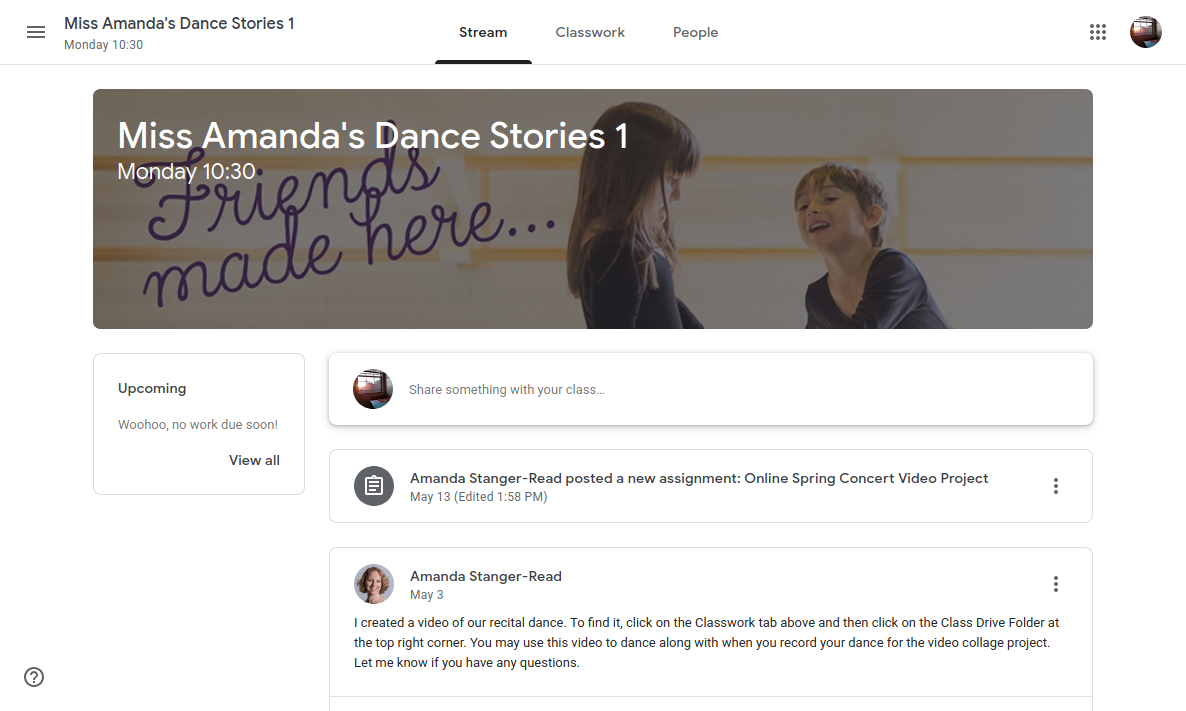
How to turn in your
video assignment in
Google Classroom
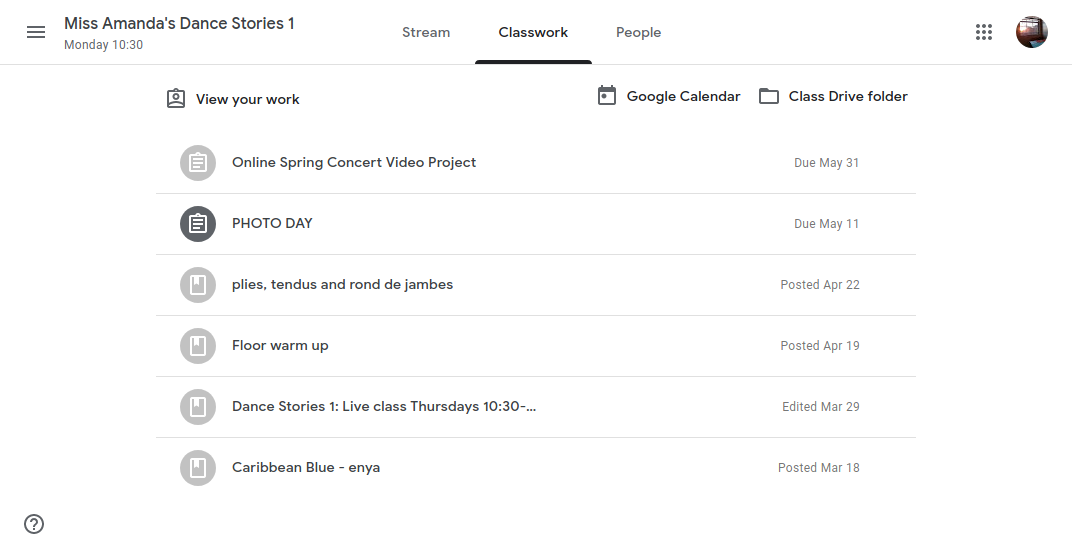
Click the 'Classwork' button
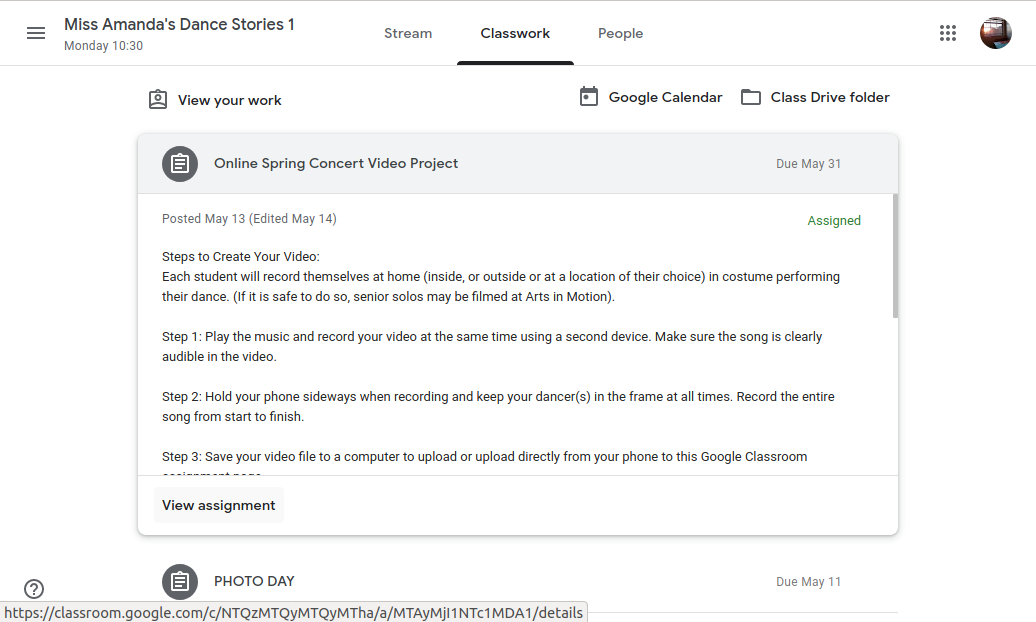
Click the 'Online Spring Concert Video Project' button
Click the ''View assignment" button
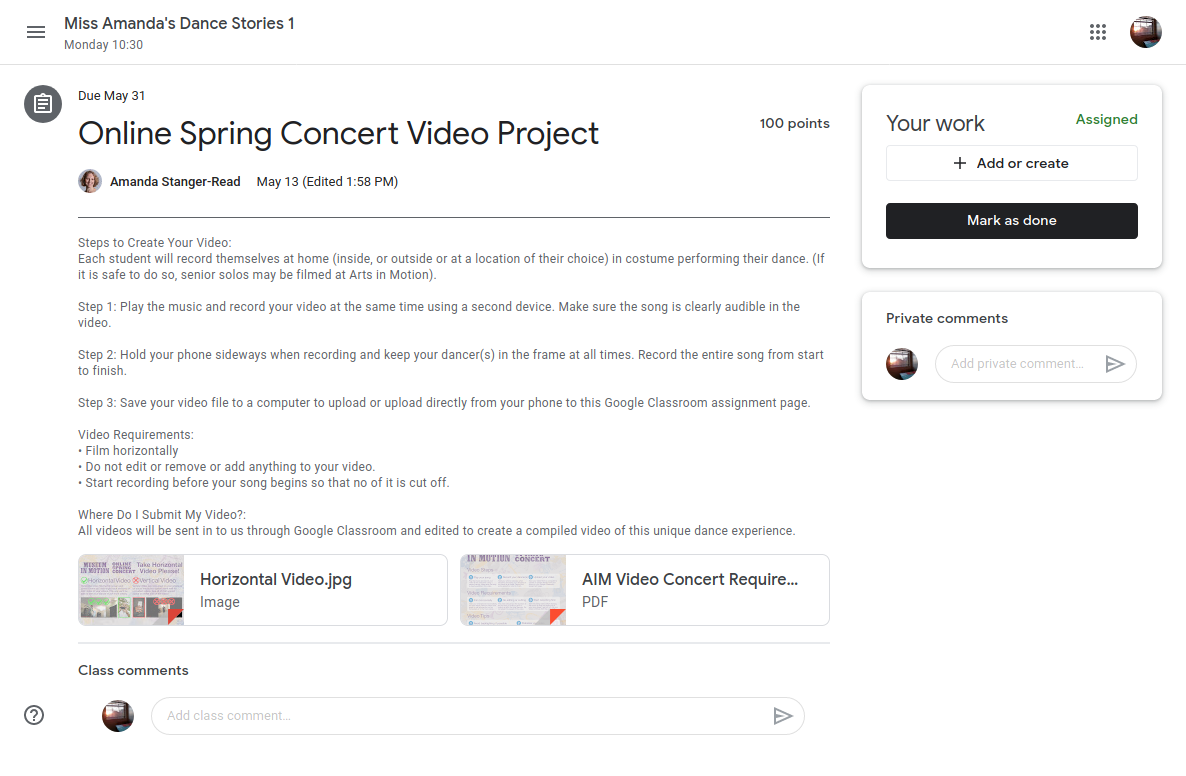
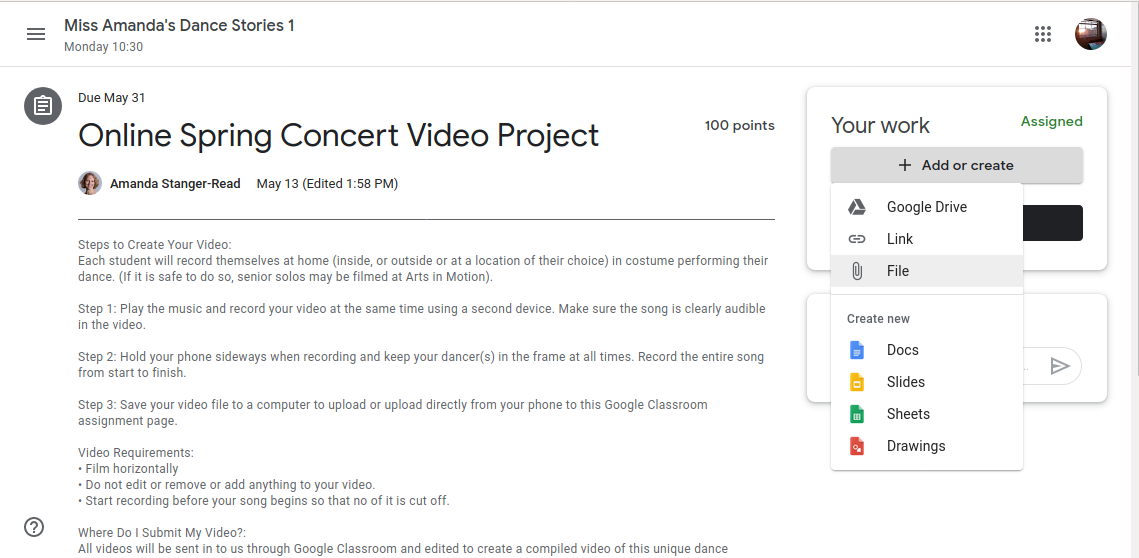
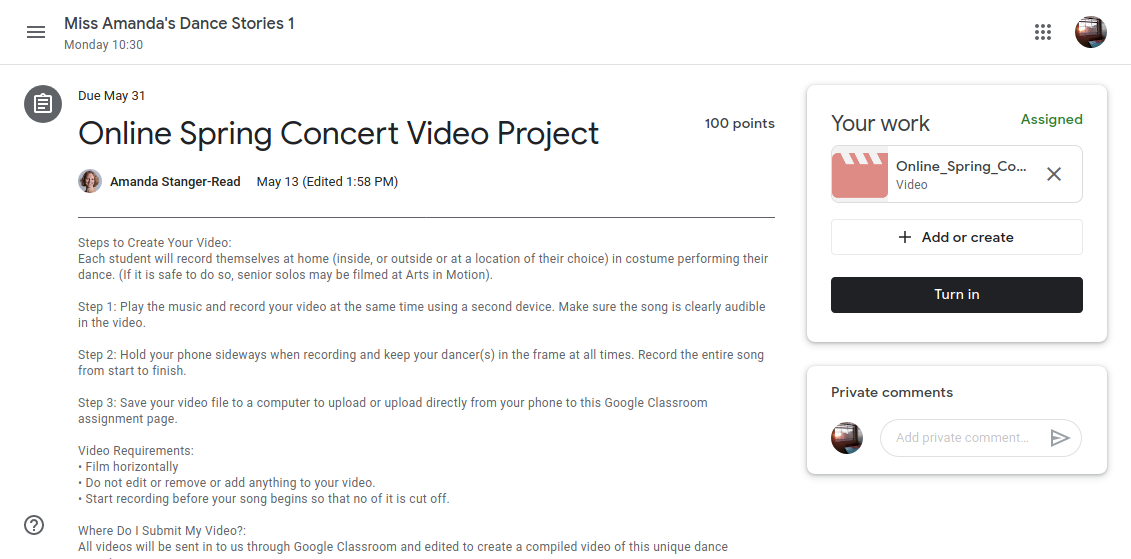
Click the 'Add or create' button
Select 'File' Option
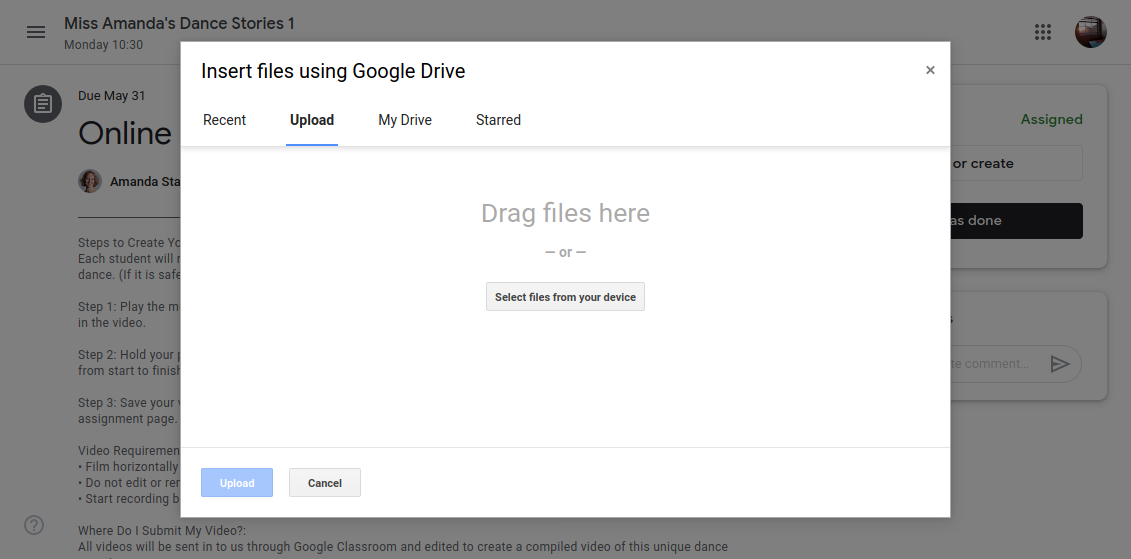
Click 'Select files form your device' Button
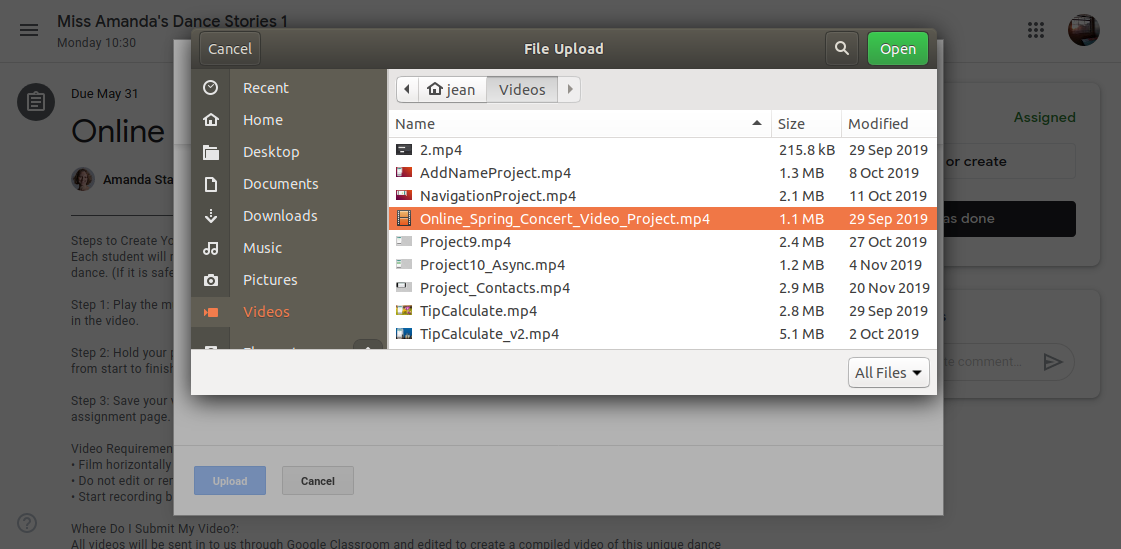
Select the video file from your computer to upload
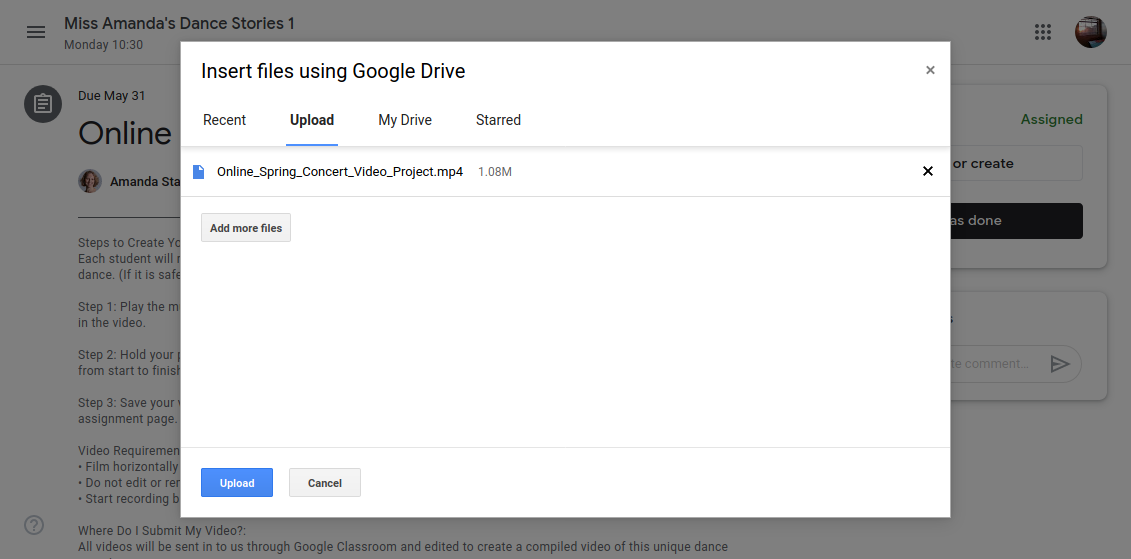
After you select the file then click the "Upload" button
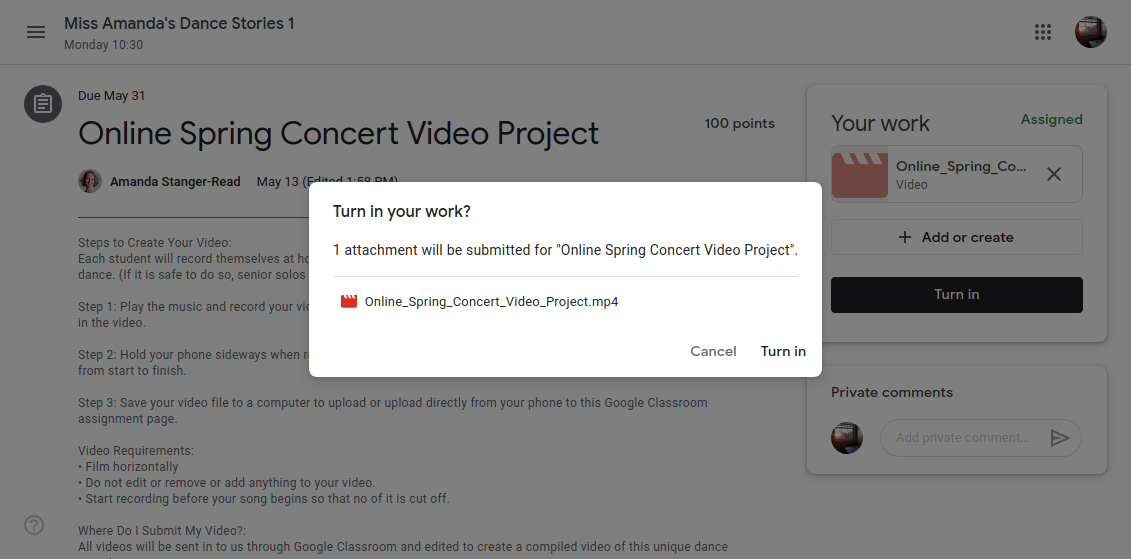
After the uploading process you can turn in your video assignment by clicking "Turn in" button
In the pop up dialog window click the "Turn in" Button again
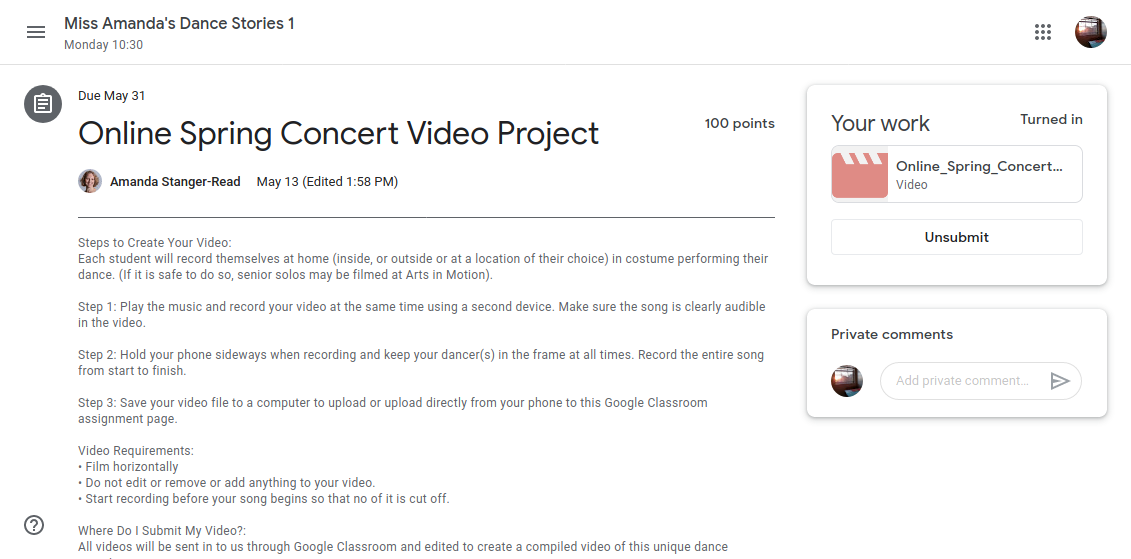
You've turned in your video assignment!
How to Turn in your video assignment in Gooogle Classroom
By Jean Wang
Made with Slides.com
How to Turn in your video assignment in Gooogle Classroom
How to turn in video assignment in google classroom
130
Jean Wang
Some slides for Nehemiah 9 Design
jeanwang2dev.com
jeanwang2dev
More from
Jean Wang