YEAR 7 : WITI?
LO: TO UNDERSTAND HOW TO BUILD AN AWESOME WEBSITE USING HTML AND CSS
Text
Text
LET'S TRY ADDING SOME DIV TAGS TO OUR PAGE
FIRST STEPS
GETTING YOUR FOLDER IN ORDER
Create a WITI Folder in your 'My Documents' . You will be working in pairs so you will always use 1 person's account. Decide this now.
SETTING UP YOUR PAGE
You are going to make your webpage in HTML using Notepad. Open up Notepad and save the blank file as WITIWebpage.html
Save this file in your newly created WITI Folder
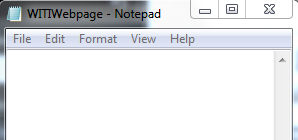
THINK: Why do we have to save it as a .html file? Talk to your partner about this and if you are both unsure you should ask your teacher
ADD YOUR FIRST HTML TAGS
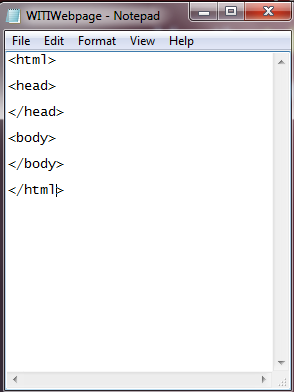
Add these HTML tags to your page
THINK: Why do we have w of each tag? What is the difference between <head> and </head>?
CREATING YOUR LAYOUT
We are going to use DIVs to divide our page up into sections.
Each section can be formatted separately and moved around the page to make an interesting layout.
THINK: What is a DIV tag and why do we need them?
Make
It
Awesome
How to make your project awesome: some ides
Subtitle
YEAR 7 PBL
By Liz English