Getting started with Sass in Drupal 8
Getting started with Sass, Singularity, Gulp, Breakpoint and LiveReload in
Drupal 8
Nathan Lawson
Front End Developer @ Consult and Design
Worked w/ Drupal for 5 years
Organiser @ Sunderland Digital
Tweet @nathanlawson91
What we'll cover
Creating a custom Drupal 8 sub-theme to include:
-
Sass
-
Gulp
-
Singularity
-
Breakpoint
-
LiveReload
What we won't cover
- Setting up Drupal 8
- Creating a Drupal base theme
- Sass 101
- Twig 101
Drupal 7
Used Omega 3 from 2012
Moved to Omega 4 in 2015
- Sass
- Grunt
- Singularity
- Breakpoint
- LiveReload
Drupal 8
Two Base themes:
Classy
- Sensible classes you can use for styling
Stable
- Far fewer classes and wrapper elements
Classy
<div class="field field--name-field-metro-stations field--label-above">
  <div class="field__label">Metro Stations</div>
  <div class="field__items">
    <div class="field__item">Central</div>
    <div class="field__item">Monument</div>
    <div class="field__item">Haymarket</div>
  </div>
</div>
Stable
<div>
  <div>Metro Stations</div>
  <div>
    <div>Central</div>
    <div>Monument</div>
    <div>Haymarket</div>
  </div>
</div>
Classy
- Good starting point
- Classes and markup significantly improved over D7 (BEM)
Stable
- Bare minimum
- Useful for implementing frameworks such as Foundation and Bootstrap
Drupal 8
Bartik
- Default theme for users in Drupal 8
- Responsive out the box
Seven
- Default admin theme
- Style guide (consistent base across core modules)
However...
Drupal 8
As awesome as Drupal 8 is and the many improvements that have come with it, Core doesn't ship with front-end tools that developers are accustomed to such as:
- CSS pre-processor
- Grid framework
Moving from D7 to D8
Challenges as an agency:
- Choosing a Drupal 8 base theme
-
Big impact on whole organisation
- Sets out our front-end process for X years
- Can't afford to continuously revisit
- Appraisal of D8 base themes
- Bootstrap 3 (4.x not in development)
-
Big impact on whole organisation
Moving from D7 to D8
Challenges as an agency:
- Keep transition time to a minimum
- Use existing tools and workflow
- Reduce time for whole team to get up to speed
- Continue to work on Drupal 7 projects
- Use existing tools and workflow
Moving from D7 to D8
After an appraisal of Drupal 8 base themes, it was decided that we would create a sub-theme of Classy.
However...
Moving from D7 to D8
Classy doesn't include any of the awesome tools we've come to love from working with Omega 4.
Vanilla CSS? What's that?
But wait, aren't we missing something?
Moving from D7 to D8
We didn't just need a custom sub-theme for a project, we needed a custom sub-theme for all projects.
Why re-invent wheel every time?
Neutron
A Classy Base theme sub-theme
Neutron
A Classy Base theme sub-theme
sub-theme Base theme
Neutron
The purpose of Neutron is to create a re-usable base for our specific needs in which to spin-off themes for client projects:
- Default style for elements
- Custom Twig templates
- SMACCS folder structure
Custom Twig
<div{{ attributes.addClass(classes) }}>
  {{ title_prefix }}
  {% if label %}
    <h2 class="block__title" {{ title_attributes }}>{{ label }}</h2>
  {% endif %}
  {{ title_suffix }}
  {% block content %}
    {{ content }}
  {% endblock %}
</div>
Margherita
A tasty Neutron sub-theme
Margherita
Margherita is a clean Neutron sub-theme which can be used in-house as an alternative to Bartik:
- Useful for providing a project with a clean theme during site-building process
- Useful for trying out new things before adopting on a client project
Margherita
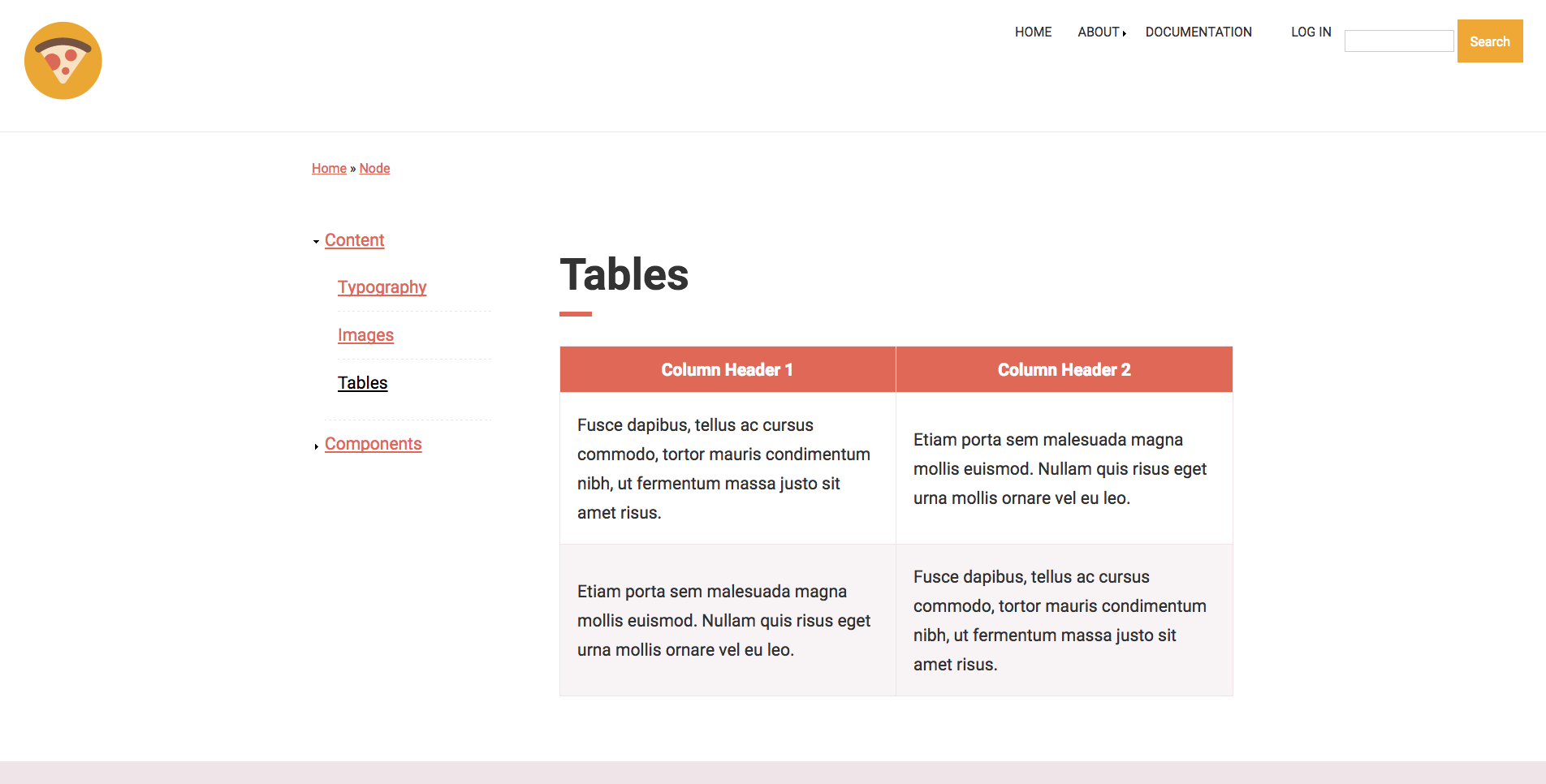
Wait? What?
To summarise so far...
Neutron
- Classy sub-theme that includes custom Twig templates
-
Acts a base theme for client projects
- Any changes in this theme trickle down into sub-theme
Margherita
- A sub-theme of Neutron
- Inherits parent theme resources from Neutron and Classy
So how do I get from Bartik to this?
Create your info.yml file
name: Margherita
type: theme
description: 'A simple and tasty Neutron sub-theme.'
package: themes
core: 8.x
screenshot: screenshot.jpg

base theme: neutron

libraries:
  - margherita/global-styling

regions:
  header: 'Header'
  content: 'Main Content'
  sidebar: 'Sidebar'
  footer: 'Footer'
Create your libraries.yml file
global:
  css:
    theme:
      css/styles.css: {}
  js:
    js/minified/scripts.js: {}
  dependencies:
    -core/jquery
Create your directories
- css
- images
- js
    -- minified
- sass
    -- abstractions
    -- base
    -- components
        -- blocks
        -- fields
        -- navigation
        -- nodes
        -- views
    -- layout
    -- variables
- templates
favicon.ico
gulpfile.js
logo.svg
package.json
README.txt
screenshot.png
margherita.breakpoints.yml
margherita.info.yml
margherita.libraries.yml
Set up Gulp
sudo npm install -g gulpYou may need to install node.js before you can run this command: https://docs.npmjs.com/getting-started/installing-node
Set up Gulp
{
  "name": "margherita",
  "version": "1.0.0",
  "description": "",
  "main": "gulpfile.js",
  "devDependencies": {
    "gulp": "^3.9.0",
    "gulp-autoprefixer": "^2.3.1",
    "gulp-plumber": "^1.0.1",
    "gulp-sass": "^2.0.4",
    "gulp-sourcemaps": "^1.5.2",
    "gulp-watch": "^4.3.5",
    "gulp-cssmin": "^0.1.7",
    "gulp-livereload": "^3.8.1",
    "gulp-shell": "0.2.10",
    "gulp-strip-css-comments": "^1.2.0",
    "gulp-uglify": "^1.4.1",
    "node-sass-globbing": "0.0.23",
    "breakpoint-sass": "^2.6.1",
    "compass-mixins": "^0.12.7",
    "singularitygs": "^1.6.2"
  },
  "scripts": {},
  "author": "",
  "license": "ISC"
}
Open package.json in your text editor
Set up Gulp
In the terminal navigate to to your theme folder
cd themes/margheritanpm installNow you need to install the dependencies you just declared in package.json
Set up Gulp
Now you need to create a new file in your theme folder named gulpfile.js
'use strict';
var gulp = require('gulp');
var sass = require('gulp-sass');
var sourcemaps = require('gulp-sourcemaps');
var autoprefixer = require('gulp-autoprefixer');
var importer = require('node-sass-globbing');
var plumber = require('gulp-plumber');
var cssmin = require('gulp-cssmin');
var stripCssComments = require('gulp-strip-css-comments');
var uglify = require('gulp-uglify');
var livereload = require('gulp-livereload');
var shell = require('gulp-shell');
var sass_config = {
  importer: importer,
  includePaths: [
    'node_modules/breakpoint-sass/stylesheets/',
    'node_modules/singularitygs/stylesheets/',
    'node_modules/compass-mixins/lib/'
  ]
};
Set up Gulp
// Compiles Sass
gulp.task('sass', function () {
  gulp.src('./sass/**/*.scss')
    .pipe(plumber())
    .pipe(sourcemaps.init())
    .pipe(sass(sass_config).on('error', sass.logError))
    .pipe(autoprefixer({
      browsers: ['last 2 version']
    }))
    .pipe(stripCssComments({preserve: false}))
    .pipe(cssmin())
    .pipe(sourcemaps.write('.'))
    .pipe(gulp.dest('./css'));
});
Set up Gulp
// Uglifies JavaScript
gulp.task('uglify', function() {
  return gulp.src('js/*.js')
    .pipe(uglify())
    .pipe(gulp.dest('js/minified'));
});
Set up Gulp
// Watch for file changes
gulp.task('watch', function(){
  livereload.listen();
    gulp.watch('./sass/**/*.scss', ['sass']);
    gulp.watch('./js/*.js', ['uglify']);
    gulp.watch(['./css/styles.css', './**/*.twig', './js/minified/*.js'],
    function (files){
      livereload.changed(files)
    });
});
Set up your Sass file
// Import external libraries
@import "compass";
@import "singularitygs";
@import "breakpoint";

// Import Sass partials
@import "variables/**/*";
@import "abstractions/**/*";
@import "base/**/*";
@import "layout/**/*";
@import "components/**/*";
Navigate to your Sass directory and create a new file named styles.scss
LiveReload
Install browser extension:
- Chrome
- Firefox
Enable the extension in your toolbar. That's it!
Note: Can only run one instance at a time.
Run Gulp
gulp watchNow it's time to compile your Sass files into CSS
(Remember, you need to be in your theme directory!)
Enable your theme!
But wait, there's more!
Configure your local settings
Copy example.settings.local.php from inside your /sites directory and paste it into the /default directory
Rename this file to settings.local.php
Configure your local settings
Open your settings.local.php and towards the top of the file you should see:
/**
 * Disable Dynamic Page Cache.
 *
 * Note: you should test with Dynamic Page Cache enabled, to ensure the correct
 * cacheability metadata is present (and hence the expected behavior). However,
 * in the early stages of development, you may want to disable it.
 */
# $settings['cache']['bins']['dynamic_page_cache'] = 'cache.backend.null';
Remove the # symbol to disable page caching
Configure your local settings
Open settings.php inside your /sites directory and find the following:
# if (file_exists(__DIR__ . '/settings.local.php')) {
#   include __DIR__ . '/settings.local.php';
# }
Remove the # symbols — this instructs Drupal to look for settings.local.php when we're developing locally
Configure your local settings
If you run into errors the cache most likely needs to be rebuilt — add /rebuild.php after your local site URL
Alternatively you can use Drush if you have this installed
drush cache-rebuildConfigure your local settings
In your /sites directory open development.services.yml and add the following to enable Twig debugging
parameters:
  twig.config:
    debug: true
    auto-reload: true
    cache: false
Clear your cache — again!
And that's it!
Summary
Sass
Allows you to write more maintainable CSS
Singularity
Flexible grid system that allows for different layouts at different breakpoints
Gulp
Used to compile our Sass into CSS and minify JS files
Summary
Twig
Templating system used for HTML markup
Breakpoint
Sass extension that creates media queries on compilation — great for responsive components!
LiveReload
Automatically refreshes browser without reloading page
Summary
Remember, there's a lot of technologies working together here to build your theme.
Things can go wrong, and most probably will!
Questions?
Getting started with Sass in Drupal 8
By nathanlawsn
Getting started with Sass in Drupal 8
Presented to Drupal North East on Wednesday 29th March 2017 at Campus North.