Video Programming:
Framebuffer
Computing Machinery II Tutorial:
Week of April 8th, 2019
Review
- Last week we explored how to program the SNES controller. More specifically we saw the details on how to get button press information from the controller through GPIO programming.
- We saw how all of those details could be kept local to a get_SNES() function. In effect we created a more convenient interface/abstraction for ourselves to program with in the main() function , i.e., data = get_SNES().
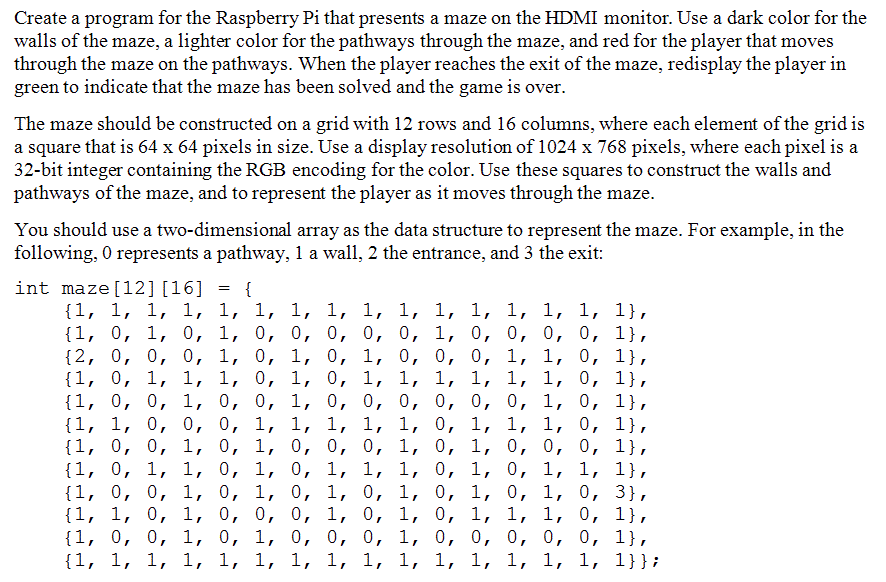
Assignment 4
Today:
- Look at example 09_Framebuffer
- Modify code to color one square white
- Animate white square movement
- Look at my modified example
- Decoupled drawing from logic
- Look at my modified example


Important parts of code
- includes
-
"framebuffer.h" for functions: initFramebuffer() and displayFramebuffer()
-
- initFramebuffer()
- uses mailbox communication protocol (clear?)
- displayFramebuffer(), drawCheckerboard(), and drawSquare()
- togther these functions write color values to the framebuffer array in an organised way that ends up looking like a checkerboard
- pixel[(row * frameBufferWidth) + column] = color
- gets executed for every pixel
Modifications
- how can I change the size of the squares without squares being cutoff on the edges?
- how can I paint the top left square white?
- how can I make a white square snake around the board as an animation?
Pi_6
By pathomas