GPIO Programming:
Pushbutton (Switch)

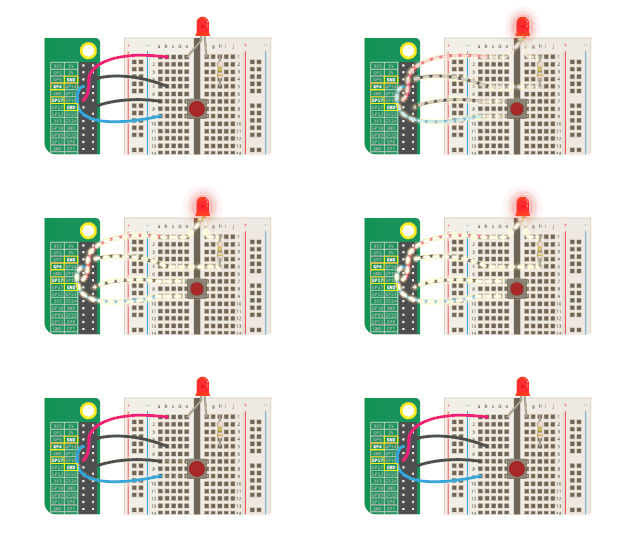
Computing Machinery II Tutorial:
Week of March 18th
Review
- Ran GPIO Blinking LED code on Pi with jumper cables attached correctly.
- Changed the blinking rate of the LED
- Added another LED to the program and the wiring such that the LEDs alternate being ON?
- (if not then do this today)
to light up an LED
3.3V into long end
other end to ground (GND)
\{
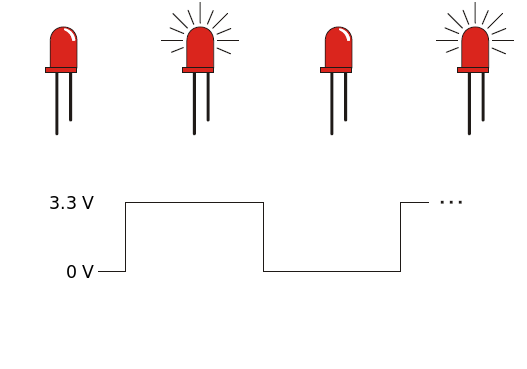
GND Pin
GPIO Pin
Breadboard
- aka proto board
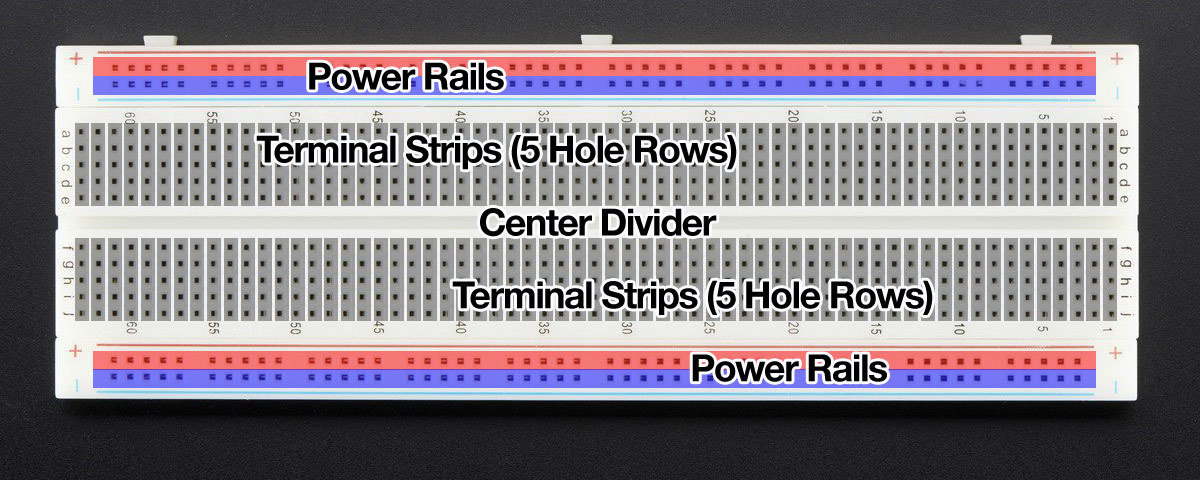
Components
- jumper cable
- LED
- resistor
- pushbutton
- conductive wire
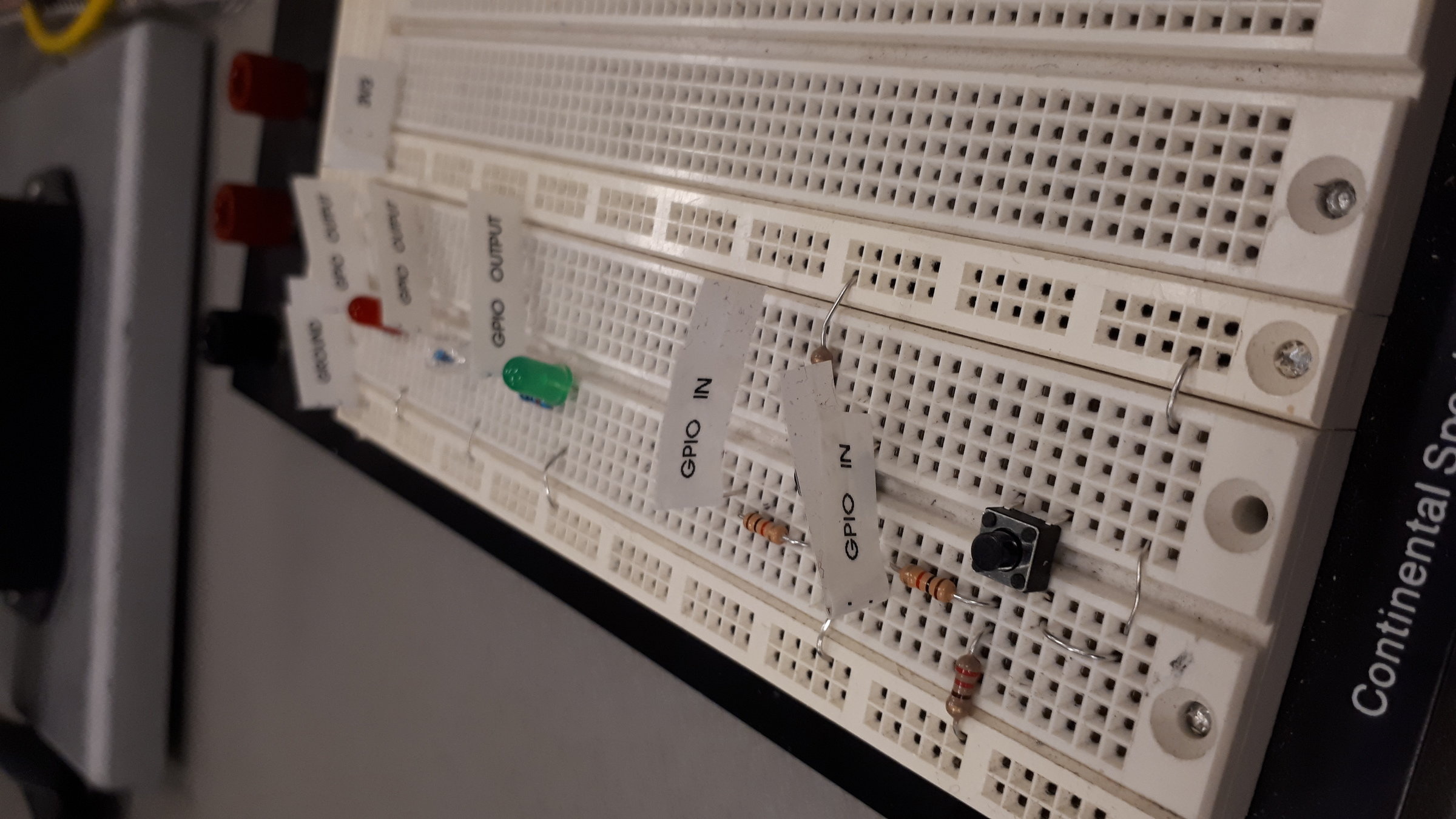
You will use this exact setup for your next assignment
Assignment 3
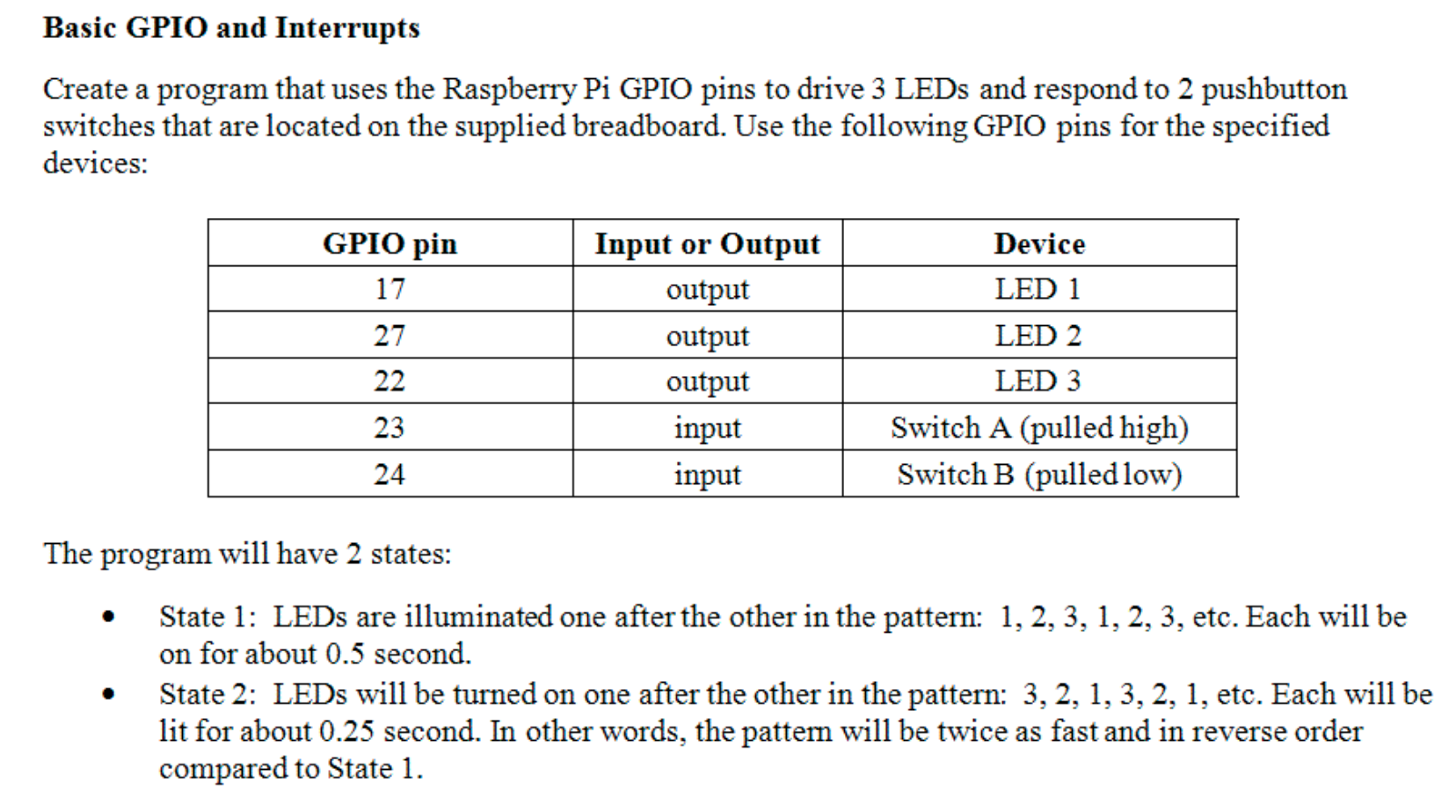
Today:
- GPIO Pushbuttons
- see mine work
- circuit diagrams of both versions
- see code that prints pin level
- wire breadboard for this program
- compile and run code
- add program control of a second LED and have the input pin voltage (the button push) decide which LED is blinking
- extra time (start assignment?)
GPIO C Programming
- lets just use gpio.h in C
- why do it in ARM Assembly?
- we read and write to specific memory addresses to control the Pi's GPIO pin voltages
- GPFSEL[0-5]
- $$3 \times 53 = 159 < 192 = 32 \times 6$$
- GPSET[0,1]
- GPCLR[0,1]
-
GPLEV[0,1]
- $$ 53 < 64 = 32\times 2$$
- GPFSEL[0-5]

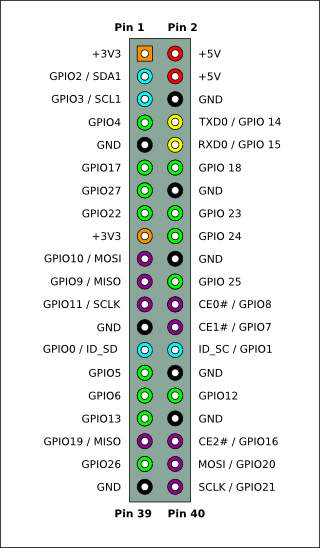
Pi_3
By pathomas