A journey through typing Loopback 3


❤️
Who am I?
Pierre Poupin
Web/mobile developer at BAM


/pierpo
Purpose of the workshop
- Go through some advanced Typescript notions
- Experiment with TDD applied to typing
- Do this through a concrete example of a lib
What is Loopback and why a workshop on it
- A NodeJS framework
- I had to do it on one of my projects
- Interesting exercise
- it covers many concepts
What our exercise will look like
- No implementation, only types and type tests
- we won't even install Loopback
- We'll use tsd to write typing tests
*.d.ts
*.test-d.ts
*.ts
How we're going to do it
or the full URL (if the one above doesn't work): https://github.com/pierpo/journey-through-typing-loopback
- Step-by-step exercise.
- I will stop before each step.
- You should clone the following repository.
- Use `git checkout -f N-expected` to catch up and make sure we're working with the same thing
git checkout -f step2-expectedHow we're going to do it
or the full URL (if the one above doesn't work): https://github.com/pierpo/journey-through-typing-loopback
git clone git@github.com:pierpo/journey-through-typing-loopback.git
cd journey-through-typing-loopback
yarn

git checkout step1-expected

# Now let's run the tests!
yarn test
How we're going to do it
or the full URL (if the one above doesn't work): https://github.com/pierpo/journey-through-typing-loopback
do not touch
touch
Legend:
src
typings
index.ts
index.d.ts
index.test-d.ts
type definitions
type tests
empty source
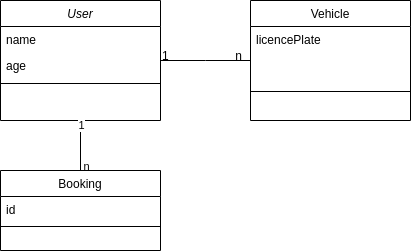
Fake car business we're implementing
Don't think too much about it, it's quite dumb
Quick Loopback API presentation
Not the whole API, only the scope of our exercise
Entity
Instance
Model
For a given business model (like a "User")
Entity
- raw JSON
- pure business data
- nothing related to Loopback
- could be passed through an API
const userEntity = {
  name: 'john',
  age: 20,
};
Properties:
- name: string
- age: number
- wraps an Entity
- it's a Loopback object
- has methods to interact with the Database
- Loopback is an "active record" ORM
const userInstance = app.models.User.findOne();

userInstance.update({ age: 20 })
Instance
Properties:
- name: string
- age: number
- update: (fields) => void
- contains static Loopback methods
- for example, it contains the find and findOne method
- find and findOne will return instances
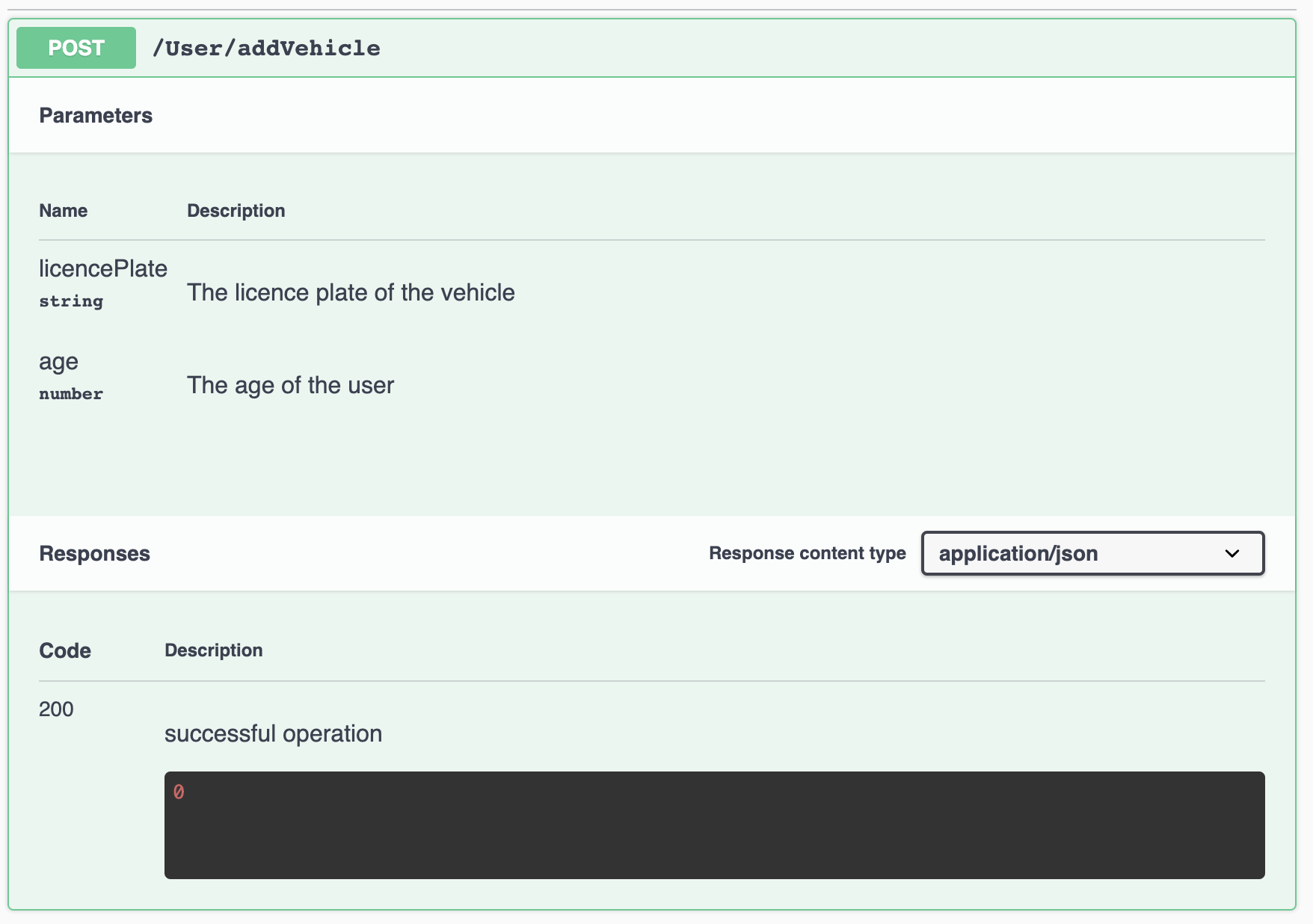
- contains remote methods
- API routes of our server
- POST /User/addVehicle
- API routes of our server
const userInstance = app.models.User.findOne();

userInstance.update({ age: 20 })
Model
Properties:
- find: () => Promise<UserInstance[]>
- findOne: () => Promise<UserInstance>
- custom "remote methods":
- addVehicle
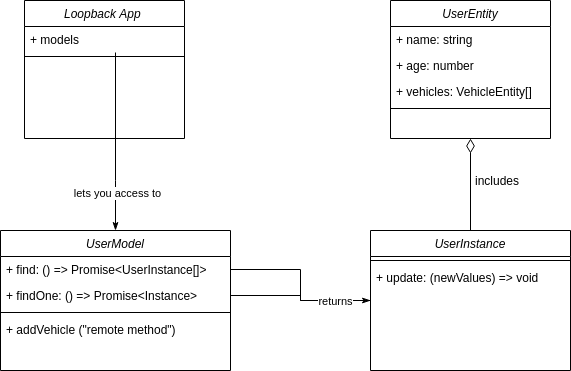
Note: this is not rigorously a UML...
Same for Vehicle and Booking!
Abstract classes were not included in the diagram, we'll see this through the exercise ;)
Step 1 - models.User.find()
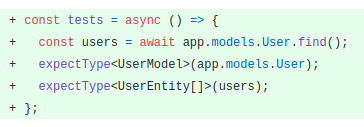
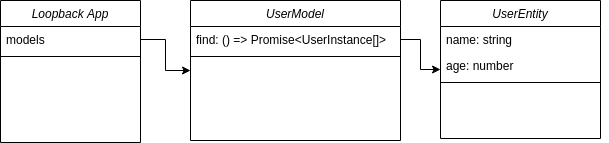
UserEntity (for now)
Step 2 - second model (Vehicle)
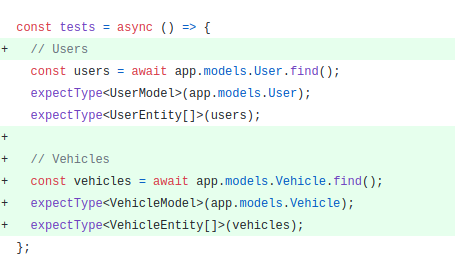
Step 2 - refactoring
Let's use generics
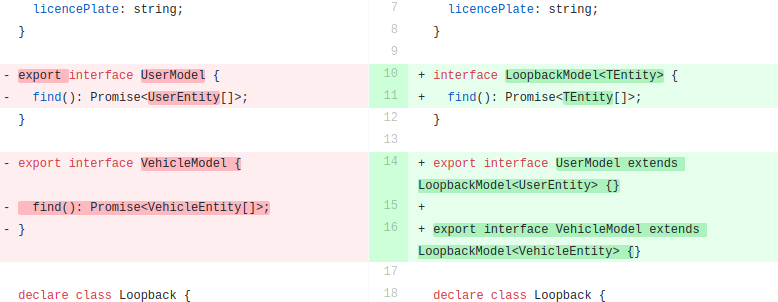
Refactoring
- Use a generic type to refactor LoopbackModel
Step 3 - simple filters
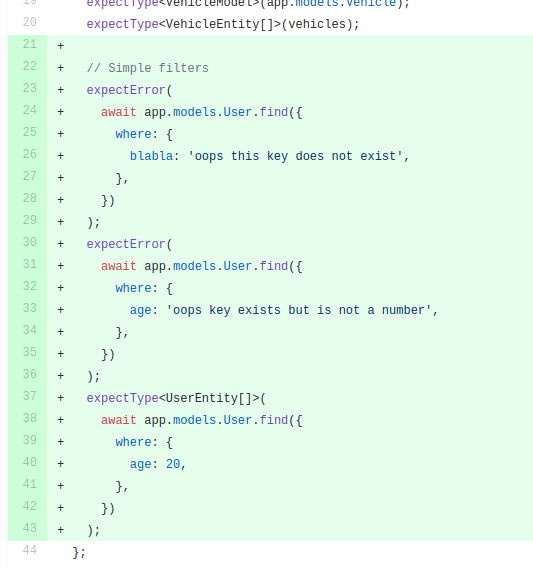
You may use the Partial<T> utility type.
type A = { mykey: string };
type B = Partial<A>; // same as A, but all keys become optional
Step 3 - simple filters
Step 4 - nested filters
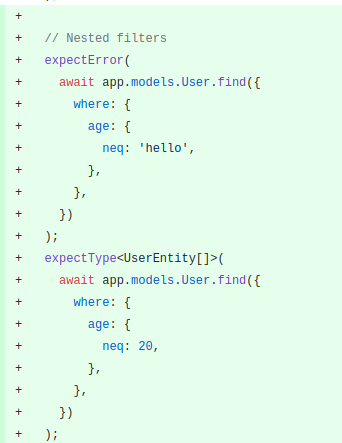
Step 4 - nested filters
Partial<T> won't be enough.
You will need mapped types!
const SimpleQuery = {
  age: 20;
} // this is a partial of User indeed

const NestedQuery = {
  age: { neq: 20 }
} // but this is not a partial anymore
// in User, the value under age is not of type { neq: number }
type B = {
[K in keyof A]: A[K];
} // this is equivalent to A
type C = {
[K in keyof A]?: { something: A[K] };
} // but you can rework the type shape!Refactoring
- New file entities.d.ts
- New file query.d.ts
Step 5 - second filter
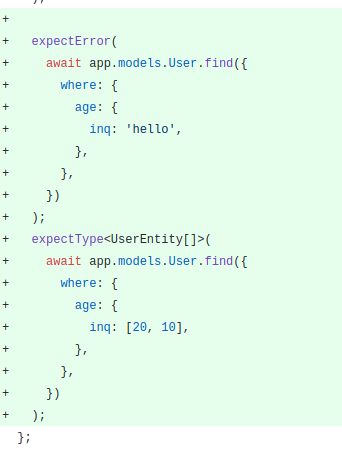
Step 6 - instance methods
Reminder
- Entities = raw JSON data
- pure business data
- Instances = Entites + Loopback ORM methods
- User.findOne() returns a user on which I can do myUser.update()
Step 6 - instance methods
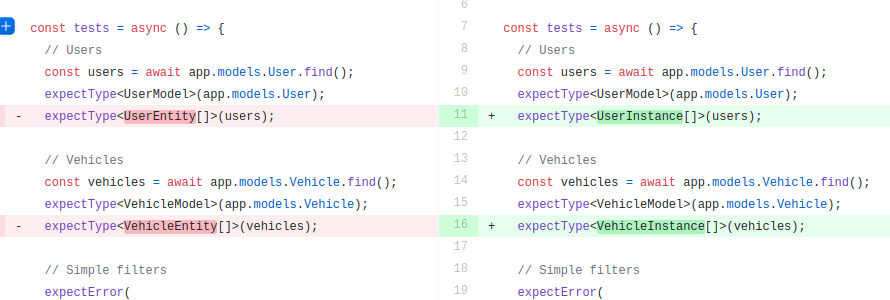
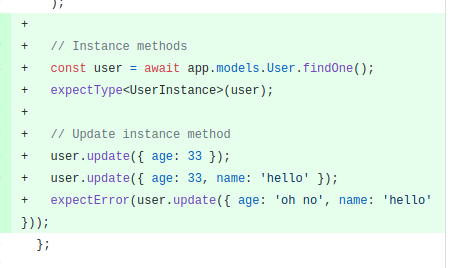
Step 7 - simple relation
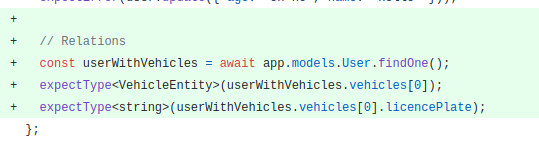
Step 8 - naive "include"
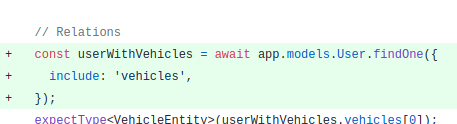
Step 9 - improved "include"
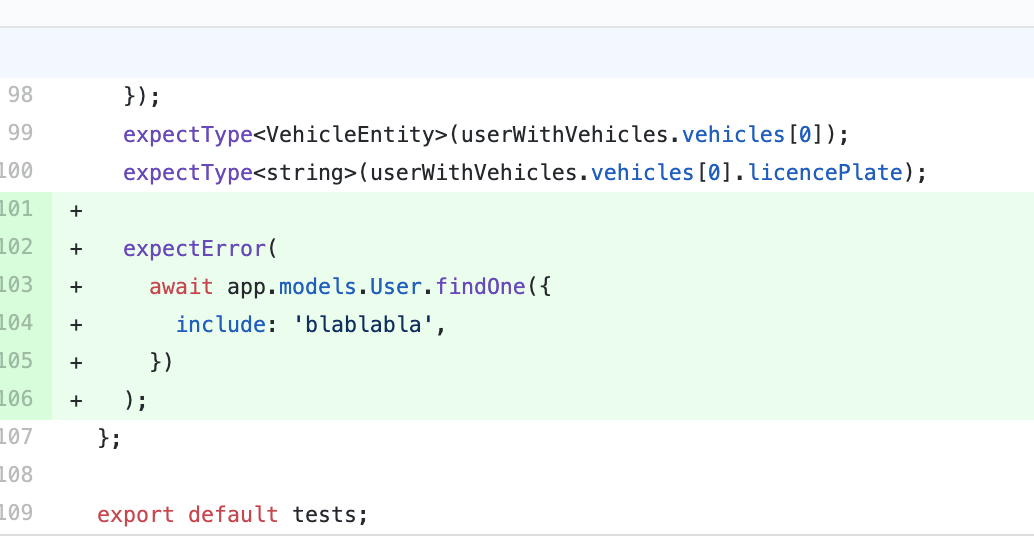
Allow only keys that are present in the entity
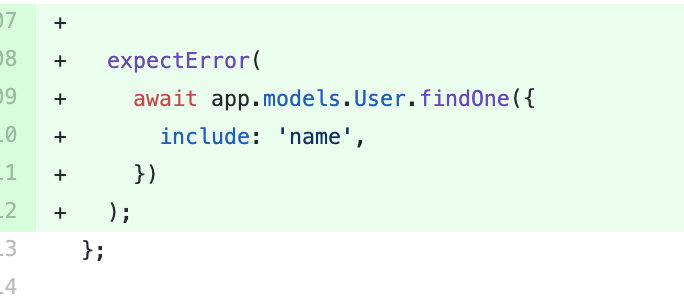
Step 10 - improved "include" - 2
Allow only keys that are a relation in the entity
Step 11 - accurate relations

Step 11 - accurate relations
- generic constraints
- type argument default values
- Pick<TObject, TKey>
- conditional types
- type overloads
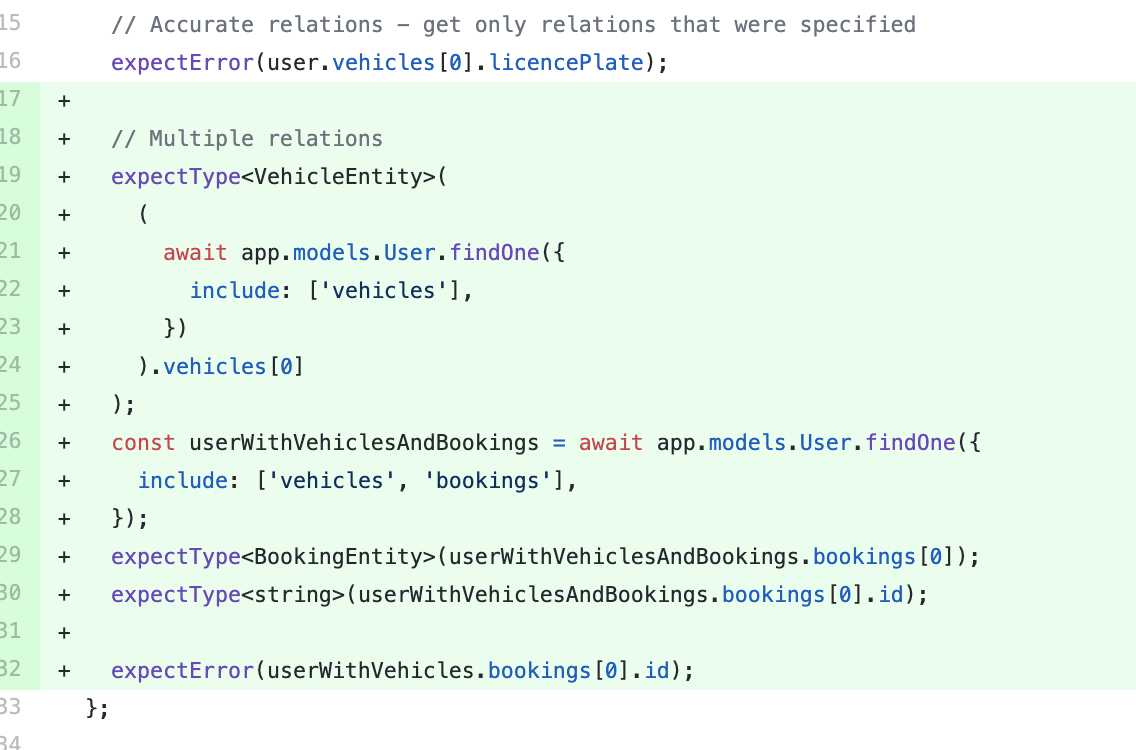
Step 12 - multiple relations
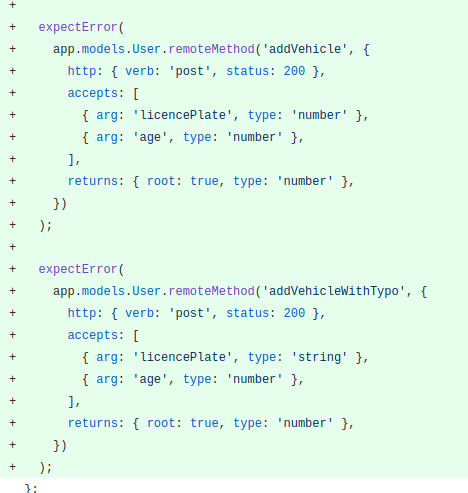
Loopback remote methods
They're meant to attach API routes to models

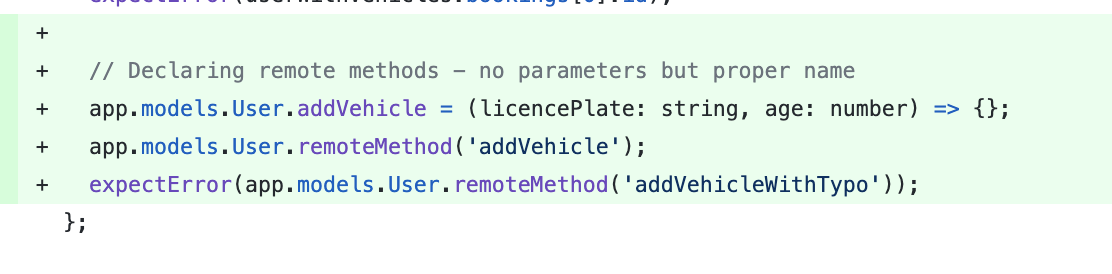
Step 13 - dumb remote methods
The remote method we want
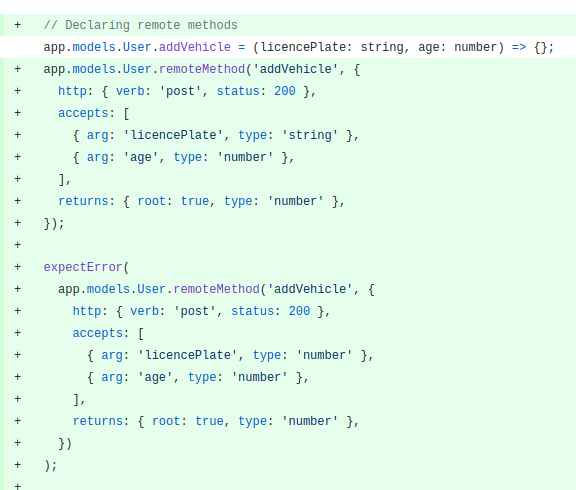
Step 14 - complete remote methods
Thank you!
❤️
Many thanks to the TSConf team and its sponsors!
A journey through typing Loopback 3
By Pierre Poupin