PWA
Progressive Web Applications

Damian Sosnowski

https://www.gft.com/pl/pl/index/o-nas/kariera/oferty-pracy/
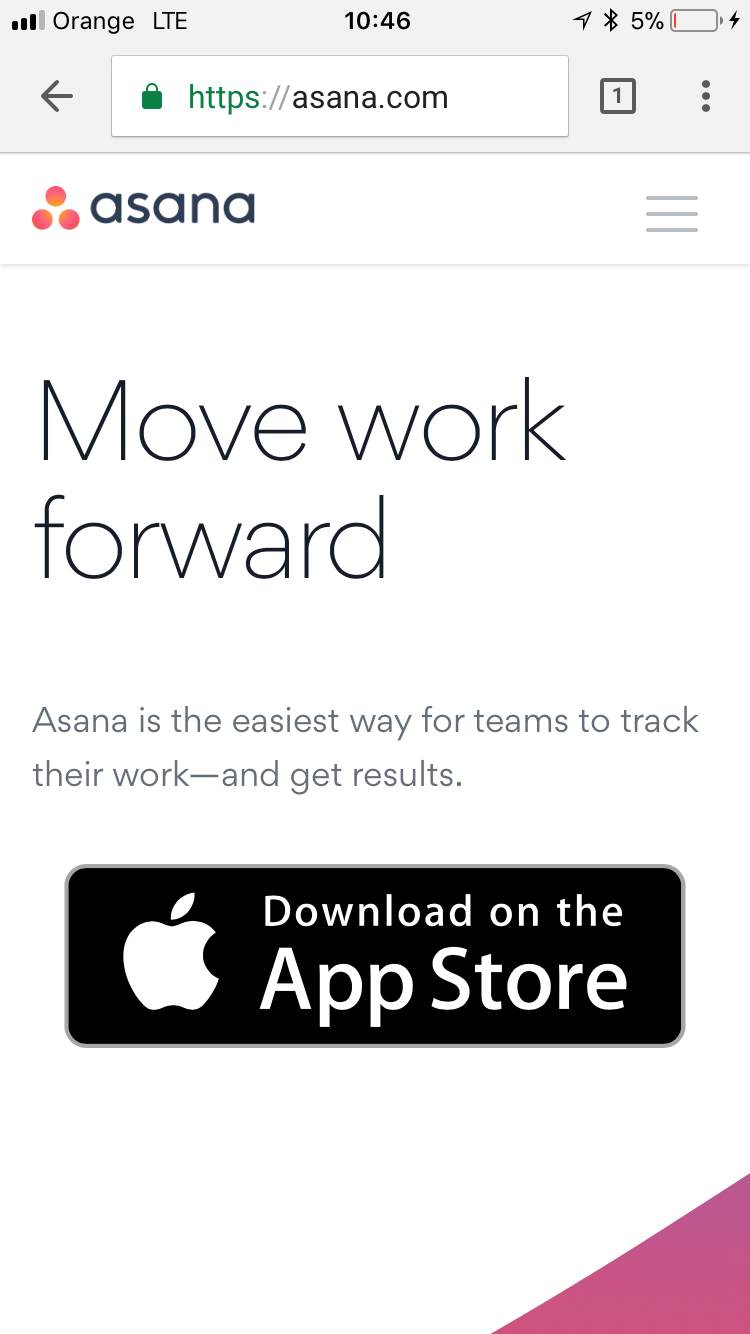
Web apps on mobile
Native
Installable
Can work offline
Performance
Device integration
Web
Works "everywhere"
Easily accessible
Store - independent
Security / Privacy
Bound to the store
Platform specific
Complex installation
Security / Privacy
Not installable
Requires internet connection
Performance
Obligatory AppStore
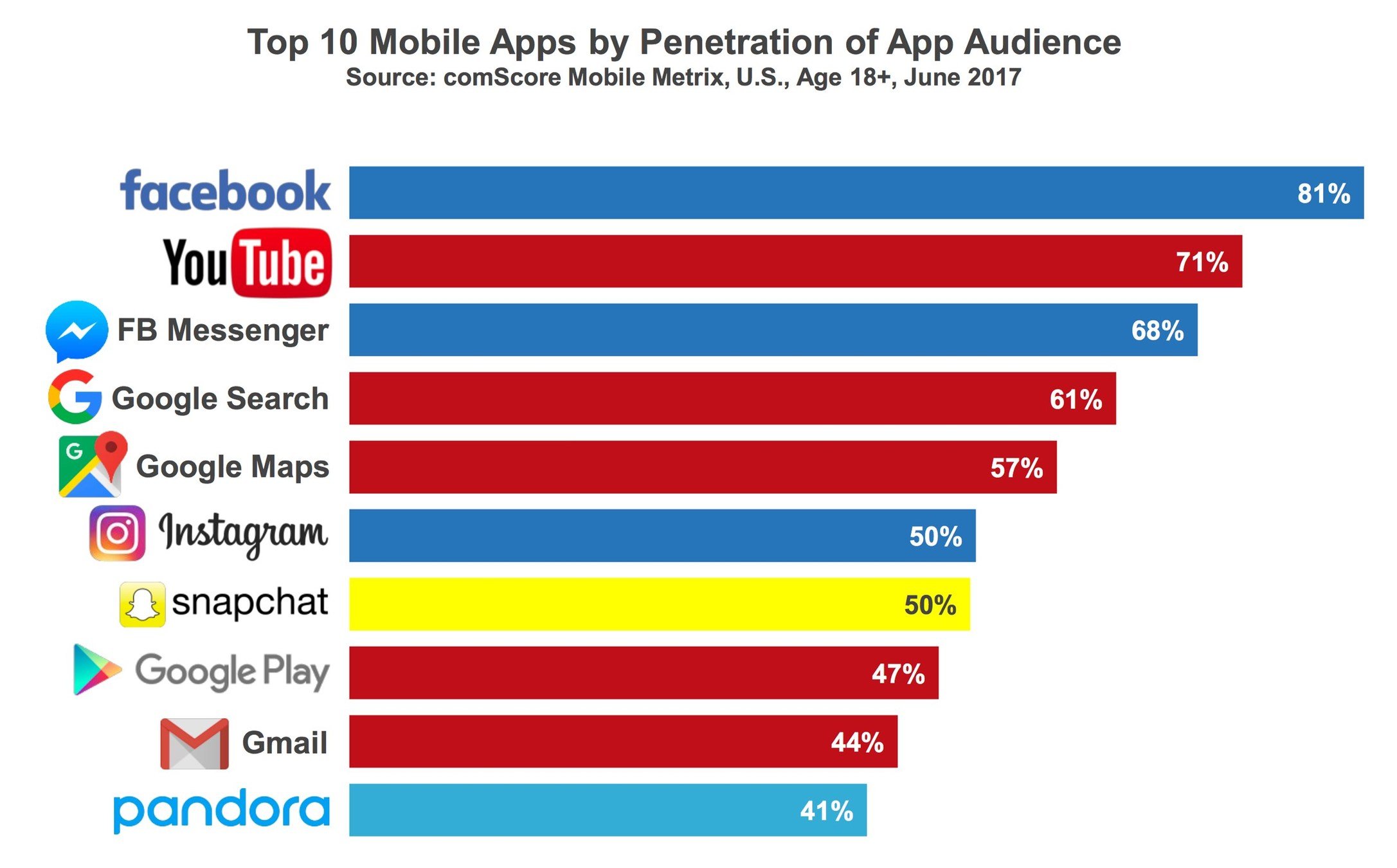
Most of the apps are "found" on the internet.
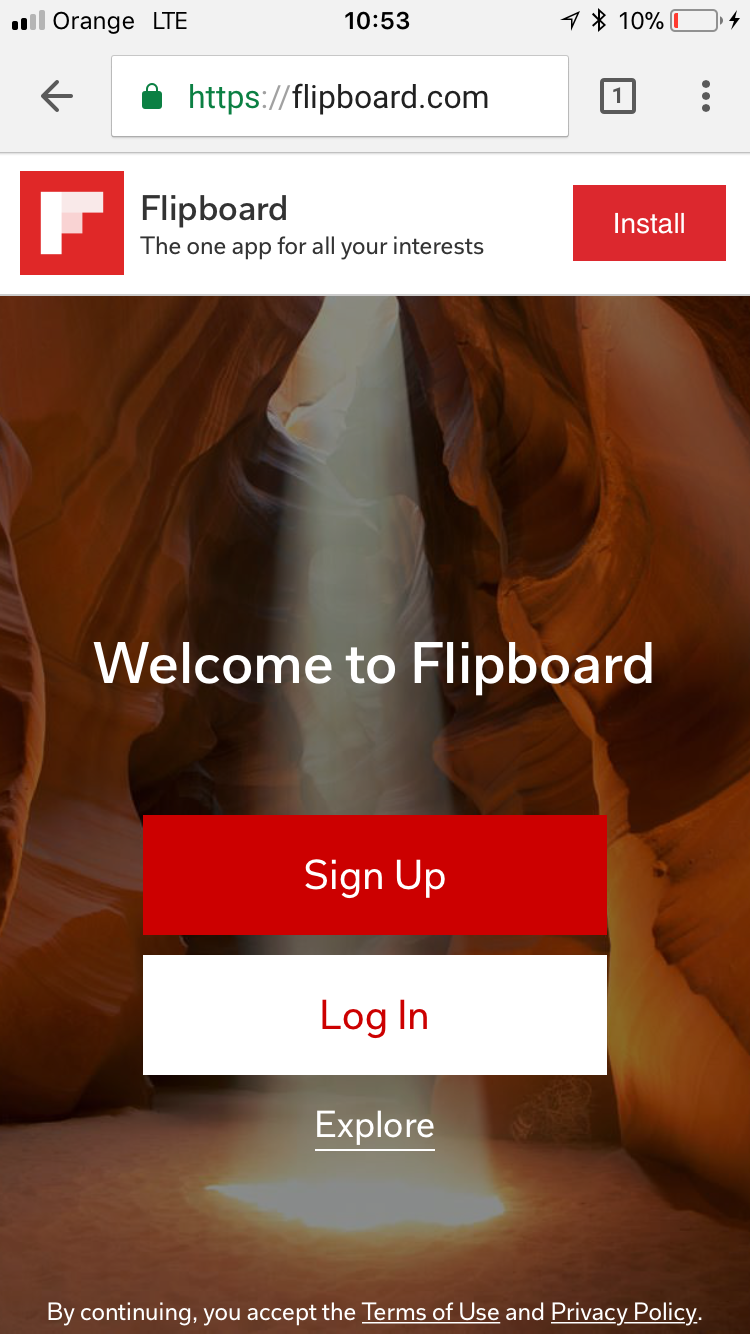
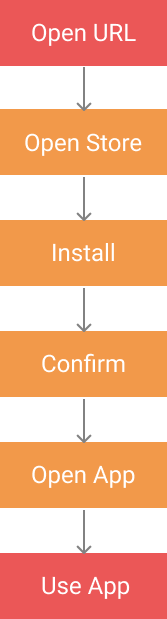
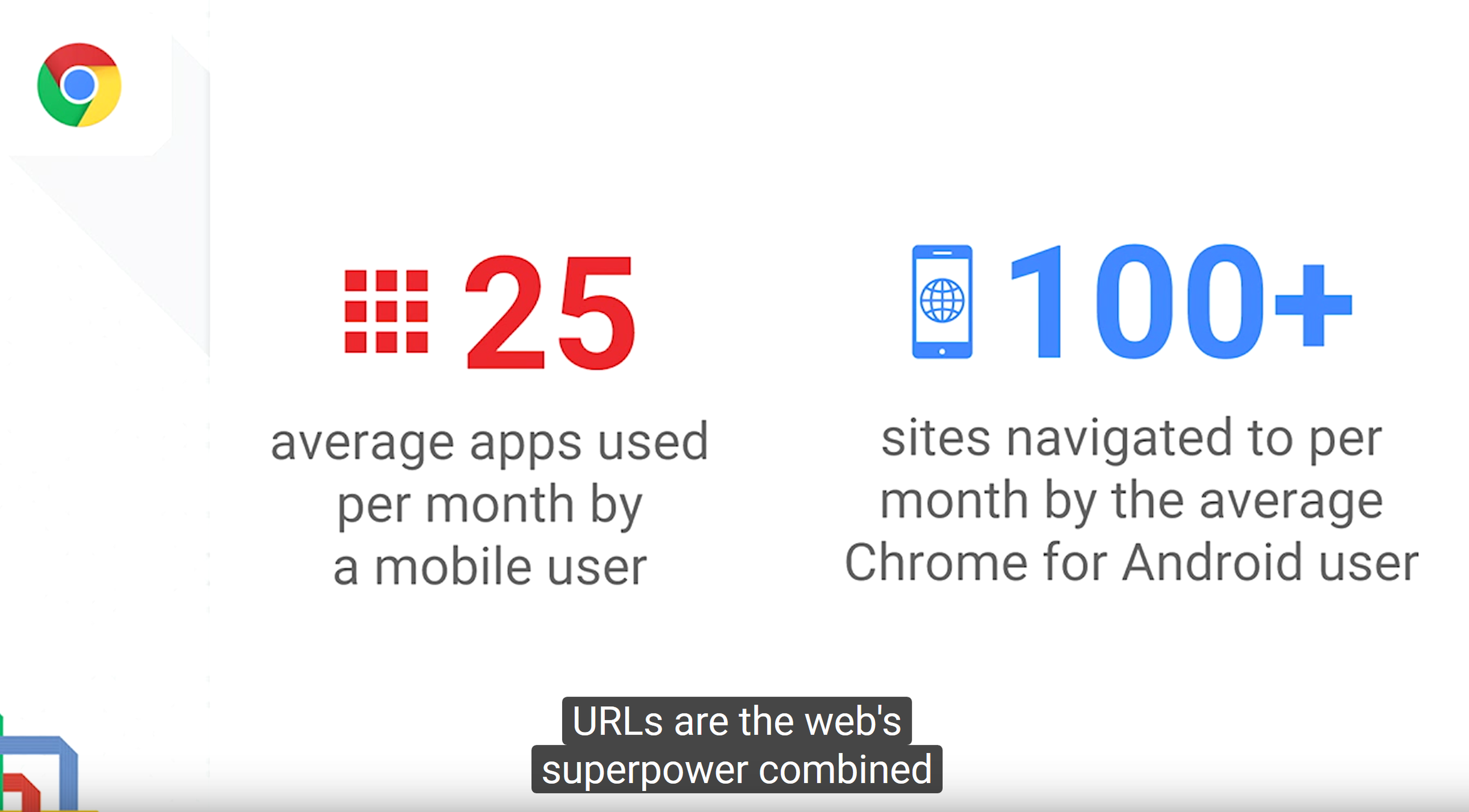
Is there something better?
PWA
"The websites that took all the right vitamins. "
Installable
Can work offline
Easily accessible
Better performance
Store independent
What is PWA
Simply a web page / web app, with few additional perks
Linkable
Responsive design
Safe - https://
Discoverable
Installable
Offline friendly
App shell architecture
Always up to date
Notifications
Already done
Web App Manifest
Service Workers
Progressive!

Let's do some PWA
Web Manifest
Escaping the browser tabs.
Installable web application

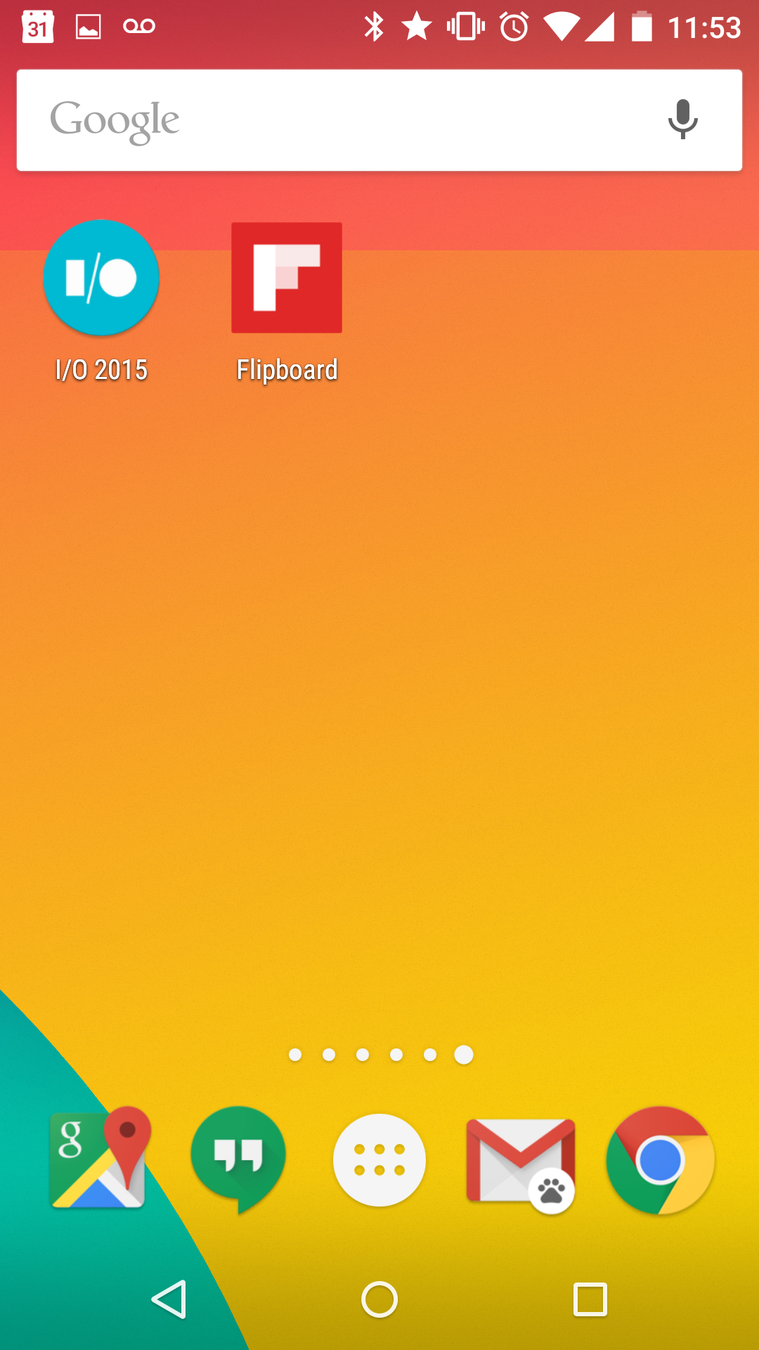

manifest.json
{
  "name": "My PWA app",
  "short_name": "PWAApp",
  "icons": [{
        "src": "images/touch/icon-128x128.png",
        "sizes": "128x128",
        "type": "image/png"
      },
      {
        "src": "images/touch/apple-touch-icon.png",
        "sizes": "152x152",
        "type": "image/png"
      }],
  "start_url": "/index.html",
  "display": "standalone",
  "background_color": "#3E4EB8",
  "theme_color": "#2F3BA2"
}
Most apps
"display": "standalone"
Games
"display": "fullscreen",
"orientation": "portrait"

...

"orientation": "landscape"
Manifest
<html>
    <head>
        <title>Standalone Web App</title>
        <meta name="viewport" content="width=device-width, initial-scale=1.0"/>

        <link rel="manifest" href="manifest.json">

    </head>
    <body>
        <!-- ... -->
    </body>
</html>- Served over HTTPS
- Have a valid service worker registered
- Visited twice, with at least 5 minutes between visits
PWA application flow
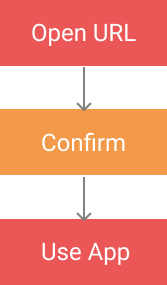
Remember!
No browser navigation!
You have to provide your own custom navigation methods.
Service worker
The core of PWA
What is service worker?
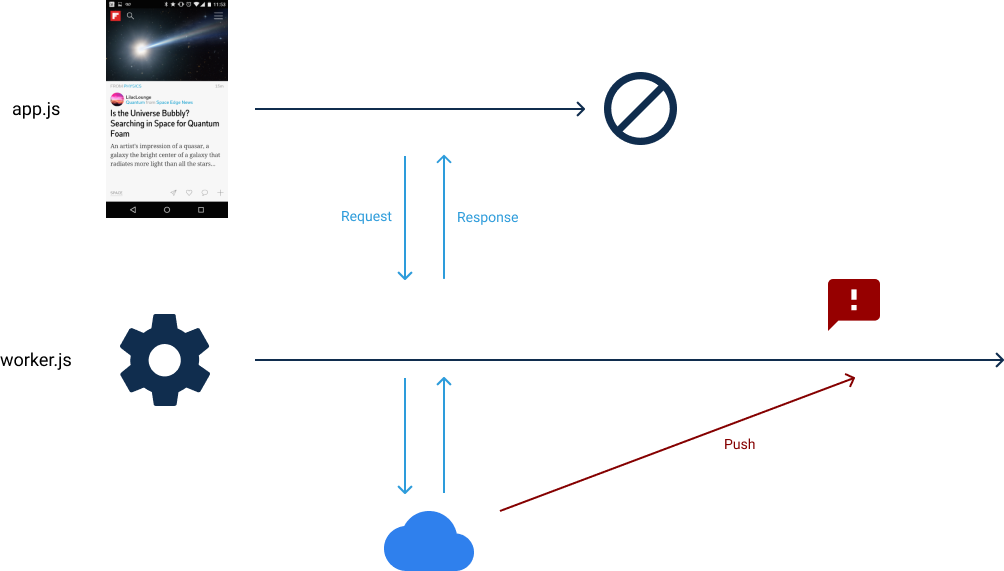
Basic Service Worker
//app.js

if ('serviceWorker' in navigator) {
    try {
        const registration = await navigator.serviceWorker.register('/worker.js');
        console.log('ServiceWorker registration successful');
    }
    catch (e) {
        console.log('ServiceWorker registration failed: ');
    }
}
//worker.js
console.log('Worker!');Basic Service Worker
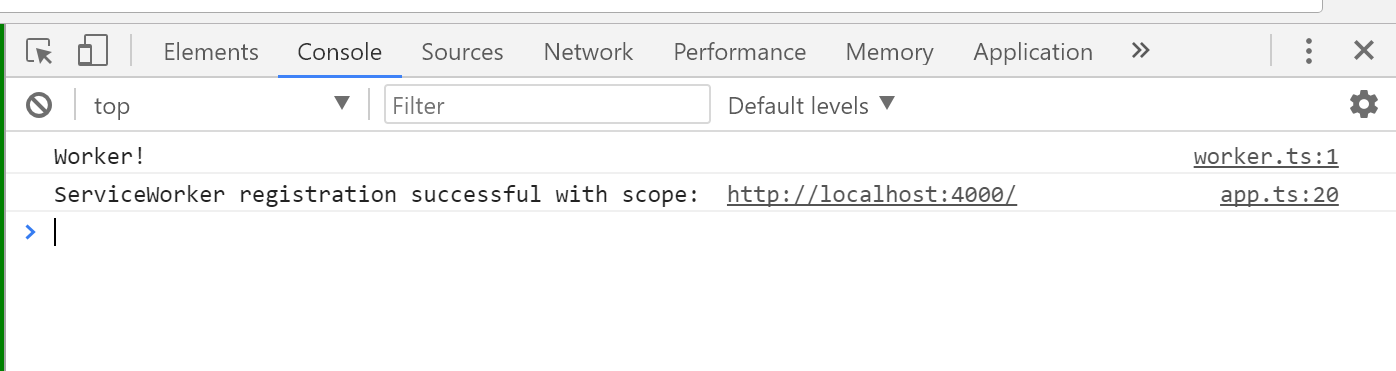
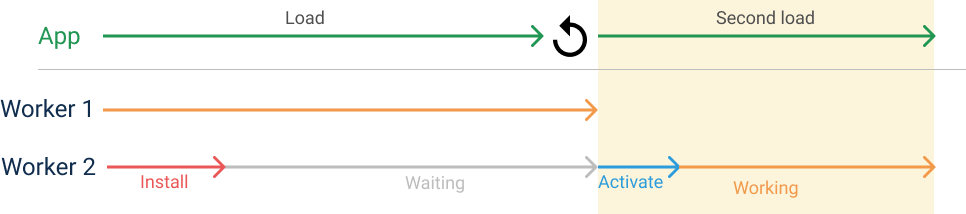
Service Worker life cycle


Offline support
Caching resources using Service Worker
Caching
self.addEventListener('install', (event) => {
    //open cache
    let openCachePromise = caches.open('app-cache-v1');

    //add all resources to cache
    let addAllPromise = openCachePromise.then((cache) => {
        return cache.addAll([
            '/',
            '/styles/main.css',
            '/script/main.js'
        ]);
    });

    //worker will wait till all operations are finished
    event.waitUntil(addAllPromise);
});
Caching - return data
self.addEventListener('fetch', (event) => {
    event.respondWith(
        caches.match(event.request)
            .then((response) => {
                // Cache hit - return response
                if (response) {
                    return response;
                }
                return fetch(event.request);
            }
        )
    );
});
When to cache
install
Open cache, add all required resources
activate
Remove all outdated caches
self.addEventListener('activate', (event) => {
    event.waitUntil(caches.delete('old_cache_name')); // don't do it this way ;)
});
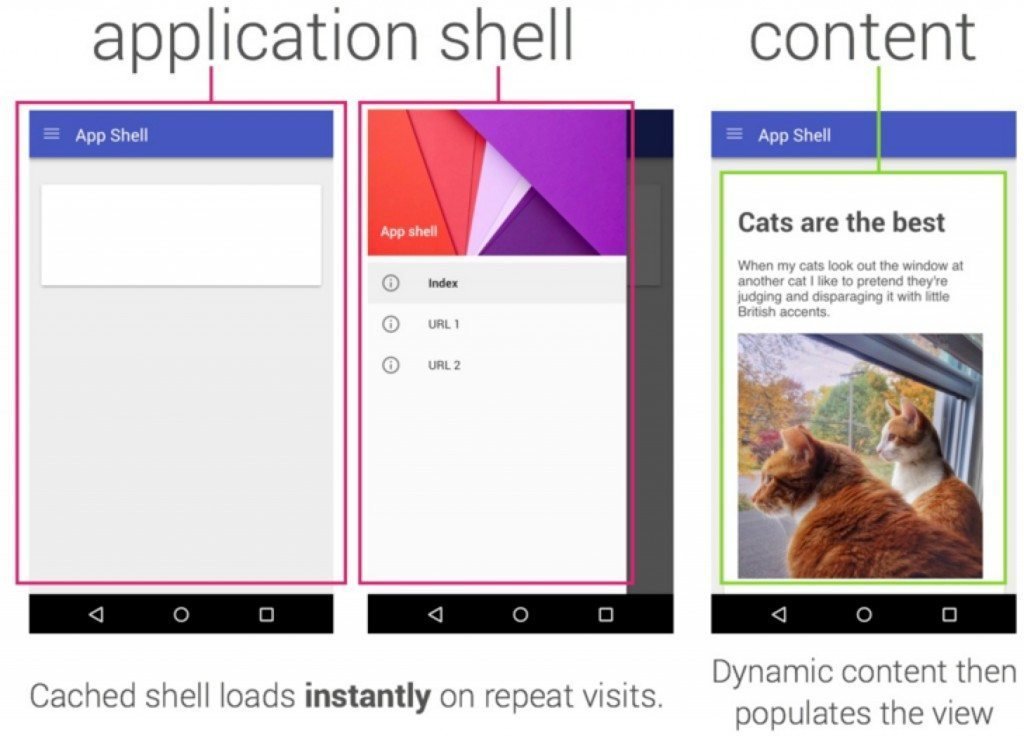
Application Shell Architecture
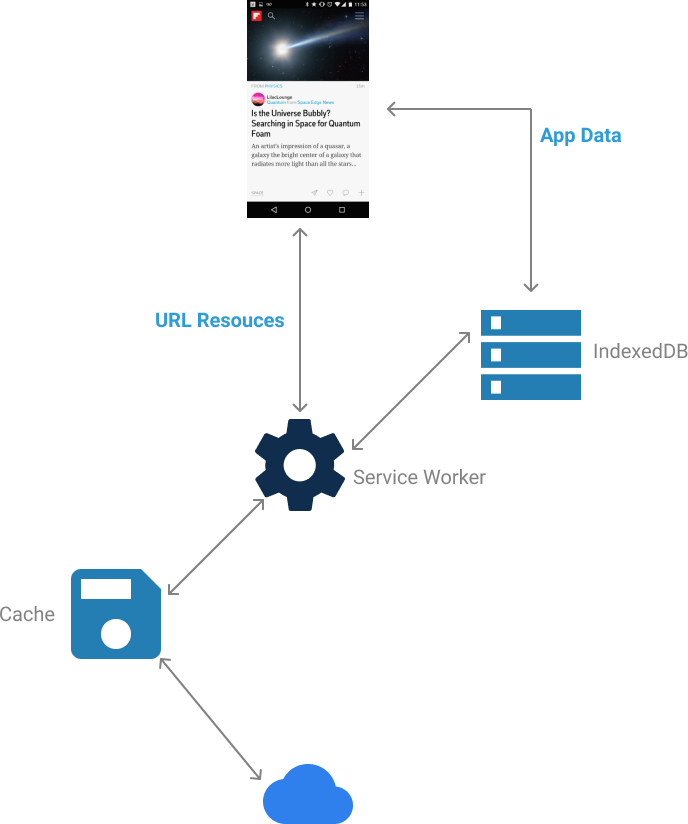
What storage should I use?
Background Sync
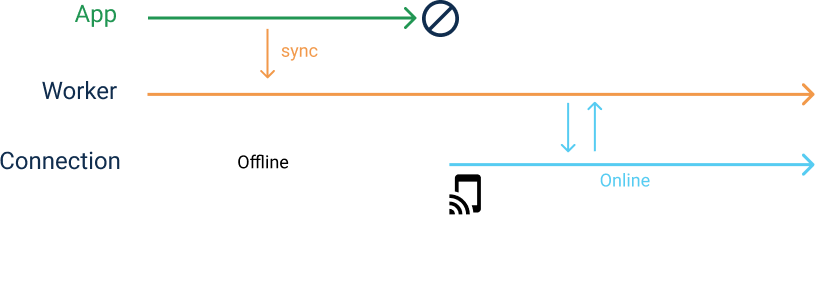
Background Sync
//app.js

swRegistration.sync.register('syncTag');
//worker.js

self.addEventListener('sync', (event) => {
    if (event.tag == 'myFirstSync') {
        //read data from DB
        //find unsychronized records
        //load new records from the server
        event.waitUntil(doSomeStuff());
    }
});
Push notifications
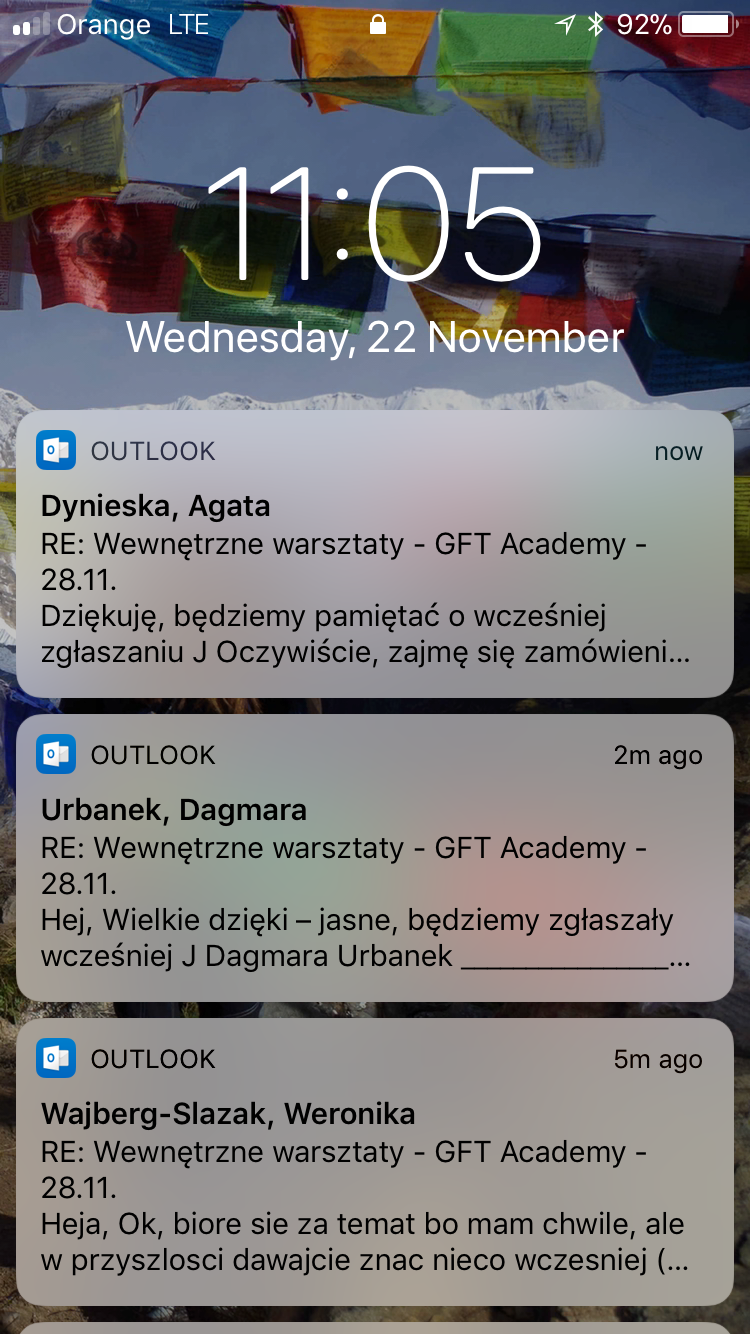
Websockets vs Push Notifcations
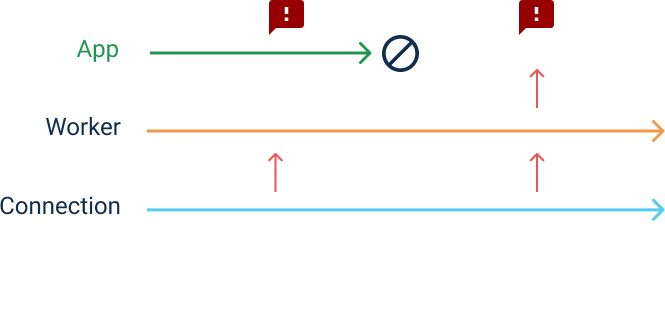
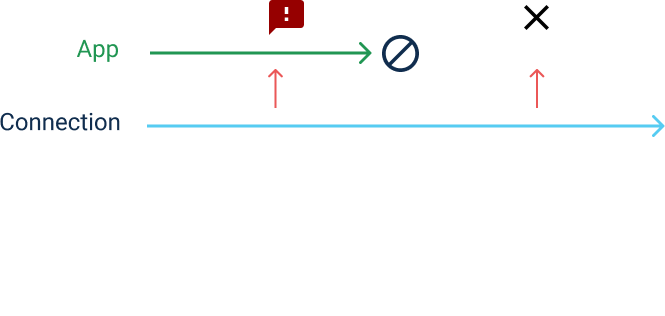
Quite complex API

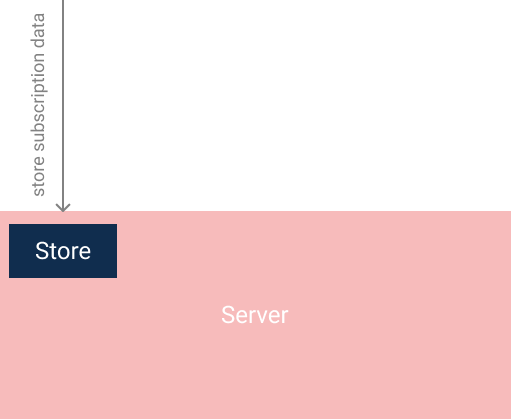
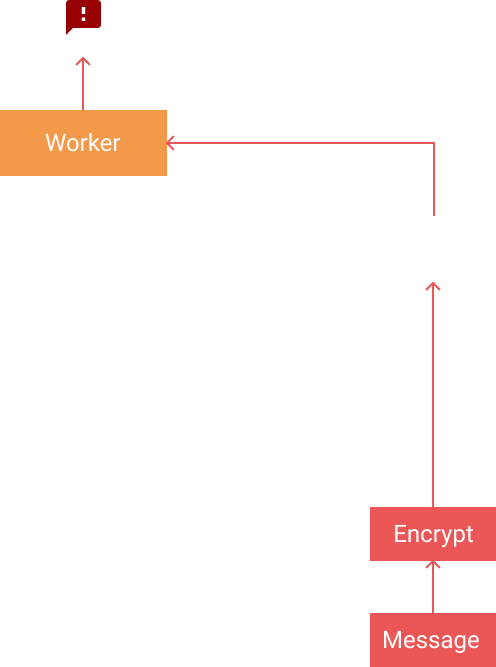
Step 1 - permission
Notification.requestPermission().then((result) => {
  if (result === 'denied') {
    console.log('Permission wasn\'t granted.');
    return;
  }
  if (result === 'default') {
    console.log('The permission request was dismissed.');
    return;
  }
  // Do something with the granted permission.
});
var permission = Notification.permission;Step 2 - registration
navigator.serviceWorker.ready.then(function(reg) {

  reg.pushManager.subscribe({
    userVisibleOnly: true,
    applicationServerKey: '-long-string-'
  }).then(function(sub) {
    console.log('Endpoint URL: ', sub.endpoint);

    //now you can send the data to the server

    sendSubscriptionDataToServer(sub);

  }).catch(function(e) {
    console.error('Unable to subscribe to push', e);
  });
});
{
    "endpoint": "https://android.googleapis.com/gcm/send/f1Ls...iYNxIVpLIYeZ8kq_A",
    "keys": {
        "p256dh": "BLc4xRzKlKORKWlbdgFaBrrPK3ydWAH...IO4475rds=",
        "auth": "5I2Bu2oKdyy9CwL8QVF0NQ=="
    }
}
Step 3 - send message
const webpush = require('web-push');

// VAPID keys should only be generated only once.
const vapidKeys = webpush.generateVAPIDKeys();

webpush.setVapidDetails(
  'mailto:example@yourdomain.org',
  vapidKeys.publicKey,
  vapidKeys.privateKey
);

// This is the same output of calling JSON.stringify on a PushSubscription
const pushSubscription = {
  endpoint: '.....',
  keys: {
    auth: '.....',
    p256dh: '.....'
  }
};

webpush.sendNotification(pushSubscription, 'Your Push Payload Text');
Step 4 - Receive push message
//worker.js

self.addEventListener('push', (event) => {
    let options = {
        body: event.data.text(),
        icon: 'images/example.png',
        vibrate: [100, 50, 100],
        data: {
          customData: ''
        }
    };

    event.waitUntil(
      self.registration.showNotification('Hello!', options)
    );
});
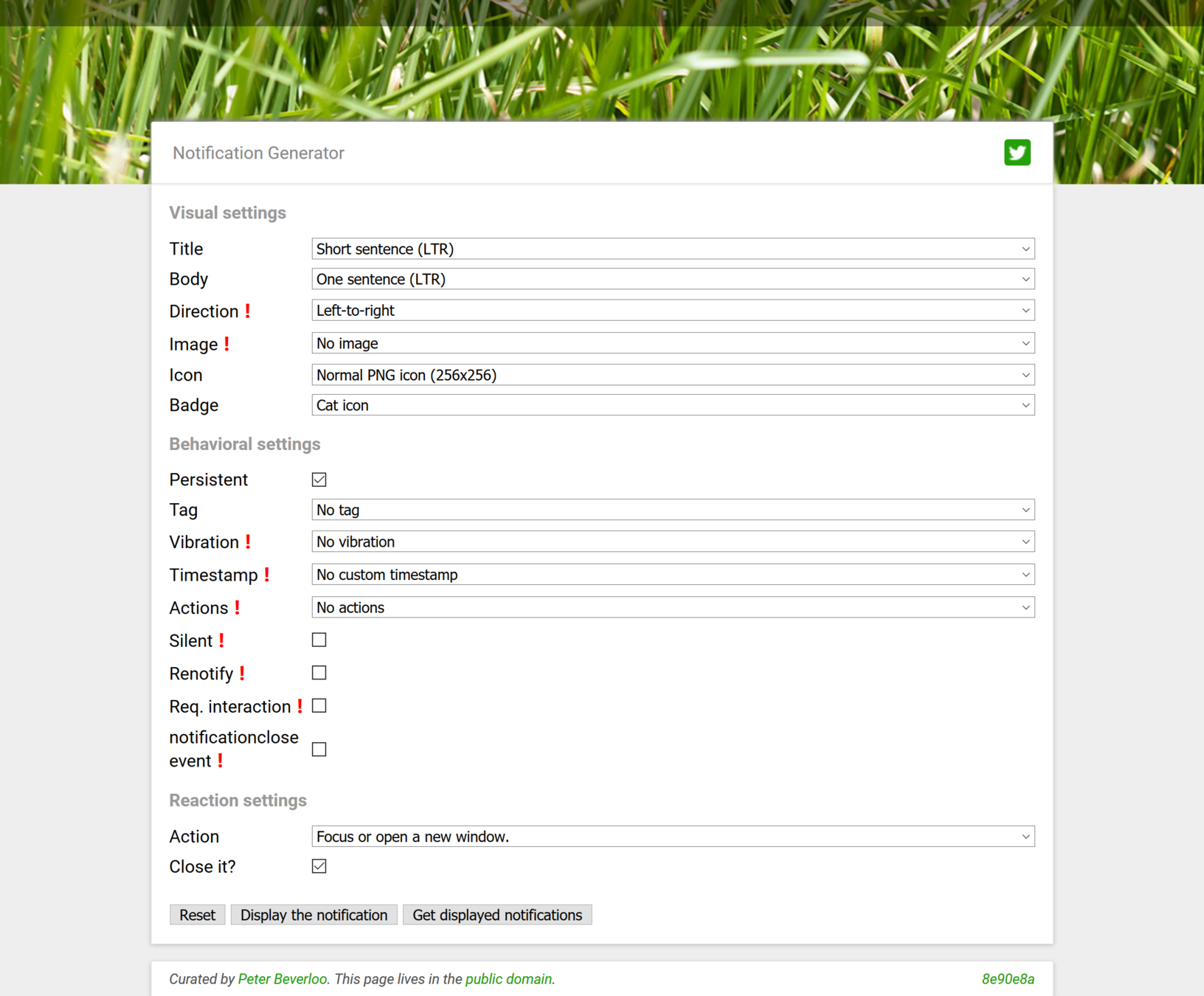
Messages configuration
Summing up
Decent PWA should be:
1. Installable
2. Native-like application shell
3. Offline support (cache + sync)
4. Push notifications
Web Application + some tricks!
+ additional complexity
Browsers support




Frameworks

@angular/service-worker
Examples
Thank you
Damian Sosnowski
PWA
By sosnowsd