TypeScript
JavaScript that scales or simply: JS with types!
What is TypeScript?
- JavaScript + Types
- To be more precise: JS + ES6/7 + Types
- Compatible with JS libraries
- Designed for large applications
- Decent modules implementation
- Compile time errors
Installing TypeScript
npm install typescript -gtsc --versionWorking with TypeScript
// simple_script.ts

let sampleName: string = "Damian";

class Logger {
    constructor(private name: string) {

    }

    log() {
        console.log(`Hello ${this.name}`);
    }
}

let logger = new Logger(sampleName);
logger.log();
> tsc simple_script.tsWorking with TypeScript
//simple_script.js

var sampleName = "Damian";

var Logger = (function () {
    function Logger(name) {
        this.name = name;
    }
    Logger.prototype.log = function () {
        console.log("Hello " + this.name);
    };
    return Logger;
}());
var logger = new Logger(sampleName);
logger.log();
IDEs support
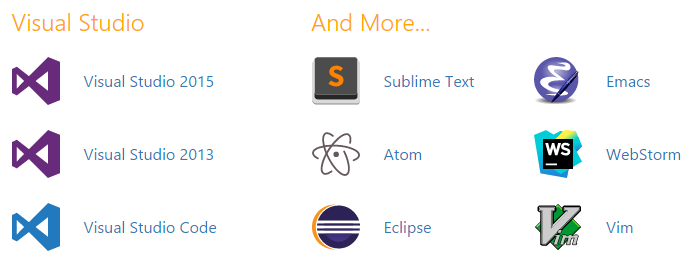
Text
+ Webpack
+ Gulp
+ Grunt
Play with TypeScript
Types
Types definition
let myName = "Damian";
let otherName: string = "Test";
let num: number = 2;

let arr: Array<number> = [1, 2, 3, 4];
let arr2: string[] = ["one", "two"];

let addNumbers = (num1: number, num2: number): number => {
    return num1 + num2;
};

let parseString : (input: string) => string;

parseString = (input: string) => "some result";

//this will not compile!
num = "test";

//this will not compile!
addNumbers("2", 4);
New types
//Tuples

let tuple : [string, number];

tuple = ["devil", 666];

tuple[0];
tuple[1];

//enums

enum Color {Red, Green, Blue};

let c: Color = Color.Red;

if (c === Color.Red) {
    //do smth
}

//any - no given type

let ugly: any;

ugly = 2;
ugly = "string";
Variables declaration
var smth; //functional scope
let smth2; //block scope
const smth3; //read only

const value = 2;

value = 1; //wrong

const obj = {
    name: "Damian"
};

obj = {}; //wrong

obj.name = "Tomasz"; //ok
Destructive assignment
//Arrays and Tuples

let [firsts, second, third] = [1, 2, 3];

console.log(first); // 1
console.log(second); // 2
console.log(third); // 3

//objects

let {a, b} = { a: "test1", b: "test2" };

let { a: betterName1, b: betterName2 } = { a: "test1", b: "test2" };
Spread operator
let arr: number[] = [1, 2];

let concat = [...arr, 3, 4];

let [a, b, ...rest] = concat;
Strings
let oldString = 'Some str';

let moderString = `Some moder str`;

let multilineString = `This
is
in
multiple
lines`;
let number = 666;
let who = 'Beast';
let oldString = number + ' the number of the ' + who;
let newString = `${number} the number of the ${who}`; Functions
Still, the essence of JS/TS :)
Defining a function
let fun = (param: number): string => {
    return "string";
};
Function arguments
//optional arguments

let fun = (arg1: number, arg2?: number) => {

}

//rest arguments

let fun2 = (arg1: number, ...restOfArgs: number[]) => {

};

//default value

let fun2 = (arg1 = 0) => {
    //...
}
What about context?
class Greeter {
    greeting: string;
    constructor(message: string) {
        this.greeting = message;
    }
    greet() {
        setTimeout(() => {
            console.log(this.greeting);// it works!!
        }, 200);
    }
}

let g = new Greeter('Hello world');

g.greet();
OOP TypeScript
Interfaces
- Lightweight way to strictly check objects structure
- Used for classes as well
- Used only for compilation time checking
Interface for objects
interface User {
    name: string;
    surname: string;
    age: number
}

let me: User = {
    name: 'Damian',
    surname: 'Sosnowski',
    age: 30
};

//this will not compile:

me.something = 123;
Interface for functions
interface searchFunc {
    (query: string, source: string) : boolean
}

let mySearch : searchFunc = (query: string, source: string) => {
    return true;
}
Indexable Types
interface StringsArray {
    [index: number]: string;
    length: number;
}

interface ReadonlyStringArray {
    readonly [index: number]: string;
}
let myArray: ReadonlyStringArray = ["Alice", "Bob"];
myArray[2] = "Mallory"; // error!
Classes
- Better syntax
- More readable definition
- Still, prototypes based!
- It's just a syntax sugar over the vanilla JS implementation
Basic Class
class SayHi {
    toWho: string;
    constructor(toWho: string) {
        this.toWho= toWho;
    }
    hi() {
        return "Hello, " + this.toWho;
    }
}

let hi = new SayHi("Damian");
Instance properties
//properties

class Person {
    static someStaticAttr = 2;

    private _id: number;
    constructor(public name: string, public secondName: string, public age: number) {
    }
}

//getters and setters

class Person {
    //...

    get fullName():string {
        return `${this.name} ${this.secondName}`;
    }

    set fullName(value:string) {
        //some parsing probably
        this.name = valueOfName;
        this.secondName = valueOfSecondName;
    }
}
Inheritance
class Person {
    protected name: string;
    constructor(name: string) { this.name = name; }
}

class Employee extends Person {
    private department: string;

    constructor(name: string, department: string) {
        super(name);
        this.department = department;
    }

    public sayHi() {
        return `Hello, my name is ${this.name} and I work in ${this.department}.`;
    }
}
Class + interface
interface ClockInterface {
    currentTime: Date;
    setTime(d: Date);
}

class Clock implements ClockInterface {
    currentTime: Date;
    setTime(d: Date) {
        this.currentTime = d;
    }
    constructor(h: number, m: number) { }
}Generics
let pickFirst = (list: number[]): number => {
    return list[0];
};
If I want to work with other types as well?
let pickFirst = (list: any[]): any => {
    return list[0];
};Generics
let pickFirst = <T>(list: T[]): T => {
    return list[0];
};

// or, for a different function notation

function pickFirst<T>(list: T[]): T {
    return list[0];
}
let res1: string = pickFirst<string>(['1', '2', '3']);
let res2: number = pickFirst<number>([1, 2, 3, 4]);
let res3: Date = pickFirst<Date>([
new Date(),
new Date(),
new Date()
]);Generics Constrains
let getLength = <T>(value: T) => {
    return value.length; // error, property "length" does not exists on T
}
let getLength = <G, T extends Array<G>>(value: T) => {
return value.length;
}
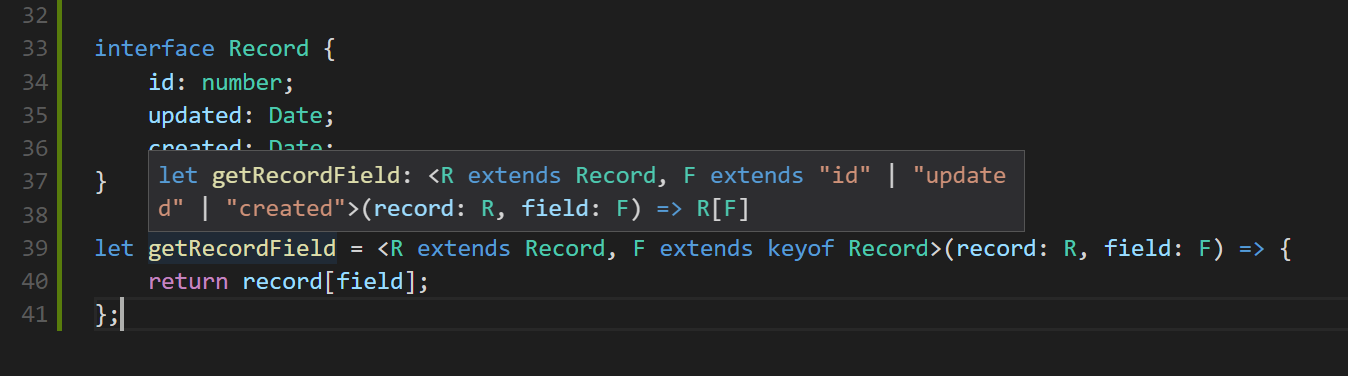
let length = getLength<number, number[]>([1, 2, 3]);keyof operator
interface Record {
    id: number;
    updated: Date;
    created: Date;
}

let getRecordField = <R extends Record, F extends keyof Record>(record: R, field: F) => {
    return record[field];
};
Generic classes and interfaces
interface Container<T> {
    value: T
};

let cont: Container<string> = {
    value: 'test'
};
class GenericCollection<T> {
private store: T[];
add(value: T): void {
this.store.push(value);
}
get(index: number): T {
return this.store[index];
}
}Let's code
Readonly Collection
/tasks/typescript/readonly_collection
Modules
- TypeScript comes with a build in modules system, based on EcmaScript 2015 specification
- It's used both to handle internal and external dependencies
- It's compatible with NodeJS modules
File as a module
//file: services.ts

// ... some module logic ...

export let addtwo = (number) => { number + 2 };

export class MyClass {
    hi: string;
    constructor() {
      this.hi = 'Hi';
    }
}

export const evilNumber = 666;
Using a local module
// file: app.ts

import * as services from "./services";

let inst = new services.MyClass();

let value = services.addtwo(services.evilNumber);
Exporting
export let someValue = 2;

// OR

export default class MyComponent() {}

//OR

export { someValue, someOtherValue, andEvenSomeClass }

//OR

export { someValue as betterName }
Importing
import * as service from './service';

import { someValue, MyClass } from './service';

import { someValue as myLocalName } from './service';

import MyComponent from './my_component'; //only if export default

import './global_module'; // for side effects
Working with external modules
> npm install lodash
> npm install @angular/core
import * as _ from 'lodash';
//Typescript will look for this dependency in node_modules directory
import { Component, OnInit } from '@angular/core';@types
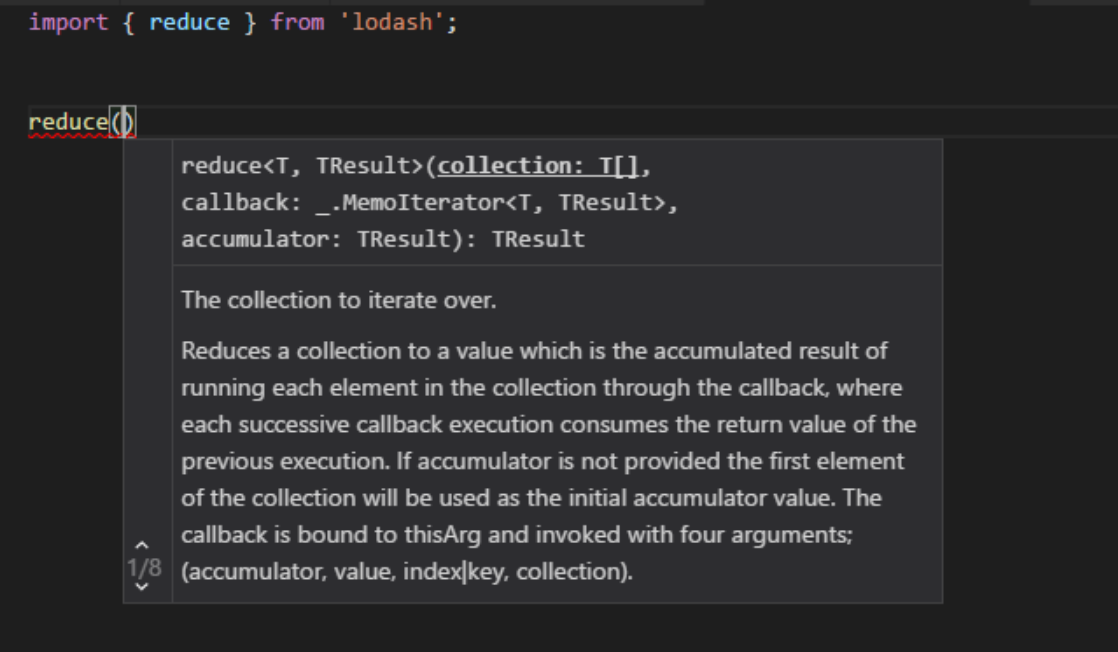
> npm install lodash
> npm install "@types/lodash"
Libraries like mocha, jasmine, etc. are created using JavaScript. So how do we get information about types?
Time to code some stuff
/tasks/typescript/state_manager
TypeScript Workshop
By sosnowsd