discord.py

by: 呂家睿
自介



- 建中資訊38th學術長+副社
- 原神好玩,貓戰也好玩,
釣魚好玩? - 我很菜,都被電爛
- 有程式(或數學?)相關的問題可以問我
- 頭像是應急食品
其他咚咚
- C++
- python
競程是什麼可以吃嗎?- 數學好難
- 喜歡做遊戲開發,歡迎問我、找我、
煩我 - 上面這點很重要,再讀一次
discord.py
What is


BOTS

幫助管理
提供娛樂
結合其他平台
discord.py
TOKEN
Setup
理論可行,無法實踐

安裝vscode
1. 點我下載vscode

2. 打開下載的檔案,勾選同意然後一直按繼續,最後按安裝
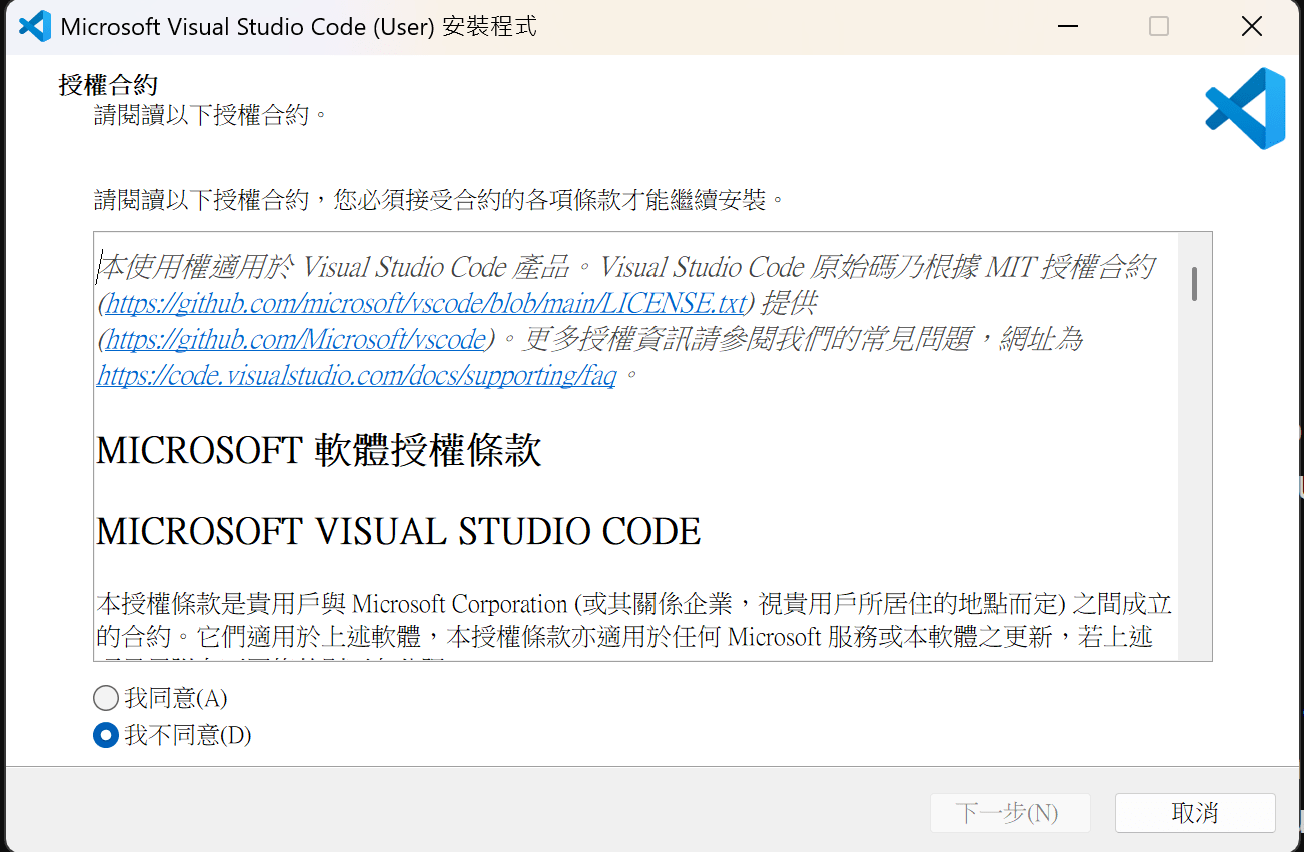
這裝的是windows版,如果回家想裝符合自己裝置的版本點這裡
開file
- 開一個folder
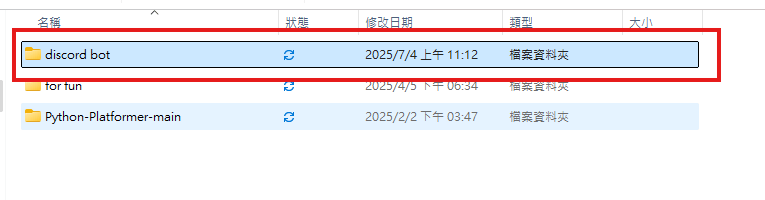
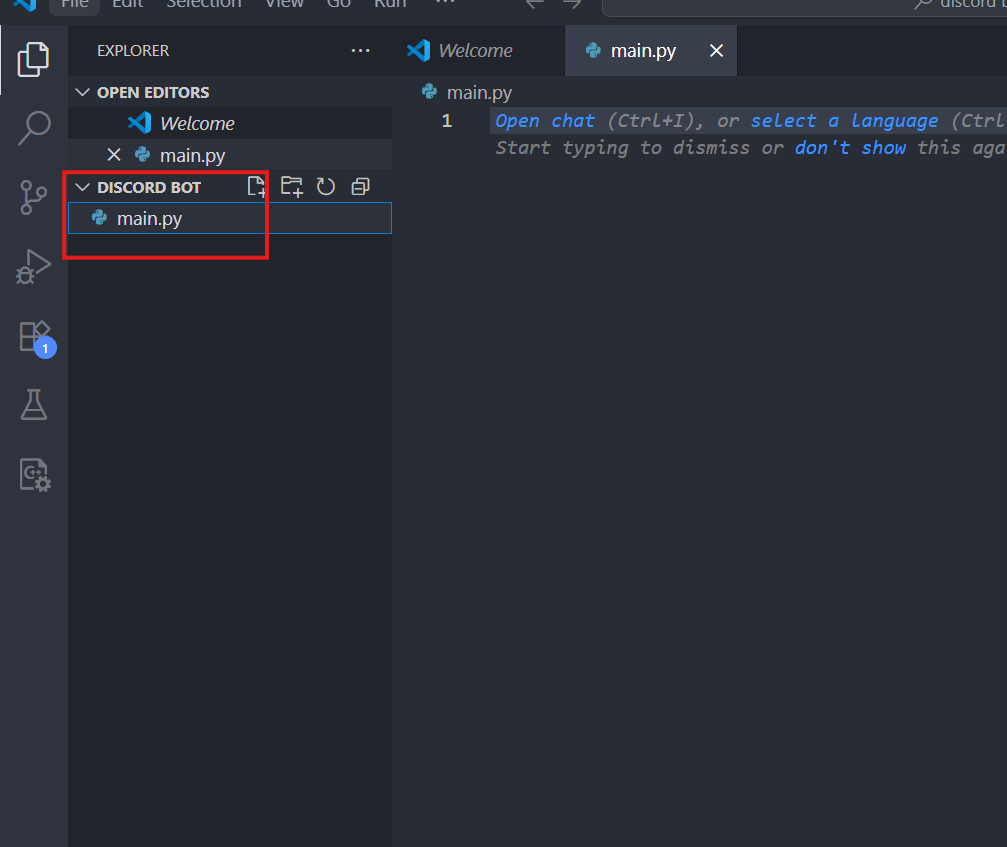
2. 用code editor 或 IDE (我們會用vscode)開啟那個folder
3. 加一個file
PyPI
Python Package Index
big code
你想/會寫的



PyPI
你不會/懶得寫的
Pip installs package

是一個指令,可以幫助你處理有關套件的東西。下面是一些常用的指令
pip install package_name 	#從PyPI幫你把你要的套件下載

pip uninstall package_name	#解安裝

pip show package_name		#顯示這個套件的一些資訊

pip list					#顯示你有的所有套件
pip install discord.py現在在你的terminal打上這個
OK所以我們要先領取一個機器人然後再寫他的程式
1.取名字好難
點new application然後給你的機器人取名
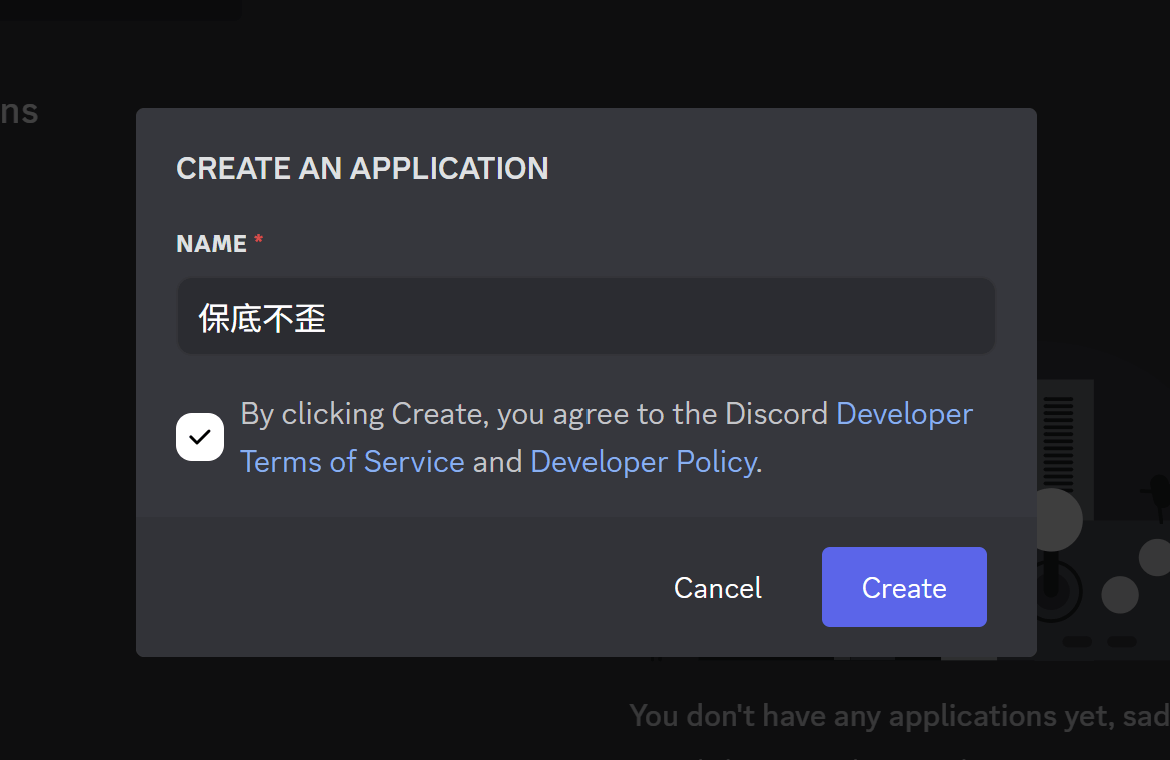
2.點選左邊bot的欄位
把三個priveledge gateway intent 打開
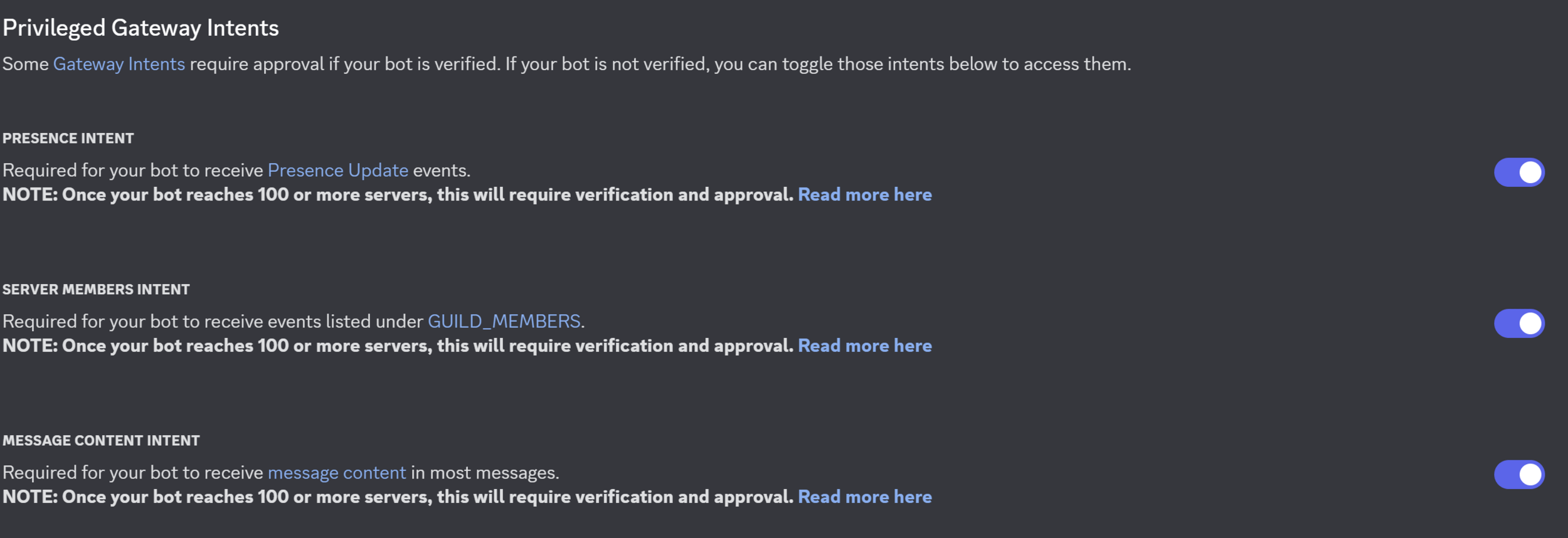
接著要把它丟進你想要的伺服器
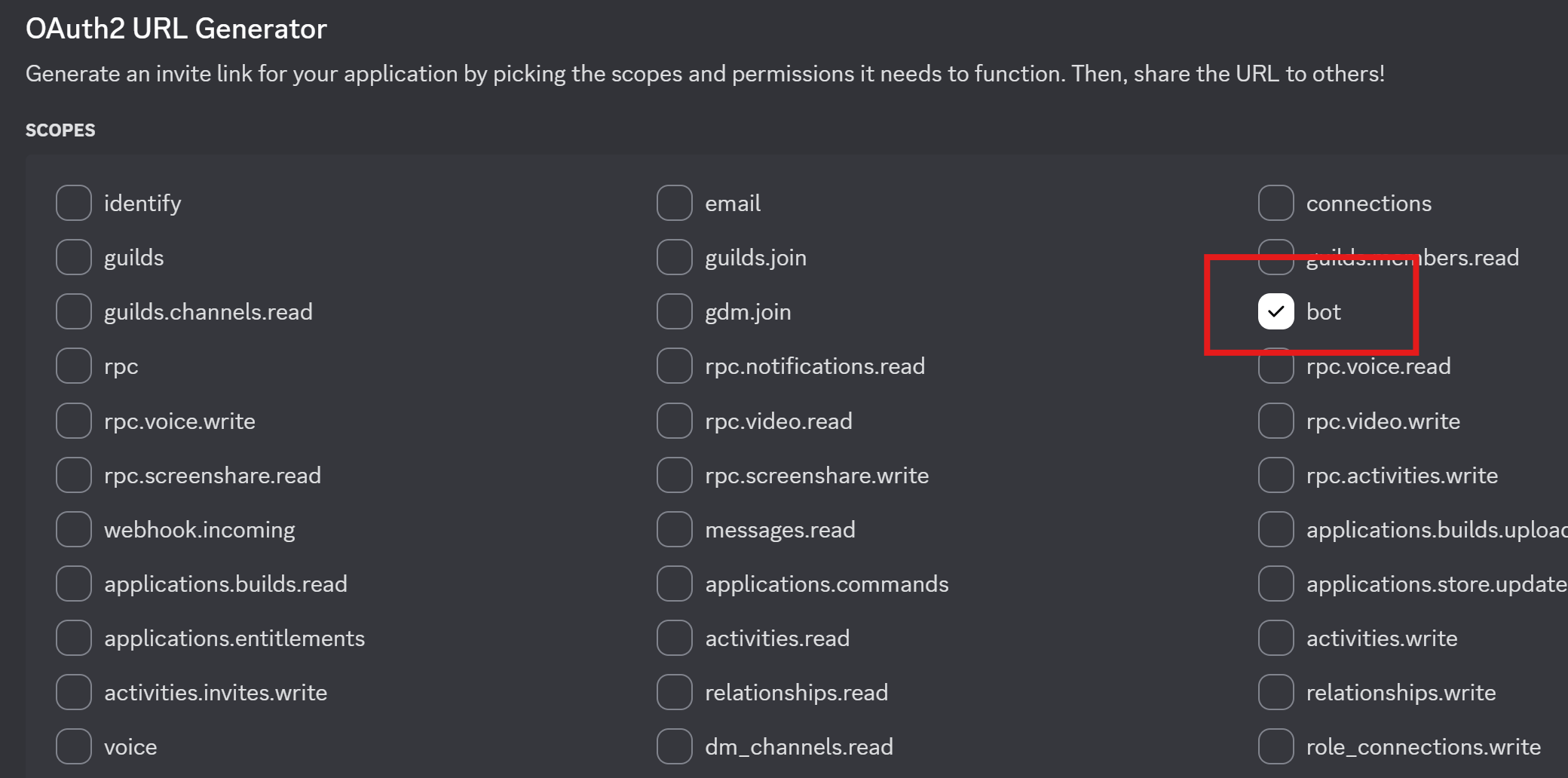
3. 點選左邊OAuth2
- 在OAuth2 URL Generator的地方把bot打勾
- 把bot permission的 administrator也打勾
- 最下面會有一個URL,複製你的URL在新分頁把它打開
4. 選擇你想要丟的伺服器
- 我個人建議你開一個自己的然後丟上去
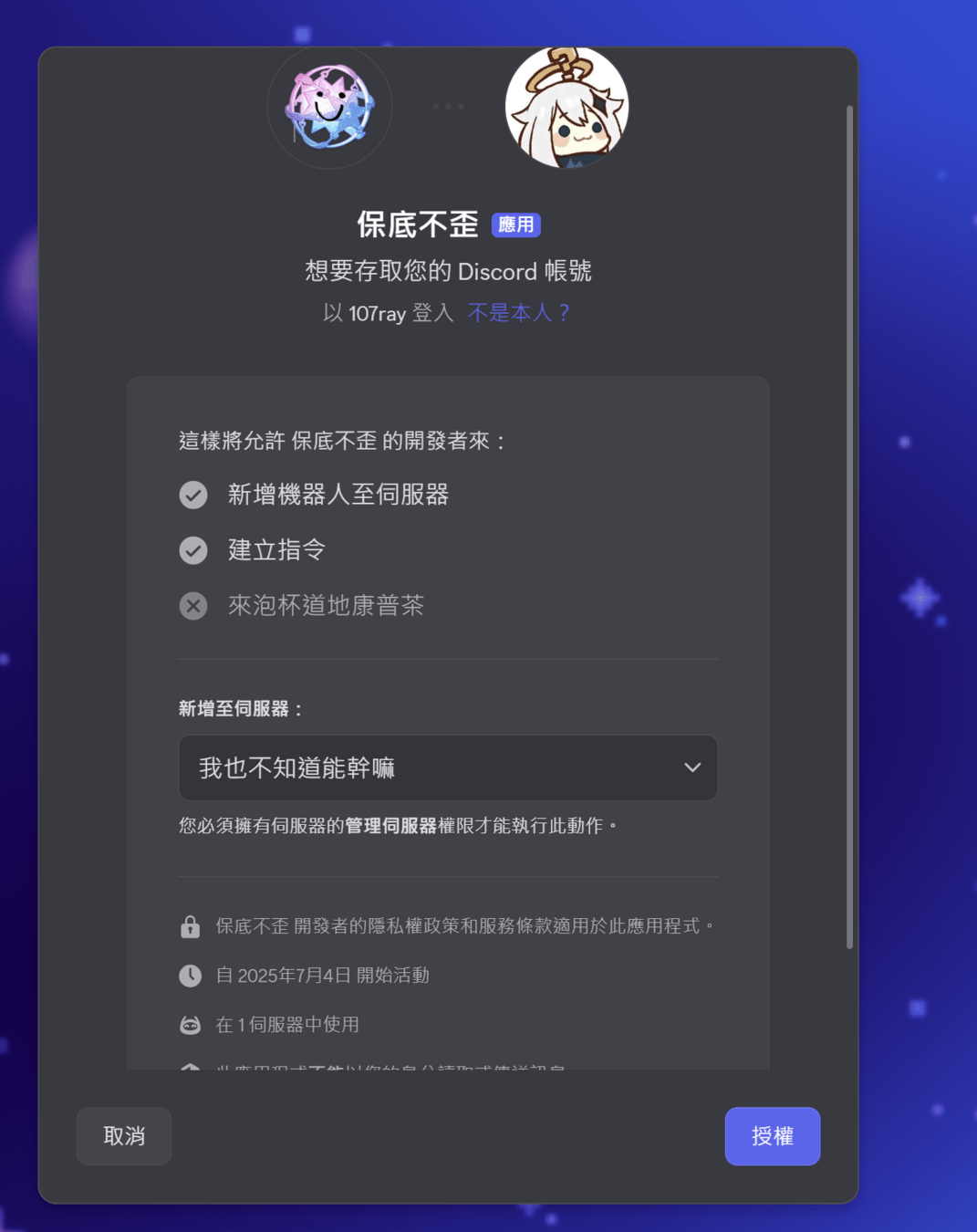
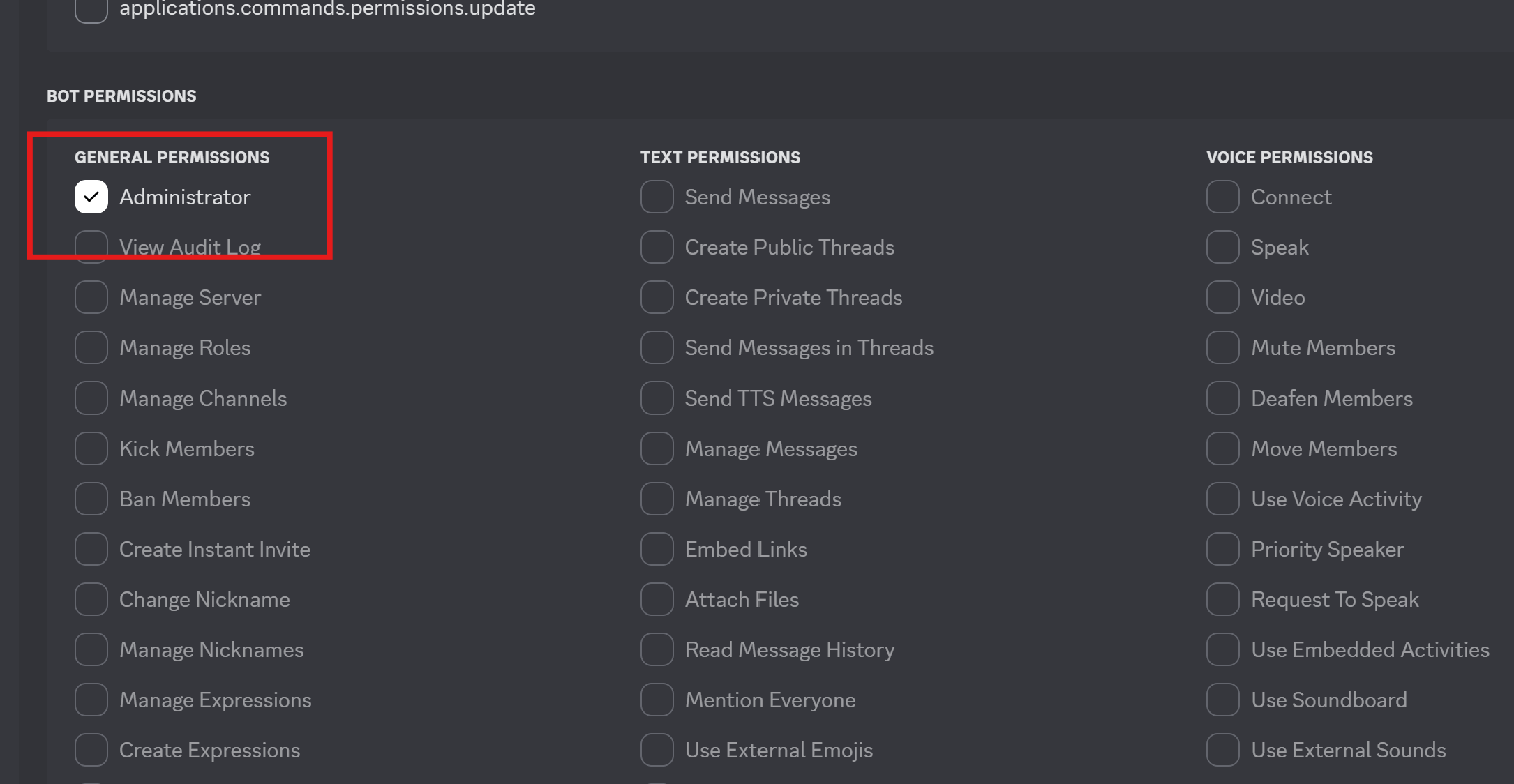
現在如果你打開你的伺服器, 然後看到機器人在裡面你就成功了!!!!
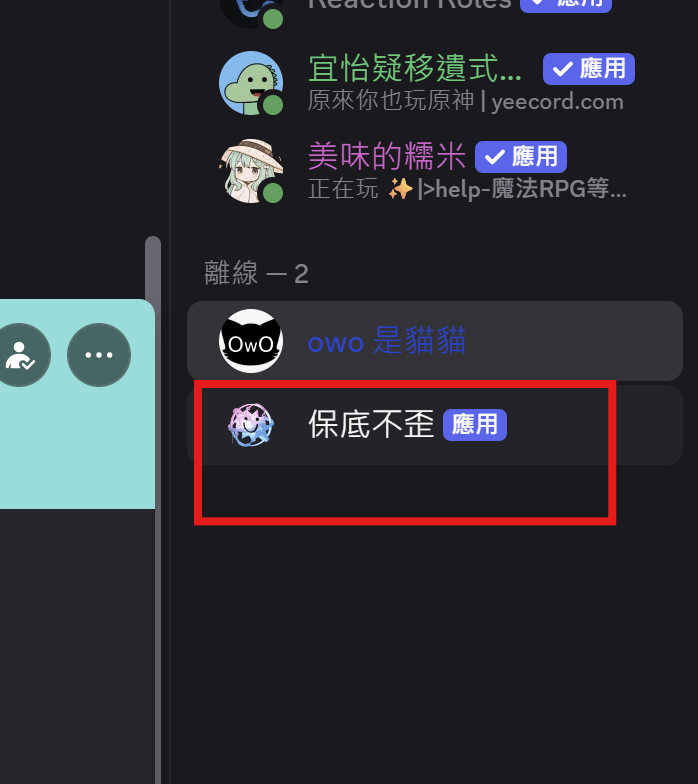

終於可以寫扣了
Event
- 是bot的登入憑證(像是密碼)
- 有他就可以控制你的bot
- 不要洩漏出去!!
Token

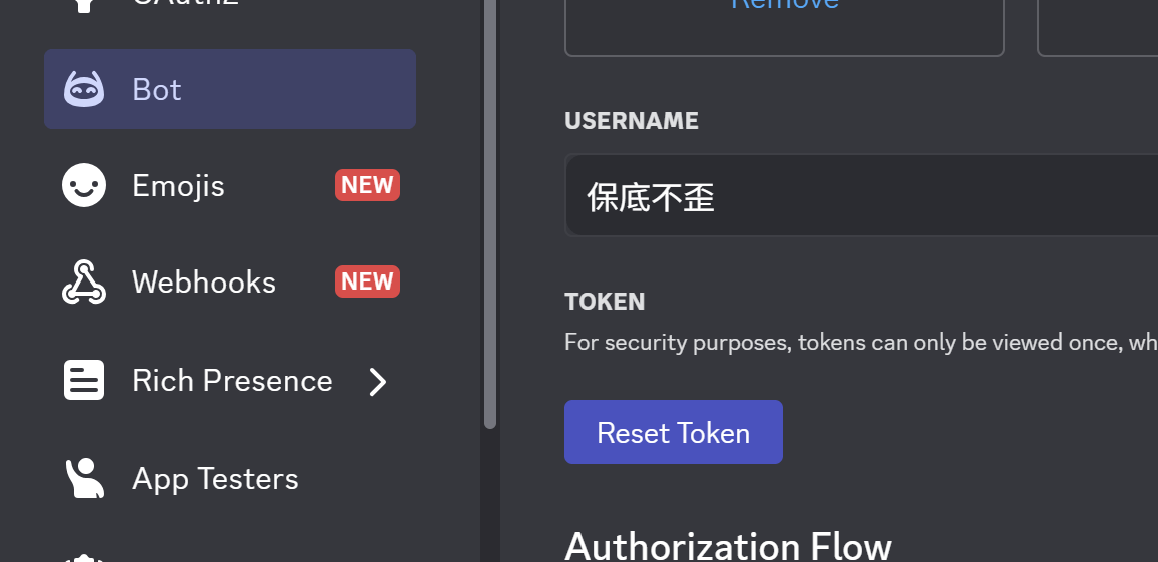
點這個他會幫你生Token
簡單的東西?
import discord
from discord.ext import commands

TOKEN = "Type Your Token"
intents = discord.Intents.all()
bot = commands.Bot(command_prefix = "?", intents = intents)

bot.run(TOKEN)
先import一些需要的東西
這個是指令前綴,比如說!?*>&%$之類的,可以自己選自己想要的
先import一些需要的東西
記得加這行你的機器人才會運作
- 把重要資料存在另外一個檔案
- 可以保密重要資訊(ex: TOKEN)
Token & .env
import discord
from discord.ext import commands

from dotenv import load_dotenv
import os

load_dotenv()
TOKEN = os.getenv("DISCORD_TOKEN")

intents = discord.Intents.all()
bot = commands.Bot(command_prefix = "?", intents = intents)

bot.run(TOKEN)
DISCORD_TOKEN = "Your TOKEN"1. 開一個.env
2. install python-dotenv
pip install python-dotenv簡單的東西?
如果你Run這個程式的話,應該會看到妳的bot變成online了
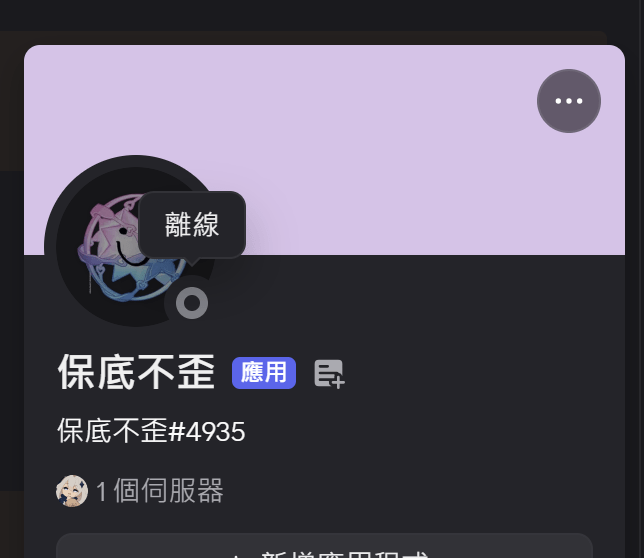
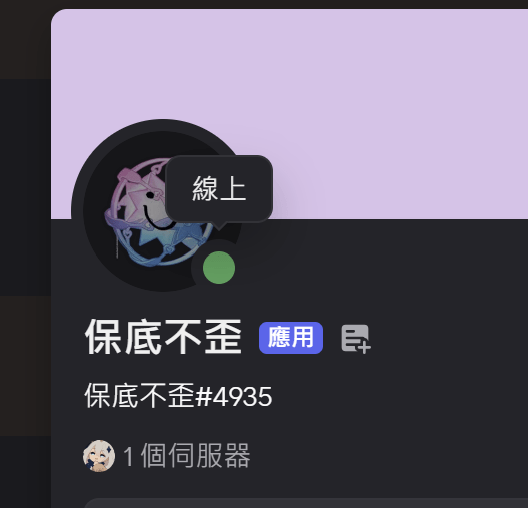
bot該起床了
@bot.event
async def on_ready():
    print(f"阿~~ {bot.user.name} 起床了!")
在你的機器人on_ready(啟動)的時候會叫這個函式
裝飾器
(這個我們有空再講)
機器人的名字
函式名字要打一樣的
async def & await宣告一個特殊函式,裡面可以進行await功能
- 加在一行程式前面
- 告訴電腦這行程式很慢,讓他去先執行別的事情
- 必須要是awaitable物件才能加await
講白了就是讓電腦不要白等,讓程式更快
async def & awaitimport time
def weird_func(num):
print(num)
time.sleep(2)
start_time = time.time()
for i in range(5):
weird_func(i)
print(f"Total time = {time.time() - start_time}")飯粒
沒用async
用async
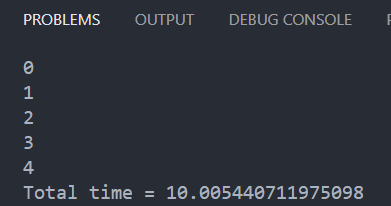
import time
import asyncio

async def weird_func(num):
    print(num)
    await asyncio.sleep(2)

async def main():
    await asyncio.gather(*(weird_func(i) for i in range(5)))

start_time = time.time()
asyncio.run(main())
print(f"Total time {time.time() - start_time} seconds")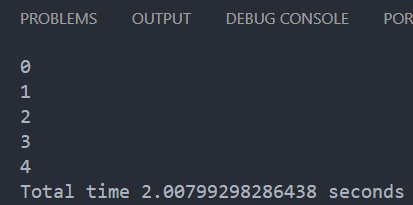
@bot.event
async def on_member_join(member: discord.Member):
    await member.send(f"很高興認識你{member.name}!\n我是機器人{bot.user.name}!\n祝你抽卡不歪!!")

@bot.event
async def on_message(message: discord.Message):
    if message.author == bot.user:
        return
    if "金" in message.content:
        await message.reply("一發出金!!")

    await bot.process_commands(message)
有成員加入時會呼叫
有人發訊息時會呼叫
.send會私訊
會回覆這則訊息
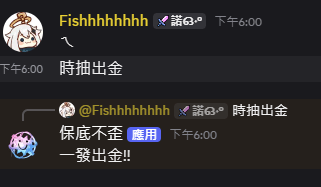
這行很重要一定要加
full code
import discord
from discord.ext import commands


TOKEN = "Your token"
intents = discord.Intents.all()
bot = commands.Bot(command_prefix = "?", intents = intents)


@bot.event
async def on_ready():
    print(f"阿~~ {bot.user.name} 起床了!")

@bot.event
async def on_member_join(member: discord.Member):
    await member.send(f"很高興認識你{member.name}!\n我是機器人{bot.user.name}!\n祝你抽卡不歪!!")

@bot.event
async def on_message(message: discord.Message):
    if message.author == bot.user:
        return
    if "金" in message.content:
        await message.reply("一發出金!!")

    await bot.process_commands(message)


bot.run(TOKEN)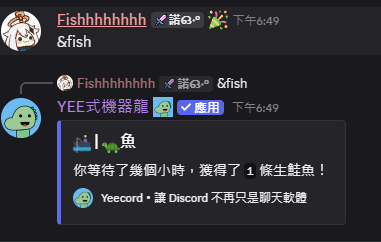
Prefix Command
!?*>&%$
hello world
@bot.command()
async def hello(ctx: commands.Context):
    await ctx.send(f"{ctx.author.mention}很高興認識你")
從event變成了command呢
這個是會@發訊息的人
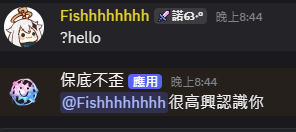
大概長這樣子
如果不行的話可能是你的on_message函式沒加這行
await bot.process_commands(message)from datetime import datetime
@bot.command()
async def time(ctx: commands.Context):
cur_time = datetime.now()
cur_time_string = cur_time.strftime("%Y/%m/%d %H:%M:%S")
await ctx.reply(f"讓我掐指一算,現在大概是{cur_time_string}左右")記得import才能用喔
一些有趣的飯粒

指令也可以結合python的其他library
這個就是簡單的求時間指令
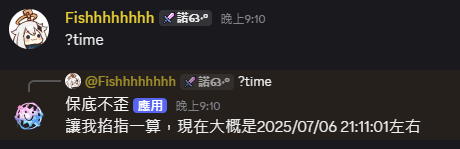
大概長這樣
import random

rng = random.SystemRandom()

@bot.command()
async def wish(ctx: commands.Context):
    await ctx.reply(f"Hmmm所以你想要抽卡是吧?那就助你出金囉\n**請自行腦補抽卡介面**")
    wish_rng = rng.randint(1, 1000)
    if wish_rng <= 970:
        await ctx.reply(f"恩好吧你抽到了垃圾呢")
    elif wish_rng <= 997:
        await ctx.reply(f"歐優不錯喔出紫了")
    else:
await ctx.reply(f"OMG出金了!!!!woooooooooooooooooooo")非常簡易的賭博抽卡模擬器
random也是非常實用的library大家成發時也可以多多使用!
更多飯粒
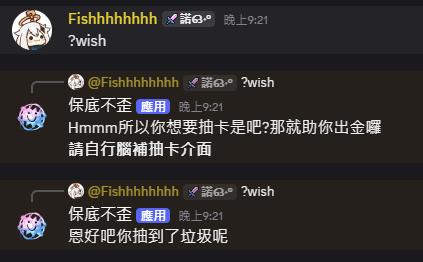
大概這樣子
更多指令參數
有時候你的指令可能需要帶一些參數才能執行,要怎麼做呢?
@bot.command()
async def add(ctx: commands.Context, num1: int, num2: int):
    await ctx.reply(f"加起來會是{num1+num2}!")
要幾個寫幾個大膽寫就對了
判斷吃的參數是根據空格,如果有加""的話會當作一整個參數
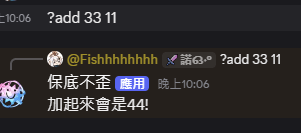
老樣子還是放個圖
更多更多指令參數
那如果我不想要一些我想要把所有的都吃進來怎麼辦?
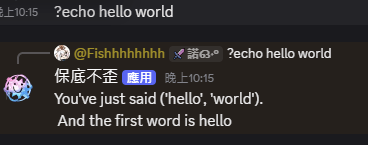
方法一
@bot.command()
async def echo(ctx: commands.Context, *args):
    await ctx.reply(f"You've just said {args}.\n And the first word is {args[0]}")
參數的吃法跟上一個是一樣的,直接用args的話會是一個tuple
方法二
@bot.command()
async def echo2(ctx: commands.Context, *, message):
    await ctx.reply(f"You've just said {message}.\n And the first word is {message[0]}")
參數是一個字元一個字元吃,直接用message會是string的形式
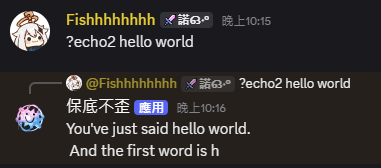
權限和error
有些指令可能不想給所有人使用,這時候就可以設定role權限
@bot.command()
@commands.has_role("mod")
async def wish(ctx: commands.Context):
    await ctx.reply(f"Hmmm所以你想要抽卡是吧?那就助你出金囉\n**請自行腦補抽卡介面**")
    wish_rng = rng.randint(1, 1000)
    if wish_rng <= 970:
        await ctx.reply(f"恩好吧你抽到了垃圾呢")
    elif wish_rng <= 997:
        await ctx.reply(f"歐優不錯喔出紫了")
    else:
        await ctx.reply(f"OMG出金了!!!!woooooooooooooooooooo")

@wish.error
async def wish_error(ctx: commands.Context, error):
    if isinstance(error, commands.MissingRole):
        await ctx.send("You don't have the permission to use that command")
這行限制command的使用
出error的時候要做的事情
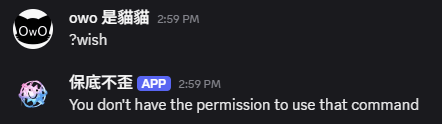
error大概長這樣
Slash Command
/////////////////////////////////
slash指令
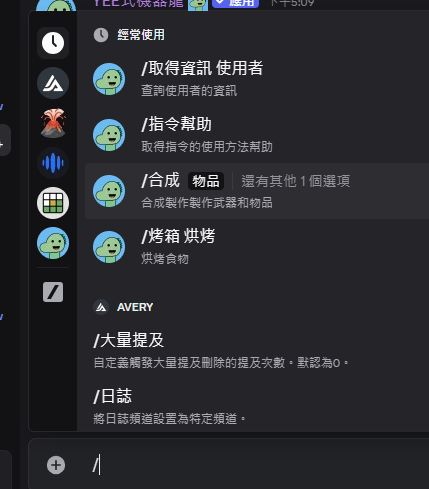
- 打指令的時候會出現提示
- 可以加描述
- 可以加上option讓使用更直觀
slash指令
@bot.event
async def on_ready():
    print(f"阿~~ {bot.user} 起床了!")
    slash_commands = await bot.tree.sync()
    for i in slash_commands:
            print(f"已註冊: {i}")


@bot.tree.command(name = "hello", description = "Says hello to you")
async def hello(interaction: discord.Interaction):
    await interaction.response.send_message(f"你好啊{interactions.user.mention}")
slash command前面要加這行裝飾器
name的地方填指令名字
description就填你想給使用者看的描述
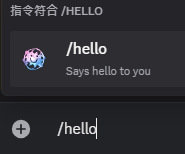
如果你的指令註冊成功把它印出來
options
@bot.tree.command(name = "hello", description = "Says hello to you")
async def hello(interaction: discord.Interaction, message: str):
    await interaction.response.send_message(f"你好啊{interactions.user.mention}\n{message}")
跟前面prefix command一樣使用更多參數時,你可以加上option操作
程式上也跟prefix command差不多
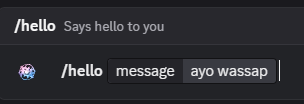
會幫你生出神奇的小框框
小缺點:
1. 參數不能太長(小於100字元)
2. 不能像prefix command *args吃全部內容
option promax
import typing

@bot.tree.command(name = "hello", description = "Says hello to you")
async def hello(interaction: discord.Interaction, message: typing.Optional[str] = "祝你一發出金"):
    await interaction.response.send_message(f"你好啊{interactions.user.mention}\n{message}")
剛剛的參數,但是不強制要求要填
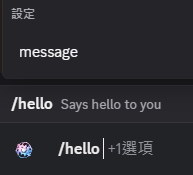
也能做到選擇題的效果
@bot.tree.command(name = "hello", description = "Says hello to you")
async def hello(interaction: discord.Interaction, message: typing.Literal["你", "好", "阿"]):
    await interaction.response.send_message(f"你好啊{interactions.user.mention}\n{message}")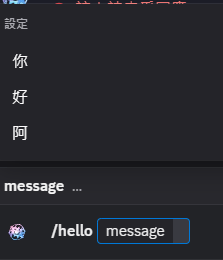
auto complete
簡單講就是可以讓你的option變得像google搜尋那樣聰明
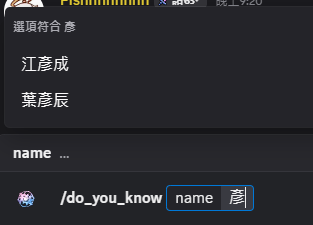
infor38 = ["陳柏安", "張雲淞", "江彥成", "呂家睿", "李家睿",
           "葉倚誠", "邱楷鈞", "葉彥辰", "彭星寶", "林禹喆"]

@bot.tree.command(name = "do_you_know", description = "可以問我知不知道這個人")
async def do_you_know(interaction: discord.Interaction, name: str):
    await interaction.response.send_message(f"那必須的{name}那麼電!")

@do_you_know.autocomplete("name")
async def name_autocomplete(interaction: discord.Interaction, current: str):
    matches = []
    for name in infor38:
        if current in name:
            matches.append(discord.app_commands.Choice(name = name, value = name))
    return matches[:25]
一個帶option的指令
google本狗在此
找推薦選項的邏輯
Guild 欄位
全球通用
只能在一個伺服器
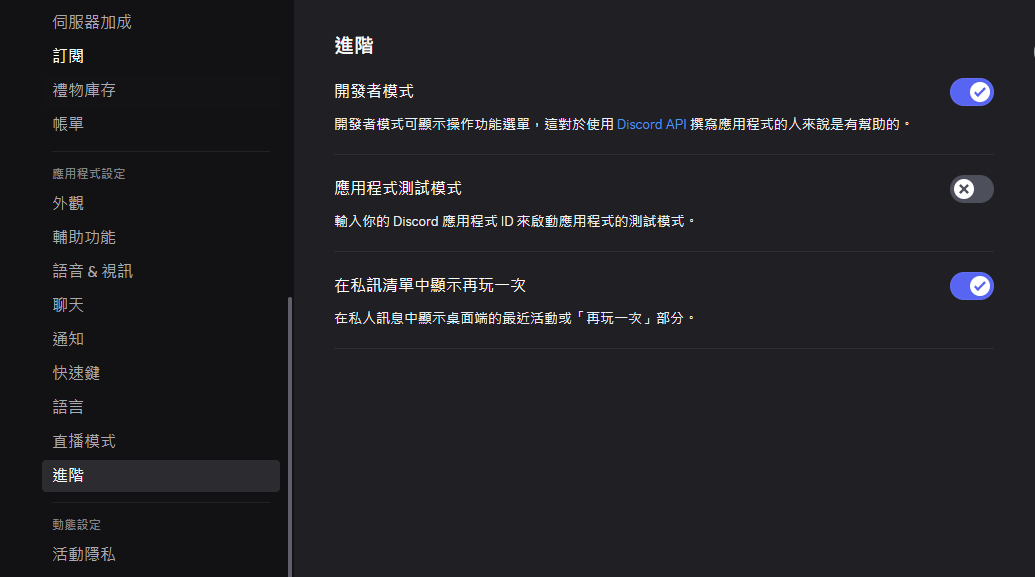
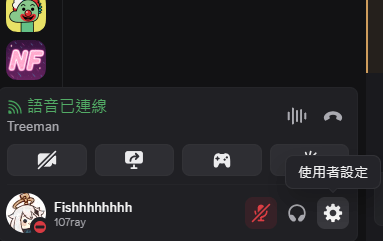
1.點使用者設定
2.進階 -> 開發者模式打開
3.右鍵伺服器點複製伺服器ID
GUILD_ID =  discord.Object(id = your id number)


@bot.event
async def on_ready():
    print(f"阿~~ {bot.user} 起床了!")
    guild_only = await bot.tree.sync(guild = GUILD_ID)
    slash_commands = await bot.tree.sync()
    for i in slash_commands:
        print(f"已註冊: {i}")
    for i in guild_only:
        print(f"已註冊: {i}")


@bot.tree.command(name = "hello", description = "Says hello to you", guild = GUILD_ID)
async def hello(interaction: discord.Interaction):
    await interaction.response.send_message(f"你好啊{interactions.user.mention}")
記得sync不然指令會找不到
Guild 欄位
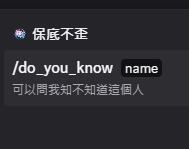
其他伺服器
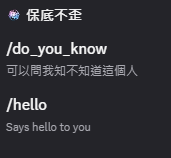
有許可的伺服器
@bot.tree.command(name = "hello", description = "Says hello to you", guild = GUILD_ID)
async def hello(interaction: discord.Interaction):
  	if not interaction.user.guild_permissions.send_messages:
        return

    if interaction.user.guild_permissions.administrator:
        await interaction.response.send_message(f"{interaction.user.mention}管理員大人好!\n")
    else:
        await interaction.response.send_message(f"你好啊{interaction.user.mention}\n")
權限和error again
也可以用role名稱來判斷
role = discord.utils.get(interaction.guild.roles, name = "mod")
if role not in interaction.user.roles: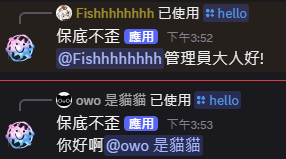
Fancy Stuff

Embed Message
@bot.tree.command(name = "embed", description = "example embed message", guild = GUILD_ID)
async def embed_create(interaction: discord.Interaction):
    embed = discord.Embed(title = "My title",
                          url = "https://www.youtube.com/watch?v=dQw4w9WgXcQ",
                          description = "Click the title!", color = discord.Color.blurple())
    embed.set_thumbnail(url = "https://preview.redd.it/mq2hik89nqt01.png?auto=webp&s=d5544eea984961c596c4e68452300183a28add61")
    embed.add_field(name = "欄位1", value = "這是一個欄位沒什麼神奇的")
    embed.add_field(name = "欄位2", value = "這是另一個欄位,也沒什麼神奇的")
    embed.set_footer(text = "確定不點一下標題嗎?")
    embed.set_author(name = interaction.user.name)

    await interaction.response.send_message(embed = embed)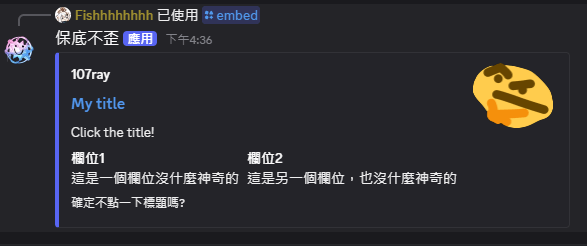
Buttons
class View(discord.ui.View):
    @discord.ui.button(label = "button 1", style = discord.ButtonStyle.green, emoji = "⚡")
    async def button_call(self, button, interaction):
        await button.response.send_message("You are so dian!")

    @discord.ui.button(label = "button 2", style = discord.ButtonStyle.blurple, emoji = "💀")
    async def button_2_call(self, button, interaction):
        await button.response.send_message(":skull:")

    @discord.ui.button(label = "button 3", style = discord.ButtonStyle.red, emoji = "🤯")
    async def button_3_call(self, button, interaction):
        await button.response.send_message("CPU overload")


@bot.tree.command(name = "button", description = "example button", guild = GUILD_ID)
async def buttons(interaction: discord.Interaction):
    await interaction.response.send_message(view = View())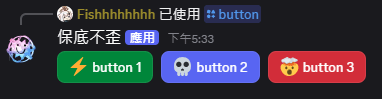
AIBOT
with Gemini

瑣碎的作業
3. 一些基本的code
2. pip install google
pip install -q -U google-genaifrom google import genai
GEMINI_API_KEY = "Your api key"
my_ai = genai.Client(api_key = GEMINI_API_KEY)
ai_model = "gemini-2.5-flash"用API key建立你的模型
注重安全性或想要做成github public project記得也把API KEY放在.env裡面
拿來用
def ask_ai(question: str):
    answer =  my_ai.models.generate_content(model =  ai_model, contents = question)
    return answer

@bot.command()
async def chat(ctx: commands.Context, *, question: str):
    answer =  ask_ai(question).text
    await ctx.reply(answer)
生成gemini回復
bot command
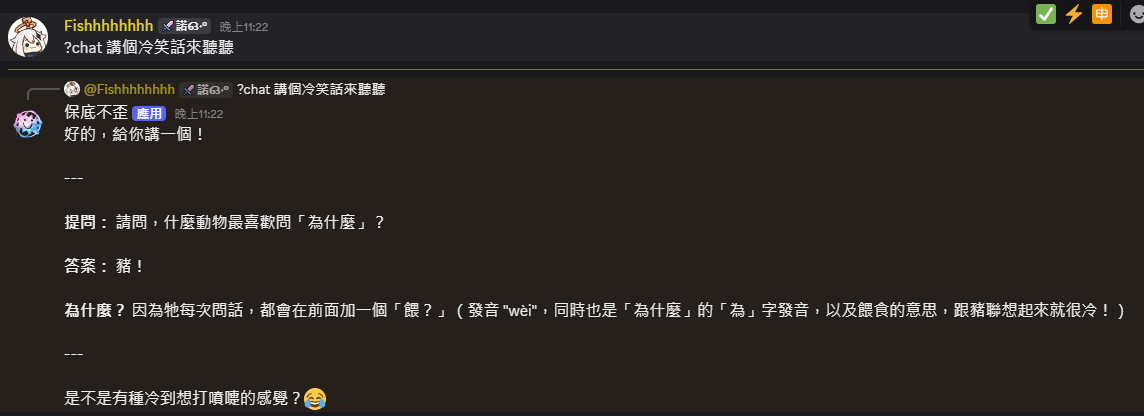
恩真的好爛的笑話
gemini生成設定
GENERATION_CONFIG = {
    "system_instruction": "You are a weird guy, like a quirky but funny one.",
    "temperature": 0.8,
    "top_p": 0.8,
    "top_k": 4,
    "max_output_tokens": 1000,
    "safety_settings" : [
    {"category": "HARM_CATEGORY_HARASSMENT",       "threshold": "BLOCK_NONE"},
    {"category": "HARM_CATEGORY_HATE_SPEECH",      "threshold": "BLOCK_NONE"},
    {"category": "HARM_CATEGORY_SEXUALLY_EXPLICIT","threshold": "BLOCK_ONLY_HIGH"},
    {"category": "HARM_CATEGORY_DANGEROUS_CONTENT","threshold": "BLOCK_ONLY_HIGH"},
    ]
}
0~1, 越大越有創意(抽象?
最多能生成的字元
HARM_CATEGORY_HARASSMENT 騷擾
HARM_CATEGORY_HATE_SPEECH 仇恨言論
HARM_CATEGORY_SEXUALLY_EXPLICIT 煽情露骨
HARM_CATEGORY_DANGEROUS_CONTENT 危險內容
HARM_CATEGORY_CIVIC_INTEGRITY 公民誠信
篩選等級:
BLOCK_NONE
BLOCK_ONLY_HIGH
BLOCK_MEDIUM_AND_ABOVE
BLOCK_LOW_AND_ABOVE
HARM_BLOCK_THREHOLD_UNSPECIFIED
不額外篩選
全部擋掉
上完啦!
是不是感覺解脫了
總之大家成發加油啦!!!有問題歡迎問我

discord bot
By ck11300111呂家睿