
Content ITV PRO
This is Itvedant Content department
Business Scenario
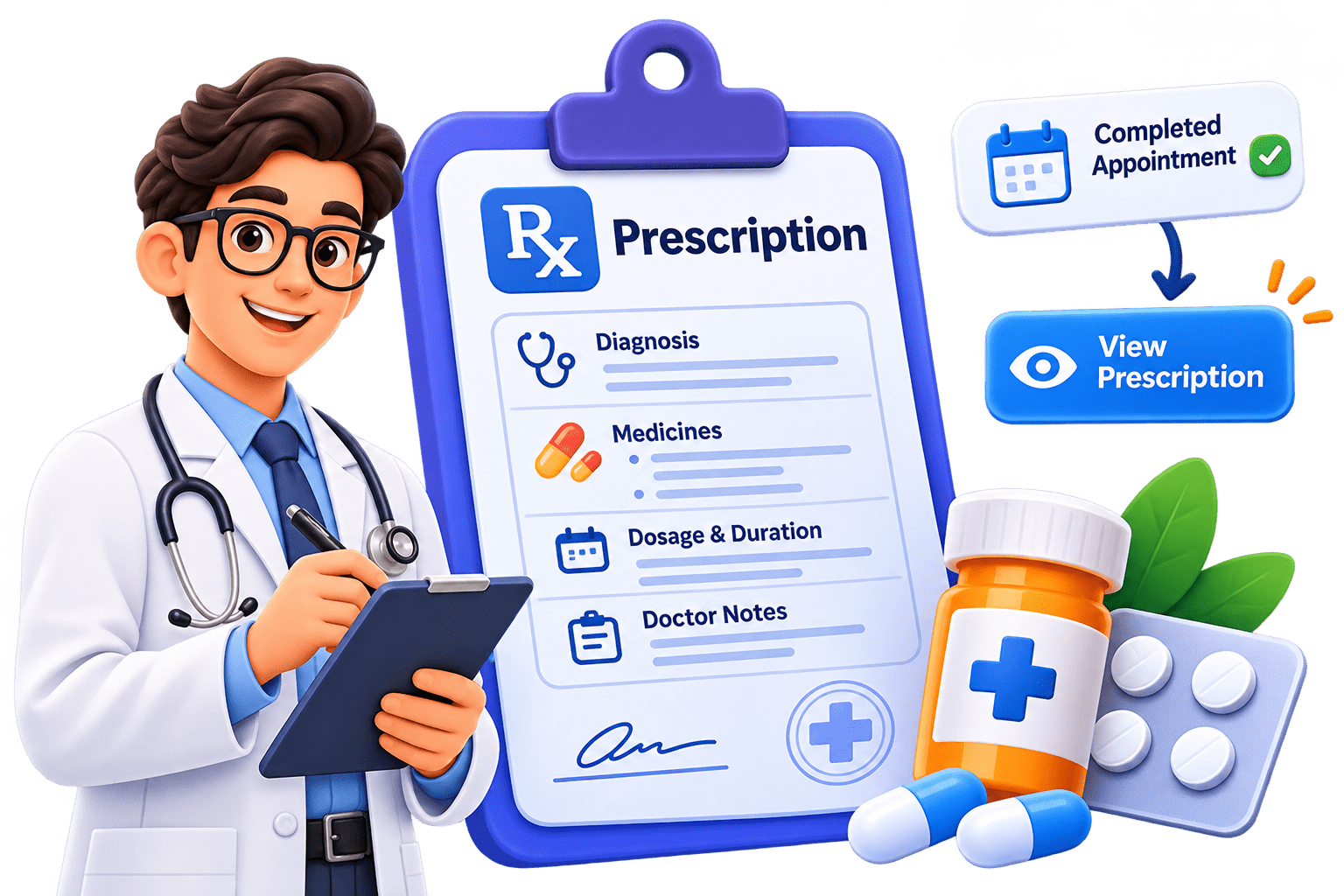
In this lab, you will enhance the Medicare application by implementing the Prescription Management feature, allowing doctors to create prescriptions for completed appointments and patients to view their prescriptions.
Pre-Lab Preparation
Module:
1) React Basics & Backend Integration (Spring Boot)
Phase 12I — Prescription UI
DOCTOR
Schedule
   ↓
COMPLETED Appointment
   ↓
Prescription
   ↓
Diagnosis
Medicines
Doctor Notes
   ↓
POST /api/prescriptions

PATIENT
My Appointments
   ↓
COMPLETED
   ↓
View Prescription
   ↓
GET /api/prescriptions/appointment/{id}
   ↓
Bootstrap Modal
Create prescriptionService.js
1
src/services/prescriptionService.js
import api, { getAuthConfig } from "../api/api";

const createPrescription = async (prescriptionData) => {
        const response = await api.post("/prescriptions",
            prescriptionData,getAuthConfig());
        return response.data;
    };

const getPrescriptionByAppointment =
    async (appointmentId) => {
        const response = await api.get(
                `/prescriptions/appointment/${appointmentId}`,
                getAuthConfig()
);
return response.data;
};
const prescriptionService = {
createPrescription,
getPrescriptionByAppointment
};
export default prescriptionService;Update Doctor Appointment Card
2
import {Link} from "react-router";<button className="btn btn-primary w-100" disabled>
Add Prescription — Coming Soon
</button><Link to={`/doctor/appointments/${appointment.id}/prescription`}
className="btn btn-primary w-100">
Prescription
</Link>{
appointment.appointmentStatus === "COMPLETED"
&& ( <Link to={`/doctor/appointments/${appointment.id}/prescription`}
className="btn btn-primary w-100">
Prescription
</Link>
)
}Create Doctor Prescription Page
3
src/pages/doctor/DoctorPrescription.jsximport { useEffect, useState } from "react";
import { Link, useParams } from "react-router";
import prescriptionService from "../../services/prescriptionService";const emptyMedicine = {
medicineName: "",
dosage: "",
frequency: "",
duration: "",
};
function DoctorPrescription() {
const { appointmentId } = useParams();
const [diagnosis, setDiagnosis] = useState("");
const [doctorNotes, setDoctorNotes] = useState("");
const [medicines, setMedicines] = useState([{ ...emptyMedicine }]);
const [existingPrescription, setExistingPrescription] = useState(null);
const [checking, setChecking] = useState(true);
const [saving, setSaving] = useState(false);
const [error, setError] = useState("");
const [success, setSuccess] = useState("");
useEffect(() => {
checkExistingPrescription();
}, [appointmentId]);
const checkExistingPrescription = async () => {
try {
setChecking(true);
setError("");
const prescription =
await prescriptionService.getPrescriptionByAppointment(appointmentId); setExistingPrescription(prescription);
} catch (error) {
/*
* 404 simply means the doctor
* has not created one yet.
*/
if (error.response?.status === 404) {
setExistingPrescription(null);
return;
}
setError(error.response?.data?.message || "Unable to check prescription");
} finally {
setChecking(false);
}
};
const handleMedicineChange = (index, event) => {
const { name, value } = event.target;
setMedicines((previousMedicines) => {
const updatedMedicines = [...previousMedicines];
updatedMedicines[index] = {
...updatedMedicines[index],
[name]: value,
}; return updatedMedicines;
});
};
const addMedicine = () => {
setMedicines((previousMedicines) => [
...previousMedicines,
{ ...emptyMedicine },
]);
};
const removeMedicine = (index) => {
if (medicines.length === 1) {
return;
}
setMedicines((previousMedicines) =>
previousMedicines.filter(
(medicine, medicineIndex) => medicineIndex !== index,
),
);
};
const handleSubmit = async (event) => {
event.preventDefault();
setError("");
setSuccess(""); const prescriptionData = {
appointmentId: Number(appointmentId),
diagnosis: diagnosis.trim(),
doctorNotes: doctorNotes.trim(),
medicines,
};
try {
setSaving(true);
const response =
await prescriptionService.createPrescription(prescriptionData);
setExistingPrescription(response);
setSuccess("Prescription saved successfully.");
} catch (error) {
setError(error.response?.data?.message || "Unable to save prescription");
} finally {
setSaving(false);
}
};
if (checking) {
return (
<div className="container py-5 text-center">
<div className="spinner-border text-primary"></div>
<p className="text-secondary mt-3">Loading prescription...</p>
</div>
);
} return (
<div className="container py-5">
<div className="row justify-content-center">
<div className="col-lg-9">
<div className="mb-4">
<h2>Prescription</h2>
<p className="text-secondary">
Appointment ID: <strong>{appointmentId}</strong>
</p>
</div>
{success && <div className="alert alert-success">{success}</div>}
{error && <div className="alert alert-danger">{error}</div>}
{existingPrescription ? (
<ExistingPrescription prescription={existingPrescription} />
) : (
<form onSubmit={handleSubmit}>
<div className="card shadow-sm mb-4">
<div className="card-body p-4">
<h5 className="mb-3">Diagnosis</h5>
<textarea
className="form-control"
rows="4"
value={diagnosis}
onChange={(event) => setDiagnosis(event.target.value)}
required ></textarea>
</div>
</div>
<div className="card shadow-sm mb-4">
<div className="card-body p-4">
<div
className=" d-flex justify-content-between
align-items-center mb-4">
<h5 className="mb-0">Medicines</h5>
<button
type="button"
className="btn btn-outline-primary btn-sm"
onClick={addMedicine} >
+ Add Medicine
</button>
</div>
{medicines.map((medicine, index) => (
<div key={index} className="border rounded p-3 mb-3">
<div
className=" d-flex justify-content-between mb-3">
<strong>Medicine {index + 1}</strong>
{medicines.length > 1 && (
<button
type="button"
className="btn btn-outline-danger btn-sm"
onClick={() => removeMedicine(index)}> Remove
</button>
)}
</div>
<div className="row g-3">
<div className="col-md-6">
<label className="form-label">Medicine Name</label>
<input
type="text"
name="medicineName"
className="form-control"
value={medicine.medicineName}
onChange={(event) =>
handleMedicineChange(index, event)
}
required
/>
</div>
<div className="col-md-6">
<label className="form-label">Dosage</label>
<input
type="text"
name="dosage"
className="form-control"
placeholder="Example: 500 mg"
value={medicine.dosage} onChange={(event) =>
handleMedicineChange(index, event)
}
required
/>
</div>
<div className="col-md-6">
<label className="form-label">Frequency</label>
<input
type="text"
name="frequency"
className="form-control"
placeholder="Example: Twice daily"
value={medicine.frequency}
onChange={(event) =>
handleMedicineChange(index, event)
}
required
/>
</div>
<div className="col-md-6">
<label className="form-label">Duration</label>
<input
type="text"
name="duration"
className="form-control" placeholder="Example: 5 days"
value={medicine.duration}
onChange={(event) =>
handleMedicineChange(index, event)
}
required
/>
</div>
</div>
</div>
))}
</div>
</div>
<div className="card shadow-sm mb-4">
<div className="card-body p-4">
<h5 className="mb-3">Doctor Notes</h5>
<textarea
className="form-control"
rows="4"
value={doctorNotes}
onChange={(event) => setDoctorNotes(event.target.value)}
placeholder="Additional advice..."
></textarea>
</div>
</div>
<div className="d-flex gap-2">
<Link to="/doctor/schedule" className="btn btn-outline-secondary"
>
Back
</Link>
<button
type="submit"
className="btn btn-primary flex-grow-1"
disabled={saving}
>
{saving ? "Saving Prescription..." : "Save Prescription"}
</button>
</div>
</form>
)}
</div>
</div>
</div>
);
}
function ExistingPrescription({ prescription }) {
return (
<div className="card shadow-sm">
<div className="card-body p-4">
<div className="alert alert-info">
A prescription already exists for this appointment.
</div>
<h5>Patient</h5> <p>{prescription.patientName}</p>
<h5>Diagnosis</h5>
<p>{prescription.diagnosis}</p>
<h5 className="mt-4">Medicines</h5>
<div className="table-responsive">
<table className="table table-bordered">
<thead>
<tr>
<th>Medicine</th>
<th>Dosage</th>
<th>Frequency</th>
<th>Duration</th>
</tr>
</thead>
<tbody>
{prescription.medicines.map((medicine, index) => (
<tr key={index}>
<td>{medicine.medicineName}</td>
<td>{medicine.dosage}</td>
<td>{medicine.frequency}</td>
<td>{medicine.duration}</td>
</tr>
))}
</tbody>
</table> </div>
{prescription.doctorNotes && (
<>
<h5 className="mt-4">Doctor Notes</h5>
<p>{prescription.doctorNotes}</p>
</>
)}
<Link to="/doctor/schedule" className="btn btn-outline-primary mt-3">
Back to Schedule
</Link>
</div>
</div>
);
}
export default DoctorPrescription;
Why Check Existing Prescription First?
One Appointment
      ↓
Maximum One Prescription
GET /prescriptions/appointment/{id}200 --> Display it
404
 ↓
Show Create Prescription form
Dynamic Medicine State
4
const [medicines, setMedicines] = useState([
{
medicineName: "",
dosage: "",
frequency: "",
duration: ""
}
]);+ Add Medicine
Medicine 1
Medicine 2
Medicine 3
...
Payload Sent to Backend
5
Diagnosis:
Viral fever
Paracetamol
500 mg
Twice daily
5 days
ORS
1 sachet
Twice daily
3 days
{
    "appointmentId": 8,
    "diagnosis": "Viral fever",
    "doctorNotes": "Drink plenty of fluids",
    "medicines": [
        {
            "medicineName": "Paracetamol",
            "dosage": "500 mg",
            "frequency": "Twice daily",
            "duration": "5 days"
        },
        {
            "medicineName": "ORS",
            "dosage": "1 sachet",
            "frequency": "Twice daily",
"duration": "3 days" } ] }
Add Doctor Prescription Route
6
{
    path: "doctor/appointments/:appointmentId/prescription",
    element: (
        <ProtectedRoute allowedRoles={["DOCTOR"]}>
            <DoctorPrescription />
        </ProtectedRoute>
)
},Doctor Schedule ↓ Appointment 8 ↓ /doctor/appointments/8/prescription
Test Doctor Prescription
7
POST /api/prescriptions
Authorization: Bearer <doctor-token>
Test Invalid Cases
8
Prescription can only be created for a appointment
Patient Side — View Prescription
src/components/prescription/
Test Invalid Cases
9
PrescriptionModal.jsx
function PrescriptionModal({ show, prescription, loading, error, onClose }) {
  if (!show) {
    return null;
  }

  return (
    <>
      <div className="modal fade show d-block" tabIndex="-1" role="dialog">
        <div
          className="modal-dialog modal-lg modal-dialog-centered
           modal-dialog-scrollable">
          <div className="modal-content">
            <div className="modal-header">
              <h5 className="modal-title">Prescription</h5>

              <button
                type="button"
                className="btn-close"
                onClick={onClose}
></button>
</div>
<div className="modal-body">
{loading && (
<div className="text-center py-5">
<div className="spinner-border text-primary" > </div>
<p className="text-secondary mt-3">Loading prescription...</p>
</div>
)}
{!loading && error && (
<div className="alert alert-danger">{error}</div>
)}
{!loading && !error && prescription && (
<>
<div className="mb-4">
<small className="text-secondary">Doctor</small>
<h5>{prescription.doctorName}</h5>
</div>
<div className="mb-4">
<small className="text-secondary">Diagnosis</small>
<p className="mb-0">{prescription.diagnosis}</p>
</div>
                  <h6>Medicines</h6>

                  <div className="table-responsive">
                    <table className="table table-bordered">
                      <thead>
                        <tr>
                          <th>Medicine</th>
                          <th>Dosage</th>
                          <th>Frequency</th>
                          <th>Duration</th>
                        </tr>
                      </thead>

                      <tbody>
                        {prescription.medicines.map((medicine, index) => (
                          <tr key={index}>
                            <td>{medicine.medicineName}</td>

                            <td>{medicine.dosage}</td>

                            <td>{medicine.frequency}</td>

                            <td>{medicine.duration}</td>
                          </tr>
                        ))}
                      </tbody>
                    </table>
                  </div>
{prescription.doctorNotes && (
<div className="mt-4">
<small className="text-secondary">Doctor Notes</small>
<p>{prescription.doctorNotes}</p>
</div>
)}
</>
)}
</div>
<div className="modal-footer">
<button
type="button"
className="btn btn-secondary"
onClick={onClose}>
Close
</button>
</div>
</div>
</div>
</div>
<div className="modal-backdrop fade show"></div>
</>
);
}
export default PrescriptionModal;Update AppointmentCard
10
function AppointmentCard({
    appointment,
    onCancel,
    cancellingId,
    onViewPrescription
}) {<button className="btn btn-outline-primary w-100" disabled>
View Prescription — Coming Soon
</button><button className="btn btn-outline-primary w-100"
onClick={
() =>
onViewPrescription(
appointment.id
)
}>
View Prescription
</button>Update MyAppointments.jsx
11
import prescriptionService
    from "../../services/prescriptionService";

import PrescriptionModal
    from "../../components/prescription/PrescriptionModal";
const [showPrescription,setShowPrescription] = useState(false);

const [prescription,setPrescription] = useState(null);

const [prescriptionLoading,setPrescriptionLoading] = useState(false);

const [prescriptionError,setPrescriptionError] = useState("");const handleViewPrescription =
async (appointmentId) => {
setShowPrescription(true); setPrescription(null);
setPrescriptionError("");
setPrescriptionLoading(true);
try {
const data = await prescriptionService
.getPrescriptionByAppointment(
appointmentId
);
setPrescription(data);
} catch (error) {
if (error.response?.status === 404) {
setPrescriptionError("Prescription is not available yet.");
} else {
setPrescriptionError(error.response?.data?.message||
"Unable to load prescription"
);
}
} finally {
setPrescriptionLoading(false);
}
};const closePrescription = () => {
setShowPrescription(false);
setPrescription(null);
setPrescriptionError("");
};Pass Function to AppointmentCard
12
<AppointmentCard appointment={appointment}
    onCancel={ handleCancel }
cancellingId={cancellingId} /><AppointmentCard
appointment={appointment}
onCancel={handleCancel}
cancellingId={cancellingId}
onViewPrescription={handleViewPrescription}
/>Add Modal to MyAppointments
13
<PrescriptionModal
    show={ showPrescription }
    prescription={ prescription }
    loading={ prescriptionLoading }
    error={ prescriptionError }
onClose={ closePrescription }
/>COMPLETED appointment ↓ View Prescription ↓ GET prescription ↓ Modal opens
Patient Testing
14
GET /api/prescriptions/appointment/8
Authorization: Bearer <patient-token>
Prescription

Doctor
Dr. Ananya

Diagnosis
Viral fever
Medicines
----------------------------------------
Medicine   Dosage   Frequency   Duration
----------------------------------------
Paracetamol 500mg   Twice daily 5 days
ORS         1 sachet Twice daily 3 days

Doctor Notes
Drink plenty of fluids
Prescription Not Added Yet
15
Prescription is not available yet.
Update Patient Dashboard Prescription Card
16
Prescriptions
Coming Soon
<Link to="/patient/appointments" className="btn btn-outline-primary">
    View Prescriptions
</Link>Update Doctor Dashboard Prescription Card
17
Prescriptions
Coming Soon
<Link to="/doctor/schedule" className="btn btn-outline-primary">
    Manage Prescriptions
</Link>Schedule ↓ Completed Appointment ↓ Prescription
We are done with this lab. The latest source code has been uploaded to GitHub. You can access the latest commit using the link below:
Great job!
You have successfully implemented the Prescription Management feature in the Medicare application.
Checkpoint
Git Push
git push origin branchNameNext-Lab Preparation
Module:
1) React Basics & Backend Integration (Spring Boot)
By Content ITV