實作2-1
楓資 鄭云晶
目錄
<!DOCTYPE html>
<html lang="zh-Hant">
<head>
<meta charset="UTF-8">
<title>鍵盤反應遊戲 Ultimate</title>
<link rel="stylesheet" href="style.css">
</head>

<body>

<div id="score">分數:0</div>
<div id="highscore">最高分:0</div>
<div id="timer">時間:30</div>

<div id="game"></div>

<div id="gameover">遊戲結束</div>
<button onclick="restartGame()">再玩一次</button>

<script src="main.js"></script>
<link rel="stylesheet" href= "main.css">
</body>
</html>
body {
margin: 0;
overflow: hidden;
background: #020617;
color: white;
font-family: Arial;
}
#game {
position: relative;
width: 100vw;
height: 100vh;
}
.letter {
position: absolute;
font-size: 40px;
color: #22c55e;
text-shadow: 0 0 10px #22c55e;
animation: fall linear forwards;
}
@keyframes fall {
from { top: -50px; }
to { top: 100vh; }
}
#score, #timer, #highscore {
position: fixed;
top: 20px;
font-size: 30px;
}
#score { left: 20px; }
#highscore { left: 180px; }
#timer { right: 20px; }
#gameover {
position: fixed;
display: none;
color: #3589ce;
text-shadow: 0 0 10px #7e9cd4;
top: 35%;
width: 100%;
text-align: center;
font-size: 50px;
font-weight: bolder;
}
button {
position: fixed;
top: 55%;
left: 50%;
transform: translateX(-50%);
padding: 12px 25px;
font-size: 18px;
border: none;
border-radius: 10px;
background: #4b8fe7;
cursor: pointer;
display: none;
}
button:hover {
background: #3381e7;
}let letters = "ASDFJKL";
let score = 0;
let time = 30;
let gameActive = true;
let game = document.getElementById("game");
let activeLetters = [];
let highscore = localStorage.getItem("highscore") || 0;
document.getElementById("highscore").innerText = "最高分:" + highscore;
// 生成字母
function spawnLetter() {
if (!gameActive) return;
let div = document.createElement("div");
let letter = letters[Math.floor(Math.random() * letters.length)];
div.className = "letter";
div.innerText = letter;
div.style.left = Math.random() * 90 + "vw";
let duration = 2 + Math.random() * 2;
div.style.animationDuration = duration + "s";
game.appendChild(div);
activeLetters.push({el: div, letter: letter});
// 沒按到扣分
setTimeout(() => {
if (game.contains(div)) {
game.removeChild(div);
activeLetters = activeLetters.filter(l => l.el !== div);
score--;
updateScore();
}
}, duration * 1000);
}
// 鍵盤判定
document.addEventListener("keydown", function(e) {
if (!gameActive) return;
let key = e.key.toUpperCase();
for (let i = 0; i < activeLetters.length; i++) {
if (activeLetters[i].letter === key) {
game.removeChild(activeLetters[i].el);
activeLetters.splice(i, 1);
score++;
updateScore();
return;
}
}
// 按錯扣分
score--;
updateScore();
});
// 更新分數
function updateScore() {
document.getElementById("score").innerText = "分數:" + score;
if (score > highscore) {
highscore = score;
localStorage.setItem("highscore", highscore);
document.getElementById("highscore").innerText = "最高分:" + highscore;
}
if (score <= -5) {
endGame();
}
}
// 遊戲結束
function endGame() {
gameActive = false;
document.getElementById("gameover").style.display = "block";
document.querySelector("button").style.display = "block";
}
// 重新開始
function restartGame() {
score = 0;
time = 30;
gameActive = true;
activeLetters = [];
game.innerHTML = "";
document.getElementById("score").innerText = "分數:0";
document.getElementById("timer").innerText = "時間:30";
document.getElementById("gameover").style.display = "none";
document.querySelector("button").style.display = "none";
startGame();
}
// 遊戲循環
let gameLoop;
let timerLoop;
function startGame() {
gameLoop = setInterval(spawnLetter, 700);
timerLoop = setInterval(() => {
time--;
document.getElementById("timer").innerText = "時間:" + time;
if (time <= 0) {
clearInterval(gameLoop);
clearInterval(timerLoop);
endGame();
}
}, 1000);
}
// 初始化
startGame();html
css
js
html
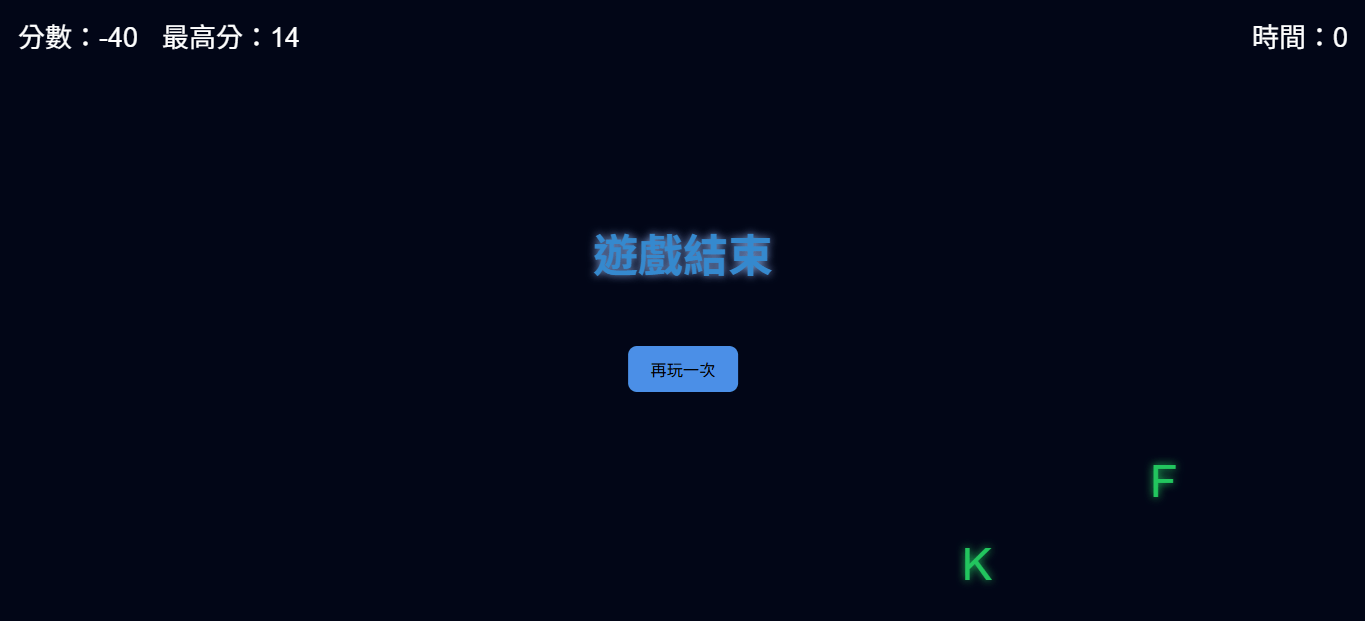
<!DOCTYPE html>
<html lang="zh-Hant">
<head>
  <meta charset="UTF-8">
  <title>鍵盤反應遊戲</title>
  <link rel="stylesheet" href="style.css">
</head>
<body>

<div id="letter">A</div>
<div id="score">分數:0</div>
<div id="highscore">最高分:0</div>
<div id="gameover">遊戲結束</div>

<button onclick="restartGame()">再玩一次</button>

<script src="main.js"></script>
<link rel="stylesheet" href= "main.css">
</body>
</html>
當按鈕被點擊時,執行 restartGame()函式
<button onclick="restartGame()">再玩一次</button><div id="gameover">遊戲結束</div>區塊元素
css
body {
  margin: 0;
  overflow: hidden;
  background: #020617;
  color: white;
  font-family: Arial;
}

#game {
  position: relative;
  width: 100vw;
  height: 100vh;
}

#letter {
  position: fixed;
  top: 25%;
  left: 50%;
  transform: translateX(-50%);
  font-size: 60px;
  color: #22c55e;
  text-shadow: 0 0 10px #22c55e;
  animation: fall linear forwards;
}


#score, #timer, #highscore {
  position: fixed;
  top: 20px;
  font-size: 30px;
}

#score { left: 20px; }
#highscore { left: 180px; }
#timer { right: 20px; }

#gameover {
  position: fixed;
  display: none;
  color: #3589ce;
  text-shadow: 0 0 10px #7e9cd4;
  top: 35%;
  width: 100%;
  text-align: center;
  font-size: 50px;
  font-weight: bolder;
}

button {
  position: fixed;
  top: 55%;
  left: 50%;
  transform: translateX(-50%);
  padding: 12px 25px;
  font-size: 18px;
  border: none;
  border-radius: 10px;
  background: #4b8fe7;
  cursor: pointer;
  display: none;
}

button:hover {
  background: #3381e7;
}
css
移除元素周圍的外邊距
body {
  margin: 0;
  overflow: hidden;
  background: #020617;
  color: white;
  font-family: Arial;
}
隱藏超出容器範圍的內容,不顯示捲軸
button {
  position: fixed;
  top: 55%;
  left: 50%;
  transform: translateX(-50%);
  padding: 12px 25px;
  font-size: 20px;
  border: none;
  border-radius: 10px;
  background: #4b8fe7;
  cursor: pointer;
  display: none;
}
按鈕會固定在螢幕的特定位置
按鈕目前是隱藏
起點定位在距離上方 55% 左方 50%
元素水平往回移動自身寬度的 50%
css
text-shadow: 0 0 20px #22c55e;水平偏移
垂直偏移
模糊半徑
顏色
0 0 20px #22c55e;
陰影
js
let letters = "ASDFJKL";
let current = "";
let score = 0;
let gameActive = true;

// 產生新字母
function newLetter() {
  current = letters[Math.floor(Math.random() * letters.length)];
  document.getElementById("letter").innerText = current;
}

// 更新分數
function updateScore() {
  document.getElementById("score").innerText = "分數:" + score;

  // 遊戲結束條件
  if (score < -5) {
    endGame();
  }
}

// 遊戲結束
function endGame() {
  gameActive = false;
  document.getElementById("gameover").style.display = "block";
  document.querySelector("button").style.display = "block";
}

// 鍵盤事件
document.addEventListener("keydown", function(e) {
  if (!gameActive) return;

  if (e.key.toUpperCase() === current) {
    score++;
  }
  else {
    score--;
  }

  updateScore();
  newLetter();
});

// 再玩一次
function restartGame() {
  score = 0;
  gameActive = true;

  document.getElementById("score").innerText = "分數:0";
  document.getElementById("gameover").style.display = "none";

  newLetter();
}

// 初始化
newLetter();
let letters = "ASDFJKL";
let current = "";
let score = 0;
let gameActive = true;現在畫面上的字母
遊戲字母
初始分數
隨機字母
function newLetter() {
  current = letters[Math.floor(Math.random() * letters.length)];


  document.getElementById("letter").innerText = current;
}
產生 0 ~ 1 的隨機數
無條件捨去
更新分數
function updateScore() {
  document.getElementById("score").innerText = "分數:" + score;
}
顯示分數
if (score < -5) {
    endGame();
  }
}
function endGame() {
  gameActive = false;
  document.getElementById("gameover").style.display = "block";
  document.querySelector("button").style.display = "block";
}
遊戲結束
顯示遊戲結束
關閉遊戲
document.addEventListener("keydown", function(e) {
  if (!gameActive) return;

  if (e.key.toUpperCase() === current) {
    score++;
  }
  else {
    score--;
  }

  updateScore();
  newLetter();
});
監聽器
按下任意鍵
轉大寫
更新畫面
產生新字母
鍵盤判斷
function restartGame() {
  score = 0;
  gameActive = true;

  document.getElementById("score").innerText = "分數:0";
  document.getElementById("gameover").style.display = "none";

  newLetter();
}
newLetter();
再玩一次
重設分數、畫面
初始化
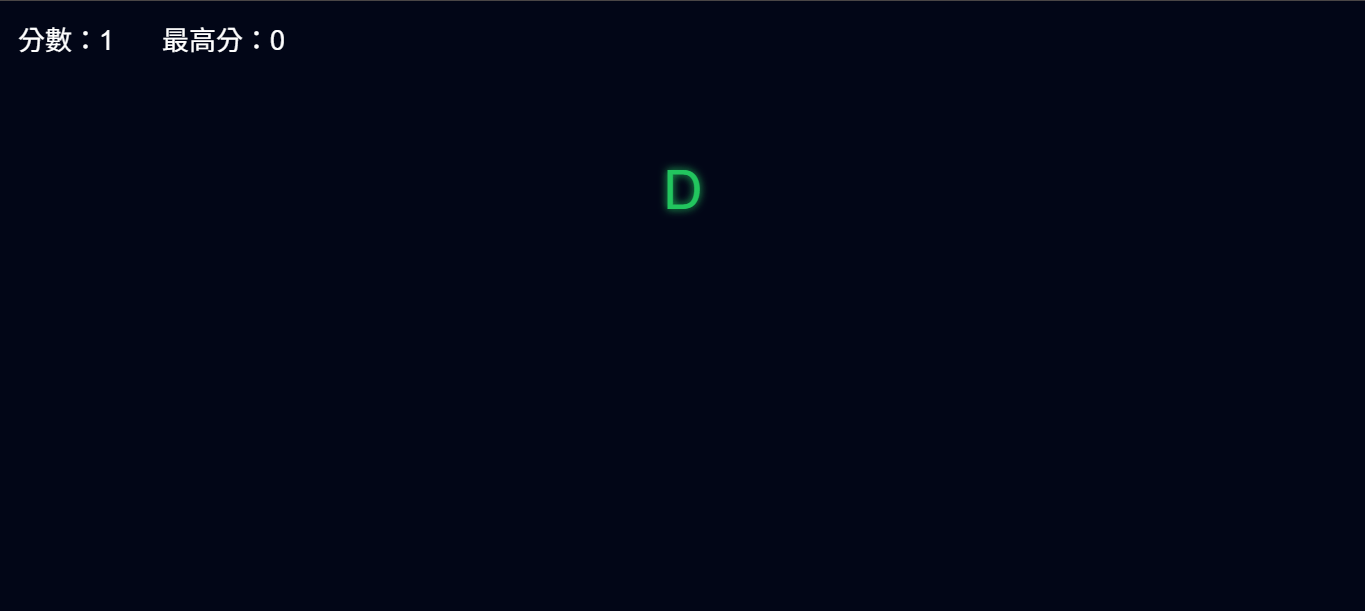
- 字母會掉下來
-
按對才消失
-
沒按到會扣分
-
30秒結束
-
最高分
-
再玩一次
下次課程
practical exercises2
By shiny0515