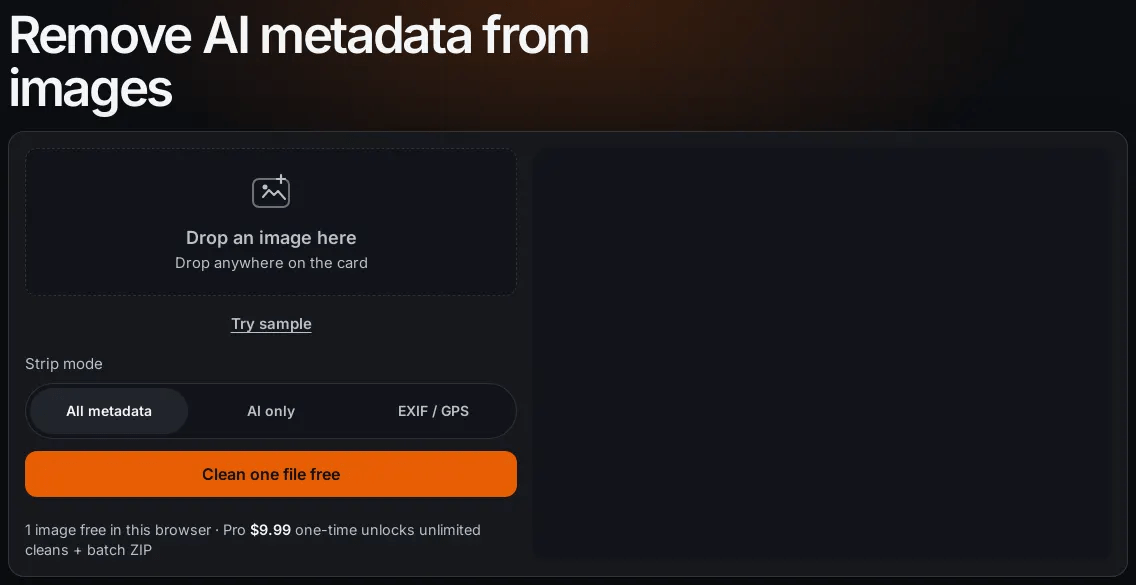
Step 1: drop the exact file you'll publish
Cleaning runs in the browser tab; still images only (JPEG, PNG, WebP, HEIC and more).
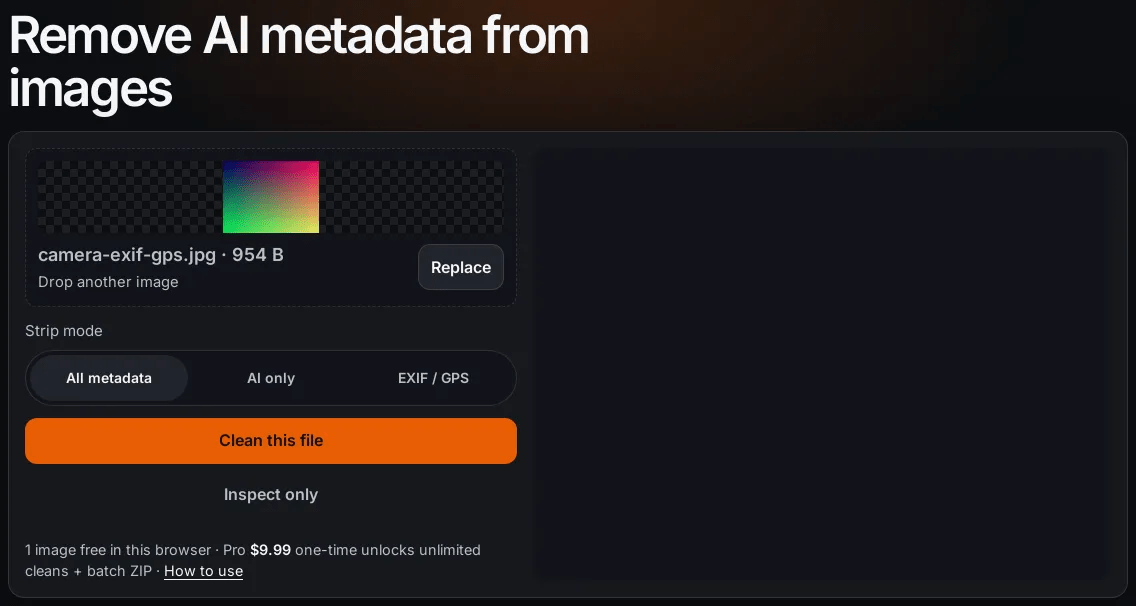
Step 2: pick the mode on purpose
All metadata: delivery files or unknown tags.
AI only: drop C2PA and AI text, keep GPS.
EXIF / GPS: privacy pass (C2PA is dropped too).
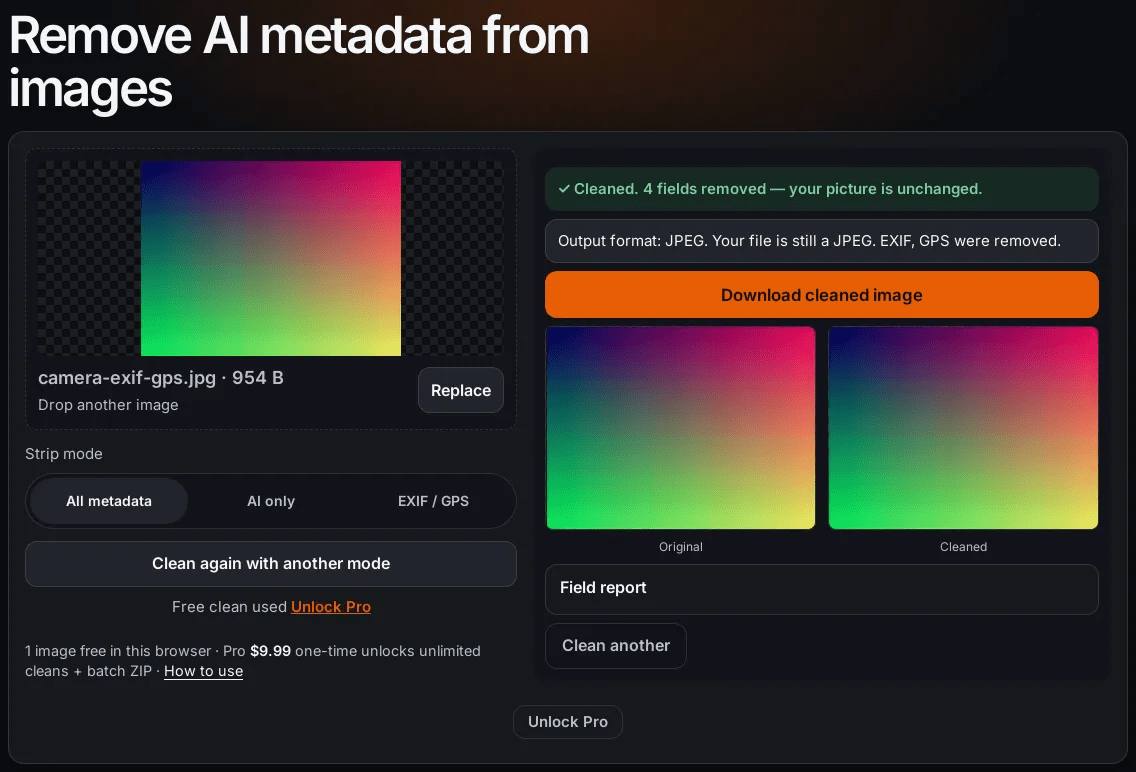
Step 3: verify the cleaned file
The After column is a fresh scan of the cleaned bytes, not a copy of the first report.
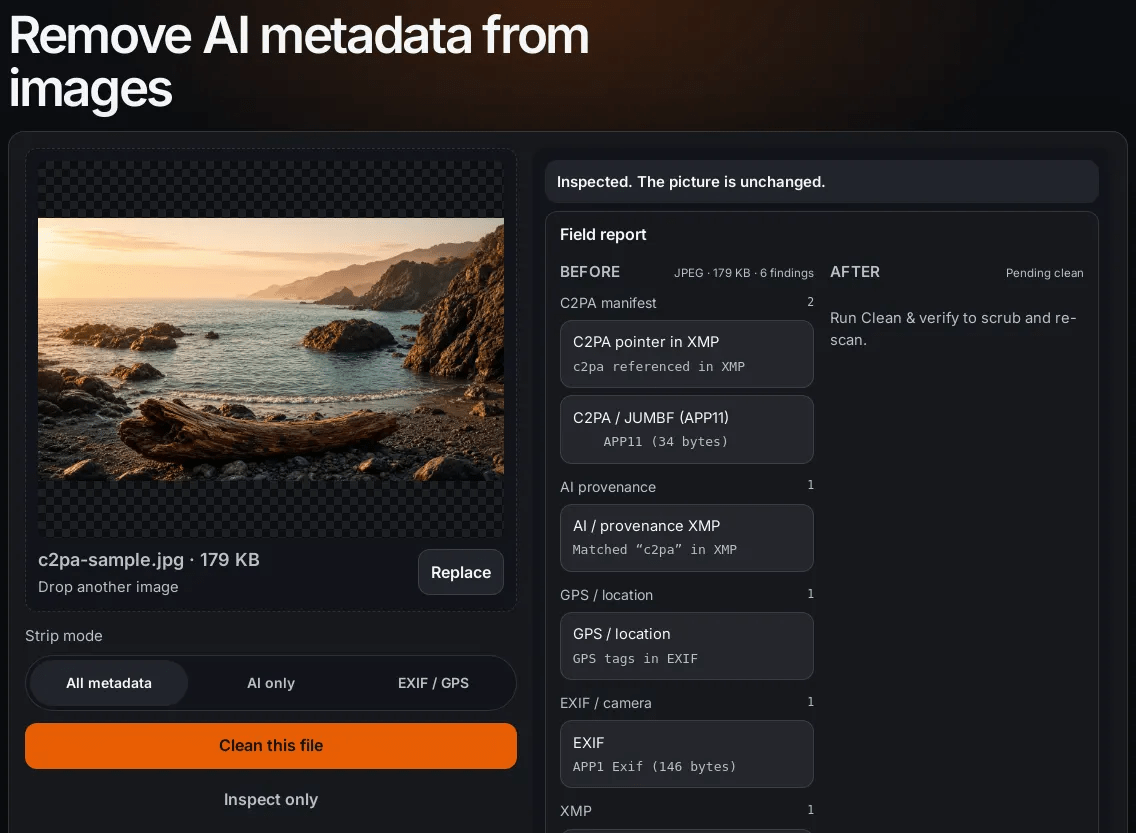
What C2PA evidence looks like
C2PA / JUMBF in APP11, a C2PA pointer in XMP, AI provenance XMP.
What it can't do
It does not remove pixel watermarks like SynthID or TrustMark.
It can't guarantee Instagram or LinkedIn will drop a label.
One image free, then Pro at $9.99 one-time.
Disclosure: Remove AI Meta is my project.
Checklist
□ Right file (the one you'll upload)
□ Mode matches intent
□ Clean and download
□ Re-inspect
□ Upload the cleaned copy only
Browser metadata cleaner checklist: inspect, scrub, verify
By removeaimeta