







Content ITV PRO
This is Itvedant Content department
Learning Outcome
4
Apply single and batch endpoint design with per-item logging.
3
Recognize how to log fast and protect personal data.
2
Identify the fields a prediction log entry needs.
1
Understand why every prediction must be logged.
5
Connect prediction logging to LLM app monitoring.
What is Prediction Logging?
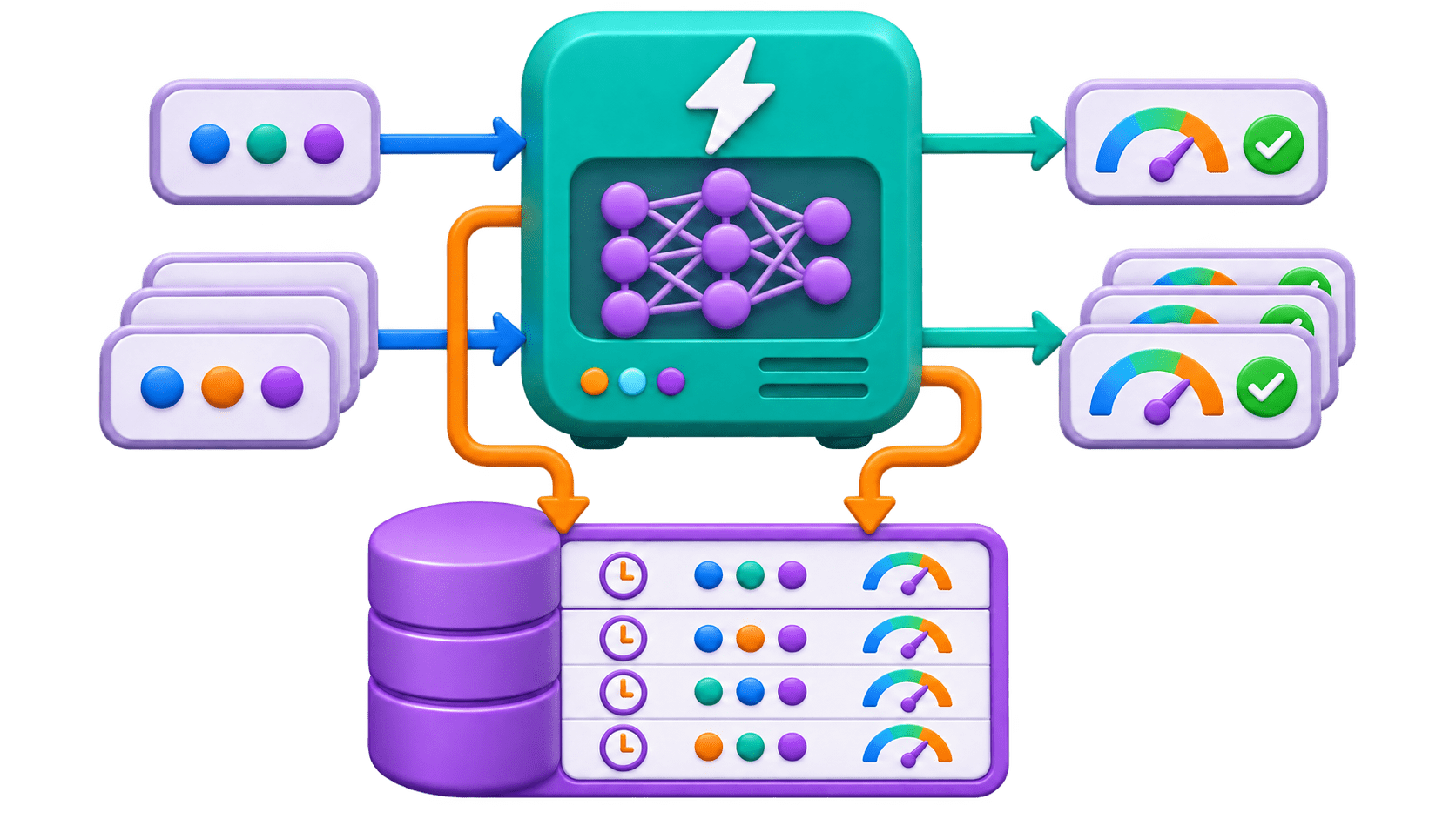
Recording every request, the prediction returned, and its context, in a structured, searchable form. It serves five purposes:
Debugging find exact inputs and model version; reproduce the result.
Monitoring: track latency, error rates, and share of each predicted class.
Drift detection compare today's inputs with training data.
Retraining data join logged inputs with real outcomes (did the lead enrol?)
Audit explain decisions like loan approval or scholarship screening later.
What a Log Entry Should Contain
request_id
Unique ID, also returned to the client.
timestamp
UTC, ISO format.
input features
After validation, sensitive fields masked.
model_name + model_version
The champion alias moves over time.
Prediction + confidence, latency_ms, status (code or error type).
Code
{"request_id": "a91f…", "timestamp": "2026-11-03T10:15:42Z",
  "model_version": "3", "prediction": "will_churn",
  "probability": 0.82, "latency_ms": 18, "status": 200}
Log failures too: a spike of 422s from one partner or 503s after a deploy is often the first warning.
Structured Logging in Python
Levels, timestamps, destinations; configurable without code changes.
logging, not print()
One JSON object per prediction can be searched, filtered, and loaded into a DataFrame.
Structured JSON lines
Right level
INFO for predictions, WARNING for unusual but handled, ERROR for failures with traceback.
Container logs vanish on restart; ship to a file collector, database, or log platform.
Durable storage
Code
logger.info(json.dumps(entry))Logging Without Slowing the API
Background Tasks
Buffered or queued writes
Trade-off
Schedule the log write to run after the response is sent.
Collect entries and write them in groups.
A small risk of losing the last few entries in a crash, for much lower latency. Usually the right call.
Writing to a database or log service can take longer than the prediction itself.
Code
def predict(data: LeadInput, background_tasks: BackgroundTasks):
    ...
    background_tasks.add_task(save_log, entry)
    return result
Protecting Personal Data in Logs
Log only what you need
Features matter; full names and addresses usually don't.
98XXXXXX21, or a hash that can be matched but not read.
Mask or hash identifiers
Delete raw logs after a fixed period (e.g., 90 days); keep aggregates longer.
Set retention
India's DPDP Act, 2023 treats logs as personal data needing purpose and safeguards.
Follow the law
Handling a Batch Request (Core Mechanism)
Cap the size
Field(min_length=1, max_length=1000); oversized requests get 422.
1
Predict together
Build one DataFrame, call model.predict() once.
2
Handle partial failures
Each result carries its own status; one bad record doesn't sink the batch.
3
POST /predict takes one record for real-time use
POST /predict/batch takes a list for throughput.
Very large jobs (e.g., two lakh past leads overnight) skip the API and run as offline batch scoring with the same logging rules.
Log per item
One entry per record sharing a batch_id, plus a summary entry.
5
Keep order
Return results with index or client record ID.
4
Single Prediction vs Batch Prediction (Comparison)
| Aspect | Single Prediction | Batch Prediction |
|---|---|---|
| Endpoint | POST /predict | POST /predict/batch |
| Input | One record | A list, with a maximum size |
| Main goal | Lowest latency for one answer | Highest throughput for many |
| Failure handling | Whole request succeeds or fails | Each record succeeds or fails alone |
| Logging | One entry per request | One per record + batch_id + summary |
| Analogy | Marking one student present | Marking the whole class, each student on their own line |
Think About This: Spotting the Difference
Single: one record, instant answer.
A website scores each enquiry the moment the form is submitted
Batch: three calls at a 1,000 cap.
Every morning, the CRM sends yesterday's 2,400 leads
Single: one person waiting on one result.
A counsellor clicks "Check churn risk" on one profile
Single needs speed; batch needs throughput.
Real-World Applications
Model promotion check
Compare predictions before and after version 4 using logged model_version.
Drift alert
A new lead source sends very different profiles, visible in logged inputs.
LLM apps
Also log the prompt, response, input/output tokens, cost, and per-step latency (LangSmith, Langfuse, MLflow Tracing), with personal data masked.
Lead-score complaint
request_id leads straight to the exact inputs and model version.
Summary
5
Batch: per-item status, shared batch_id.
4
Single for speed, batch for throughput.
3
Log in background; mask personal data.
2
Who, what in, what out, which model, how long.
1
Log every prediction, success or failure.
Quiz
A batch of 900 records hits one bad record. The endpoint returns 500 for the whole batch, with one log line: "batch failed". What's the right fix?
A. Lower the batch cap to 100 records
B. Retry the whole batch with backoff
C. Log only the failed record to save storage
D.Process individually; batch-log statuses.
Quiz-Answer
A batch of 900 records hits one bad record. The endpoint returns 500 for the whole batch, with one log line: "batch failed". What's the right fix?
A. Lower the batch cap to 100 records
B. Retry the whole batch with backoff
C. Log only the failed record to save storage
D.Process individually; batch-log statuses.
By Content ITV