










Content ITV PRO
This is Itvedant Content department
Learning Outcome
4
Apply Render, AWS, or Azure steps to deploy the API.
3
Recognize memory, cold-start, and scaling risks for models.
2
Identify PaaS, managed containers, Kubernetes, and virtual machines
1
Understand the options for running containers in the cloud.
5
Connect cloud deployment to serving GenAI apps.
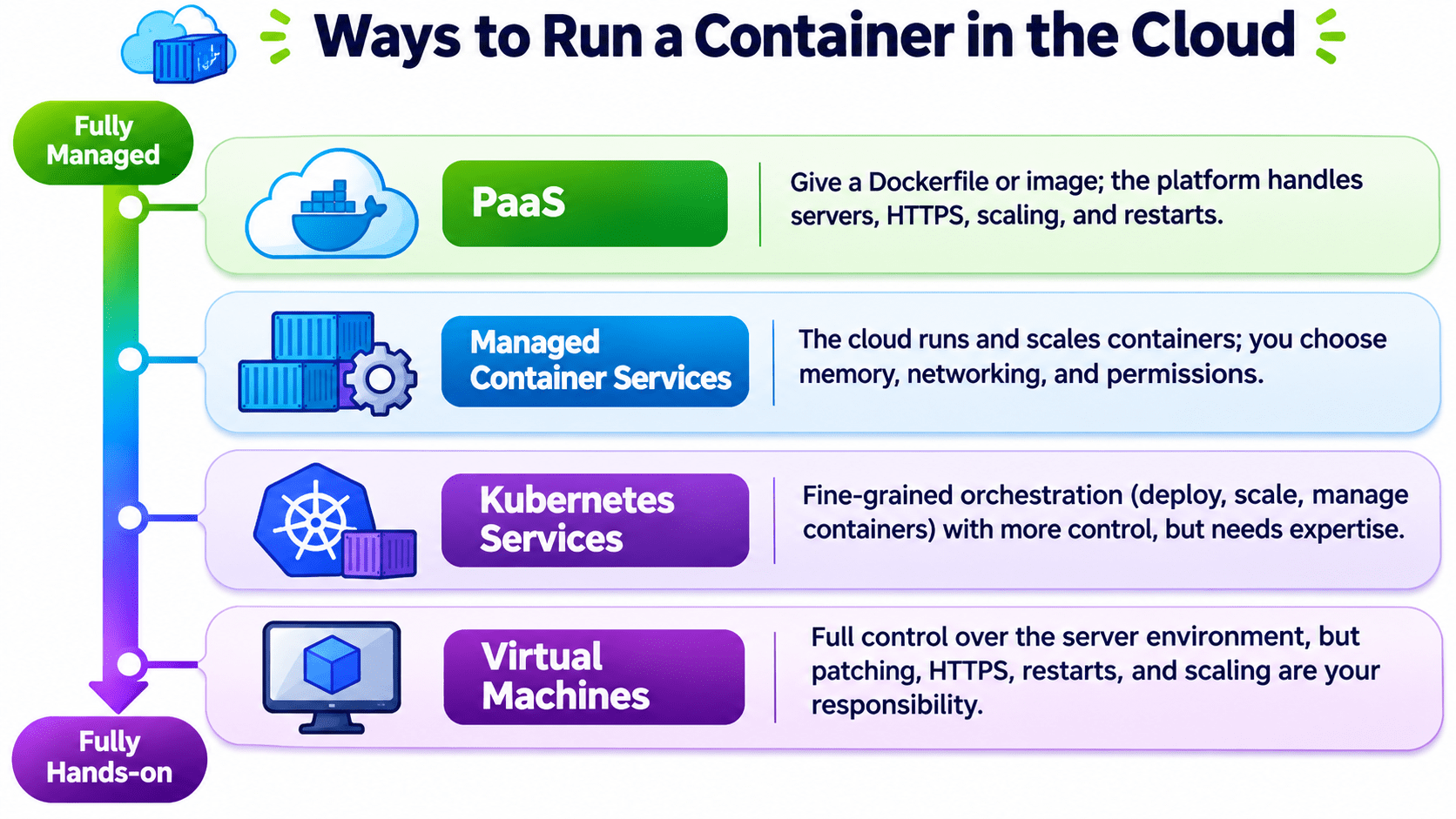
Imagine you move to a new city for work or studies. You need a place to stay, so you start exploring your options.
Option 1: PG (Paying Guest)
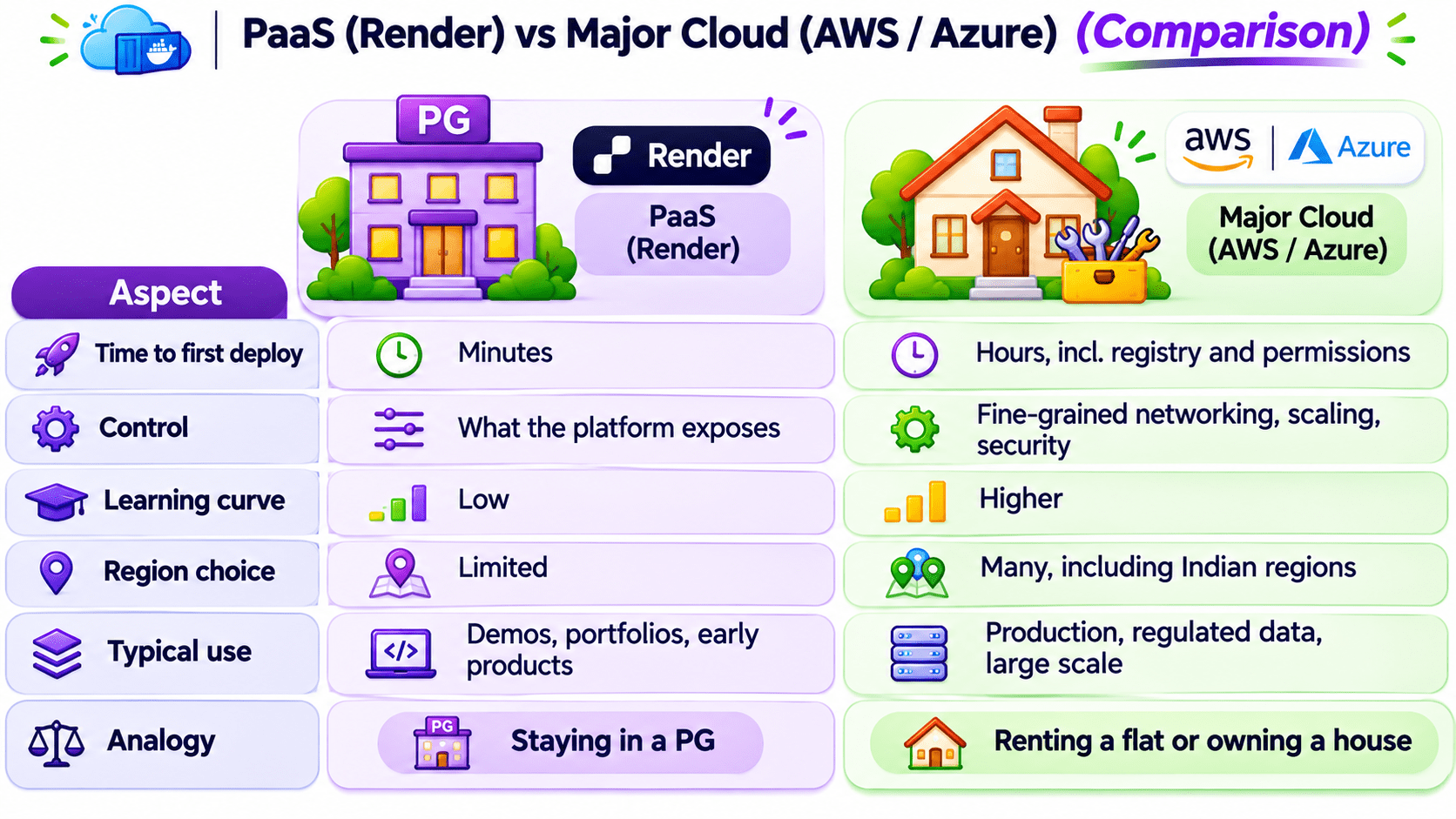
You can choose a PG where everything is already arranged for you. Food, cleaning, and Wi-Fi are included. You don't have to manage these things yourself. It's convenient, but you have limited control.
Option 2: Rented Flat
Your second option is to rent a flat. You get your own space and more freedom, but you must arrange food, cleaning, Wi-Fi, and other daily necessities yourself.
Option 3: Own House
Your third option is to buy your own house. You get complete independence and control, but you're also responsible for everything, including maintenance and utilities.
So, which option would you choose?
Now, just like choosing a place to stay depends on your needs, deploying an application also depends on how much convenience, control, and responsibility you want.
Well, your choice completely depends on your needs, budget, and how much responsibility you're willing to take.
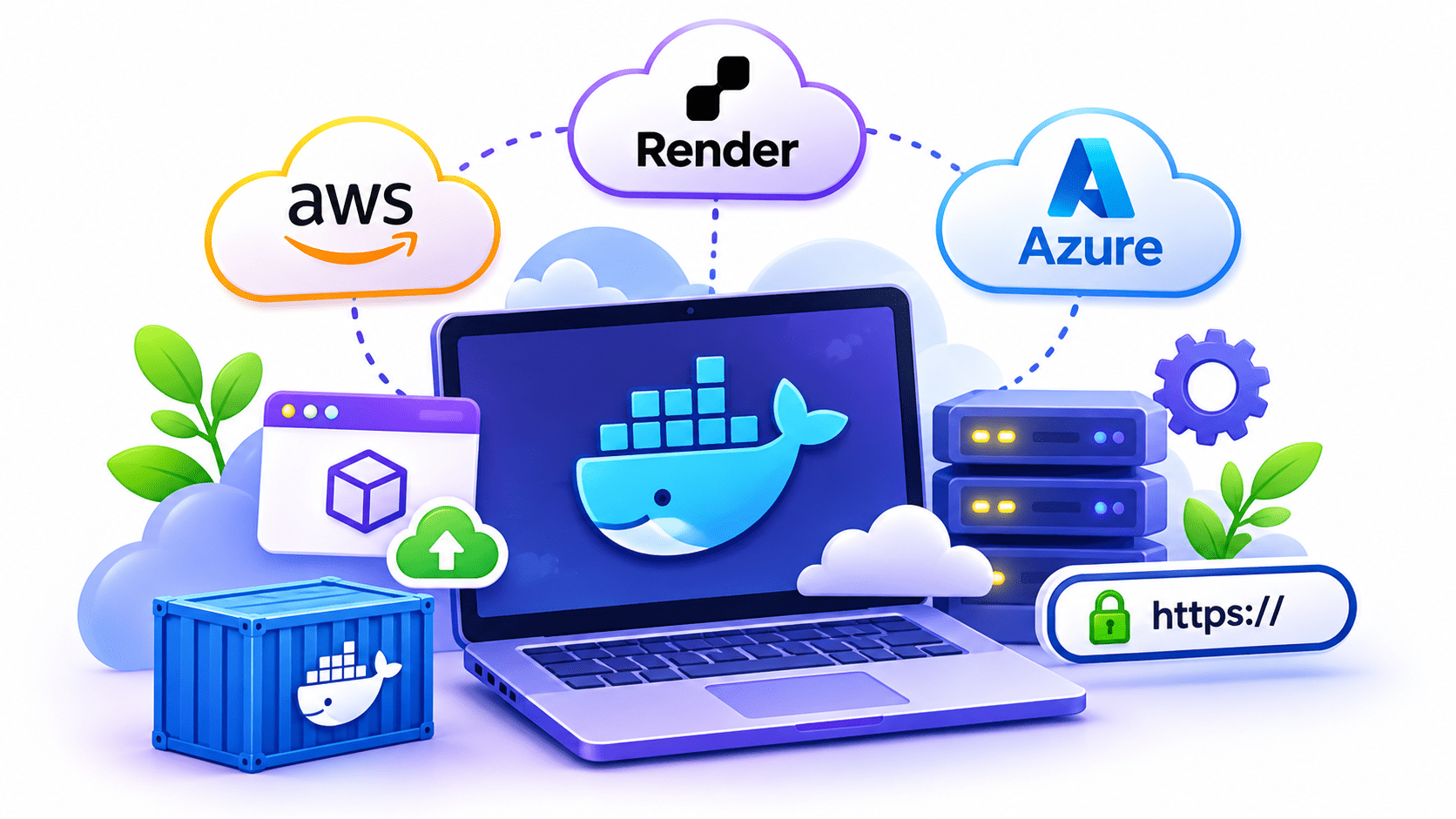
Once your Docker image is ready, the next question is: Where will you host it so users can access your application over the internet?
You have different options. Platforms like Render make things easier by handling most of the deployment and infrastructure for you, just like a PG.
On the other hand, AWS and Azure give you more control over the infrastructure, but require more setup and management.
Ways to Run a Container in the Cloud
Step 1: Create a web service – connect the GitHub repo and choose Docker, or point to a registry image.
Step 2: Set env vars and secrets – MODEL_ALIAS, LOG_LEVEL, MLflow token in service settings, never in the image.
Step 3: Listen on Render's port – read the PORT variable using the shell form of CMD.
Step 4: Set the health check – /health, so traffic reaches a new version only when healthy.
Step 5: Auto-deploy – on push to main, or via a deploy hook URL called from GitHub Actions.
CMD uvicorn main:app
--host 0.0.0.0
--port ${PORT:-8000}Push to Amazon ECR: the pipeline pushes the tagged image to Elastic Container Registry.
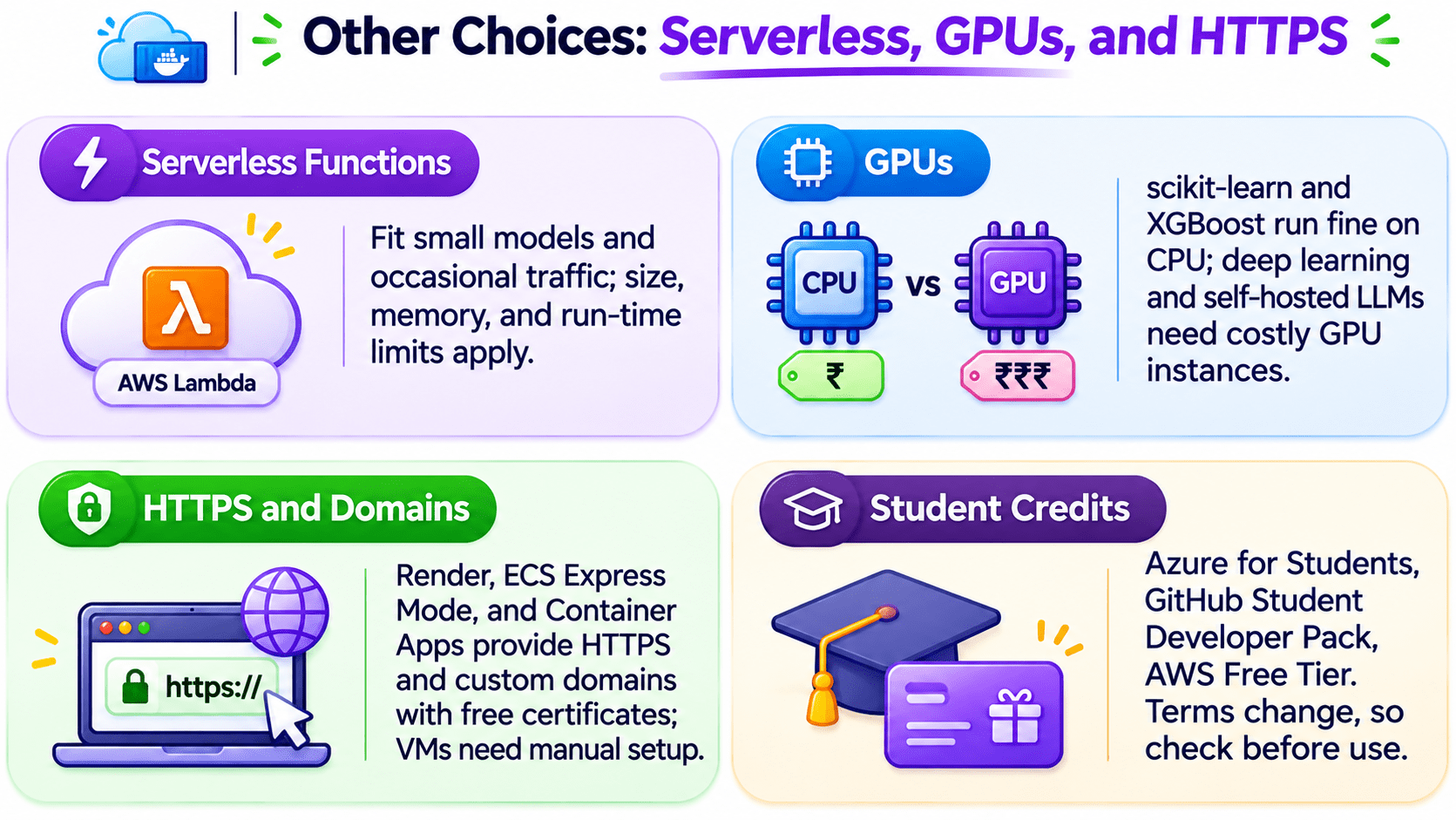
Run on ECS with Fargate: serverless containers. ECS Express Mode configures HTTPS, scaling, and health checks from an ECR image.
Note: App Runner, used in older tutorials, closed to new customers on 30 April 2026; AWS recommends ECS Express Mode.
IAM roles: the service reads only what it needs, e.g., one S3 bucket or one secret.
Region: Asia Pacific (Mumbai), ap-south-1, for low latency and data residency.
Push to Azure Container Registry (ACR).
Run with Azure Container Apps: auto-scaling, including down to zero, and built-in HTTPS. App Service also runs containers as web apps.
Managed identity + Key Vault: the app reads secrets with no stored credentials.
Region: Central India or South India, close to Indian users.
Let's look at three real-world scenarios and understand which cloud deployment platform would be the right choice for each situation
You need to publish your portfolio by tonight with minimal setup
A bank's credit-scoring model with data residency and audits
You need to serve 20 models to millions of users
Let's look at three real-world scenarios and understand which cloud deployment platform would be the right choice for each situation
You need to publish your portfolio by tonight with minimal setup
A bank's credit-scoring model with data residency and audits
You need to serve 20 models to millions of users
Let's look at three real-world scenarios and understand which cloud deployment platform would be the right choice for each situation
You need to publish your portfolio by tonight with minimal setup
A bank's credit-scoring model with data residency and audits
You need to serve 20 models to millions of users
Let's look at three real-world scenarios and understand which cloud deployment platform would be the right choice for each situation
You need to publish your portfolio by tonight with minimal setup
A bank's credit-scoring model with data residency and audits
You need to serve 20 models to millions of users
You need to publish your portfolio by tonight with minimal setup
A bank's credit-scoring model with data residency and audits
You need to serve 20 models to millions of users
Render lets you deploy directly from a Dockerfile with HTTPS in minutes.
You need to publish your portfolio by tonight with minimal setup
A bank's credit-scoring model with data residency and audits
You need to serve 20 models to millions of users
AWS or Azure provides the required infrastructure and control.
You need to publish your portfolio by tonight with minimal setup
A bank's credit-scoring model with data residency and audits
You need to serve 20 models to millions of users
AWS or Azure offers advanced scaling and infrastructure control to handle the workload.
Summary
4
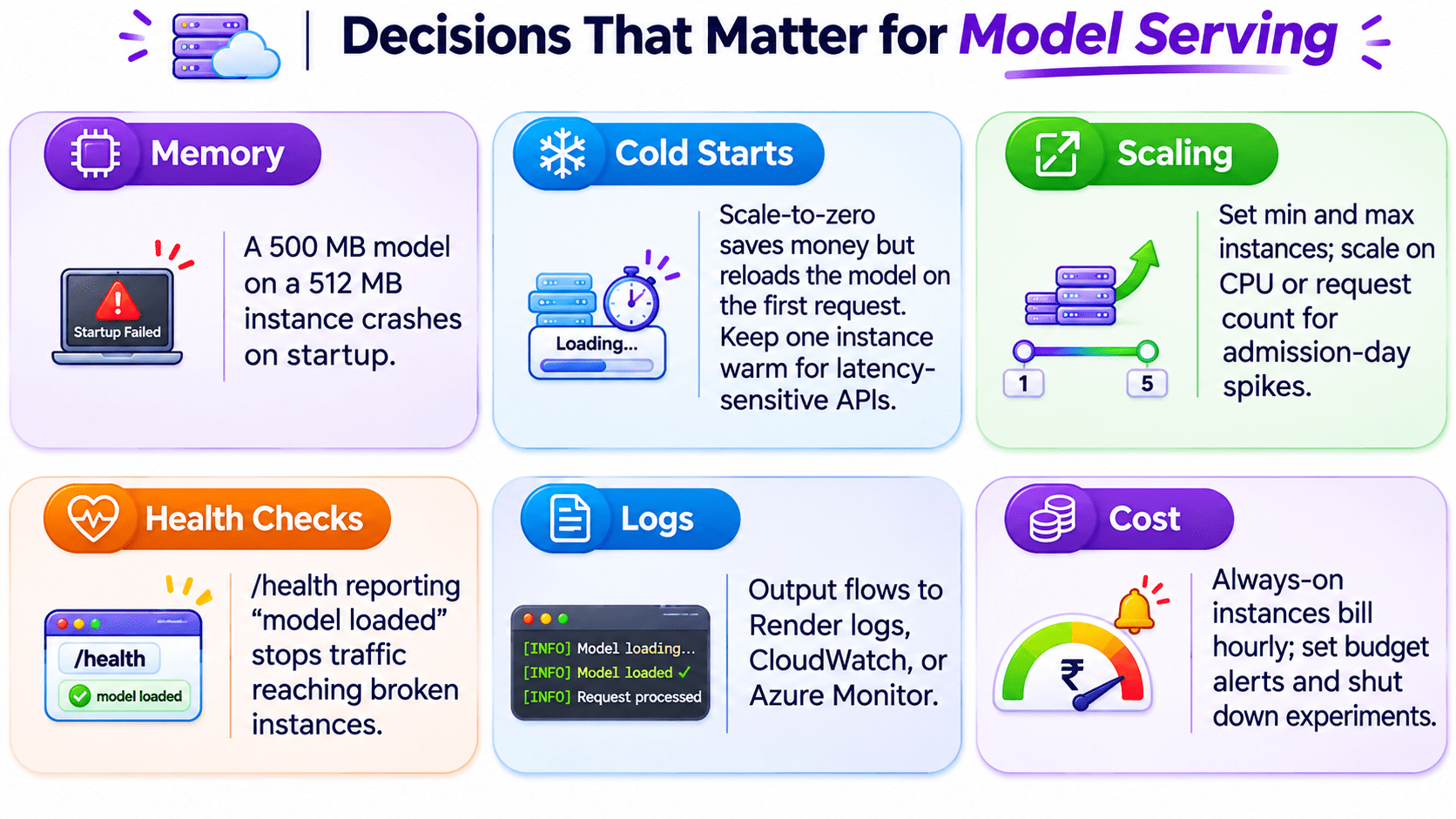
Memory must fit the loaded model.
3
/health decides when traffic flows.
2
1
5
Use Indian regions for Indian users.
Settings and secrets come from the platform.
PaaS is fastest; major clouds give control.
Quiz
Which platform offers more control over deployment?
A. Render
B. GitHub Actions
C. AWS / Azure
D. Docker Hub
Which platform offers more control over deployment?
A. Render
B. GitHub Actions
C. AWS / Azure
D. Docker Hub
Quiz-Answer
By Content ITV